Freedom251 › File transfer services

Heave
What Heave is
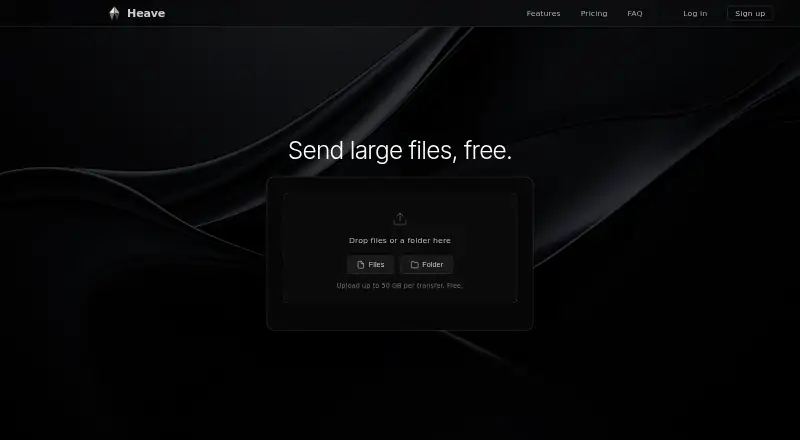
Heave is an API-based service for sending and receiving large file transfers. Sending and receiving can begin without an account, and recipients do not need an account or app. The Free plan supports transfers up to 50 GB, 50 GB of storage, 48-hour expiry, and three emails per transfer. Pro costs $10 a month and raises limits to 250 GB per transfer, 1 TB of storage, 14-day expiry, and 25 emails. Ultimate costs $29 a month, with 500 GB transfers, 2 TB storage, one-year expiry, and 50 emails per transfer. Paid plans add previews, expiry extension, deletion, analytics, and notifications for views, downloads, and upcoming expiry. Interrupted uploads can resume by selecting the same file or folder again. Ultimate includes branded client upload pages and tracked file-request links. Active storage counts non-expired transfers. Expired files are permanently deleted and their links stop working. The homepage form shows a 30-day expiry setting.
Who it suits
Heave suits people and teams transferring large files who want recipients to avoid accounts or apps. Pro and Ultimate fit users needing larger limits, longer expiry, transfer management, analytics, or branded upload workflows.
What it does well
- Recipients need no account or app
- Free transfers support up to 50 GB
- Uploads can resume after interruption
- Analytics include view and download timestamps
- Ultimate offers branded upload pages
What to know first
- Free transfers expire after 48 hours
- Expired files are permanently deleted
- Larger limits require paid plans
- Active storage counts non-expired transfers
Limits
The Free plan allows 50 GB per transfer, 50 GB of storage, 48-hour expiry, and three emails per transfer. Pro raises these to 250 GB, 1 TB, 14 days, and 25 emails; Ultimate allows 500 GB, 2 TB, one year, and 50 emails.
Plans
| Plan | Billed and limits | Price |
|---|---|---|
| Free | billed monthly · 50 GB per transfer · 50 GB storage · 48-hour expiry · 3 emails per transfer | Free |
| Pro | billed monthly · 250 GB per transfer · 1 TB storage · 14-day expiry · 25 emails per transfer | $10 a month |
| Ultimate | billed monthly · 500 GB per transfer · 2 TB storage · 1-year expiry · 50 emails per transfer | $29 a month |
As heave.gg lists them, read 28 Sept 2026. The maker's own page has the final word.
Getting started
- Open the Heave website
- Select files or a folder in the upload form
- Set the transfer expiry
- Send the transfer without creating an account, or use an account for storage and management
- Share the generated link with recipients
- Upgrade to Pro or Ultimate for larger limits and extended expiry
Verdict
Heave offers account-free large-file delivery with a free tier and two paid levels. Choose based on transfer size, storage, expiry duration, email limits, and whether management or branded pages are needed.
Questions
What does Heave cost?
The Free plan costs nothing. Pro is $10 a month, and Ultimate is $29 a month, each billed monthly.
Can recipients download without signing up?
Yes. Sending and receiving can start without an account, and recipients do not need an account or app.
What are the transfer and storage limits?
Free supports 50 GB per transfer and 50 GB storage. Pro supports 250 GB and 1 TB; Ultimate supports 500 GB and 2 TB.
How long do transfer links last?
Free transfers expire after 48 hours, Pro after 14 days, and Ultimate after one year. The homepage upload form shows a 30-day expiry setting.
Does Heave provide tracking?
Yes. Analytics show when recipients viewed or downloaded transfers with timestamps, and email notifications cover views, downloads, and upcoming expiry.
What happens when a transfer expires?
Expired files are permanently deleted, and the transfer link stops working.
Facts from Heave's own pages
- Active storage
- Active storage means total non-expired transfer size on the account. · heave.gg, 28 Sept 2026
- API access
- Ultimate includes REST API access for creating and managing transfers. · heave.gg, 28 Sept 2026
- Automatic deletion
- Expired files are permanently deleted and the link stops working. · heave.gg, 28 Sept 2026
- Custom branding
- Ultimate recipients can see the sender's logo and branding. · heave.gg, 28 Sept 2026
- Upload pages
- Ultimate supports branded client upload pages and tracked file-request links. · heave.gg, 28 Sept 2026
- Download tracking
- Yes · heave.gg, 21 Sept 2026
- Free plan
- Yes · heave.gg, 21 Sept 2026
- Free limits
- Free plan has 50 GB transfer size, 48-hour expiry, and 50 GB storage. · heave.gg, 28 Sept 2026
- Free transfer
- Free transfers support up to 50 GB. · heave.gg, 28 Sept 2026
- Default expiry
- The homepage upload form shows expiry in 30 days. · heave.gg, 28 Sept 2026
- Link expiry
- 14 · heave.gg, 21 Sept 2026
- Max file size
- 250 · heave.gg, 21 Sept 2026
- No account
- Sending and receiving can start without an account. · heave.gg, 28 Sept 2026
- Email notifications
- Notifications cover views, downloads, and upcoming expiry. · heave.gg, 28 Sept 2026
- Pro limits
- Pro has 250 GB transfer size, 14-day expiry, and 1 TB storage. · heave.gg, 28 Sept 2026
- Recipient access
- Recipients do not need an account or app. · heave.gg, 28 Sept 2026
- Resumable uploads
- Interrupted uploads can resume by reselecting the same file or folder. · heave.gg, 28 Sept 2026
- Paid from
- 10 · heave.gg, 21 Sept 2026
- Support links
- The site links to Terms of Service, Privacy Policy, and Abuse Contact. · heave.gg, 28 Sept 2026
- Transfer analytics
- Analytics show when recipients viewed or downloaded transfers, with timestamps. · heave.gg, 28 Sept 2026
- Transfer management
- Paid transfer management includes previews, expiry extension, deletion, and more. · heave.gg, 28 Sept 2026
- Ultimate limits
- Ultimate has 500 GB transfer size, 1-year expiry, and 2 TB storage. · heave.gg, 28 Sept 2026
Where Heave stands on Freedom251
- File transfer services#42 of 105