Freedom251 › Spam Call Blocking Apps
HangUp
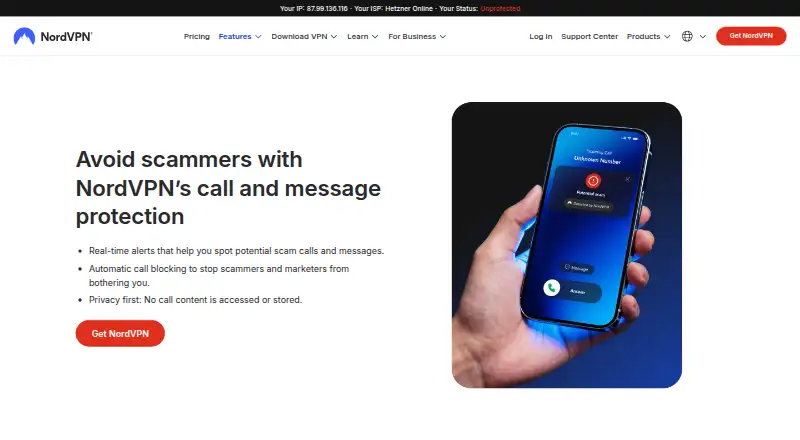
What HangUp is
HangUp is NordVPN’s standalone Android app for checking unknown calls in real time and screening incoming texts for threats. When it identifies a caller, it can show a name, company, or business before the user answers. Calls may be labeled Scam, Telemarketing, Finance, Fundraising, Services, Healthcare, or Government. Automatic blocking is available for Scam and Telemarketing calls, while other categories can be labeled but not automatically blocked. Calls HangUp cannot classify appear as “Unknown” without caller details on the call screen.
For incoming messages from unknown senders, HangUp checks sender reputation, links, and message content. It warns about messages it flags as malicious, provides a safe view, and can automatically move them to a junk or quarantine folder. The app is available through Google Play and requires a Nord Account. On first launch it requests Phone, SMS, Notifications, and Caller ID/Contacts permissions, which users can defer and enable later in settings. NordVPN says calls and messages are scanned as they arrive and their content is not stored afterward. Support offers live chat and an email form, with replies to email requests within 24 hours.
Who it suits
HangUp suits Android users who want caller identification, call labels, and screening for suspicious texts. It is also for Nord Account holders who want to block Scam and Telemarketing calls automatically.
What it does well
- Checks unknown calls in real time.
- Shows identified callers’ names, companies, or businesses.
- Can automatically block Scam and Telemarketing calls.
- Screens unknown senders’ messages for threats.
- Can move malicious messages to junk or quarantine.
What to know first
- Available on Android only; an iOS release is planned.
- A Nord Account is required.
- Automatic blocking applies only to Scam and Telemarketing categories.
- Unclassified calls show no details on the call screen.
Limits
The free plan supports automatic blocking only for Scam and Telemarketing calls; other categories can be labeled but not blocked automatically. If HangUp cannot identify a call’s category, it marks it “Unknown” and shows no details on the call screen.
Plans
| Plan | Billed and limits | Price |
|---|---|---|
| HangUp Free | Free for everyone · Android app · Nord Account required · Scam and telemarketing calls can be auto-blocked | Free |
As nordvpn.com lists them, read 10 Oct 2026. The maker's own page has the final word.
Getting started
- Install HangUp from Google Play.
- Sign in with a Nord Account.
- On first launch, grant the requested permissions or skip them and enable them later in settings.
- Enable automatic blocking for Scam and Telemarketing calls if desired.
Verdict
Pick HangUp if you use Android and want to identify and label calls while screening unknown senders’ texts. Its free plan can automatically block Scam and Telemarketing calls, but other call categories are label-only. Look elsewhere if you need an iOS app now or automatic blocking for other categories.
Questions
Is HangUp free?
Yes. HangUp Free costs nothing, billed Free for everyone.
Which platform is supported?
HangUp is a standalone Android app available through Google Play. NordVPN says an iOS release is planned for the future.
What calls can HangUp block automatically?
Users can enable automatic blocking for Scam and Telemarketing calls. Other categories can be labeled but not automatically blocked.
Does HangUp store call or message content?
NordVPN says it scans and sorts calls and messages as they arrive and does not store their content afterward.
Facts from HangUp's own pages
- Account requirement
- A Nord Account is required to use HangUp, but a paid NordVPN subscription is not stated as a requirement. · support.nordvpn.com, 10 Oct 2026
- Call blocking
- Users can enable automatic blocking for Scam and Telemarketing calls; other categories can be labeled but not automatically blocked. · support.nordvpn.com, 10 Oct 2026
- Caller identification
- When it identifies a caller, the app shows the caller’s name, company, or business before the user answers. · support.nordvpn.com, 10 Oct 2026
- Call labels
- It can label calls as Scam, Telemarketing, Finance, Fundraising, Services, Healthcare, or Government. · support.nordvpn.com, 10 Oct 2026
- Content storage
- NordVPN says HangUp scans and sorts calls and messages as they arrive and does not store their content afterward. · support.nordvpn.com, 10 Oct 2026
- Message safety
- For messages flagged as malicious, HangUp provides a warning and safe view, and can move them automatically to a junk or quarantine folder. · support.nordvpn.com, 10 Oct 2026
- Permissions
- On first launch, the app requests Phone, SMS, Notifications, and Caller ID/Contacts permissions; users can skip them and enable them later in settings. · support.nordvpn.com, 10 Oct 2026
- Platform and availability
- HangUp is a separate Android app available through Google Play, and NordVPN says an iOS release is planned for the future. · support.nordvpn.com, 10 Oct 2026
- Purpose
- HangUp is NordVPN’s standalone call and message protection app that checks unknown calls in real time and scans incoming texts for threats. · support.nordvpn.com, 10 Oct 2026
- Support
- NordVPN’s support page offers live chat and an email form, and says the support team will reply to email requests within 24 hours. · support.nordvpn.com, 10 Oct 2026
- Text screening
- For incoming messages from unknown senders, HangUp checks sender reputation, links, and message content for threats. · support.nordvpn.com, 10 Oct 2026
- Unknown calls
- If HangUp cannot determine a call’s category, it marks it “Unknown” and shows nothing on the call screen. · support.nordvpn.com, 10 Oct 2026
Where HangUp stands on Freedom251
- Spam Call Blocking Apps#14 of 41
- Call blocker apps#20 of 41