Freedom251 › Website Monitoring Software
GTmetrix
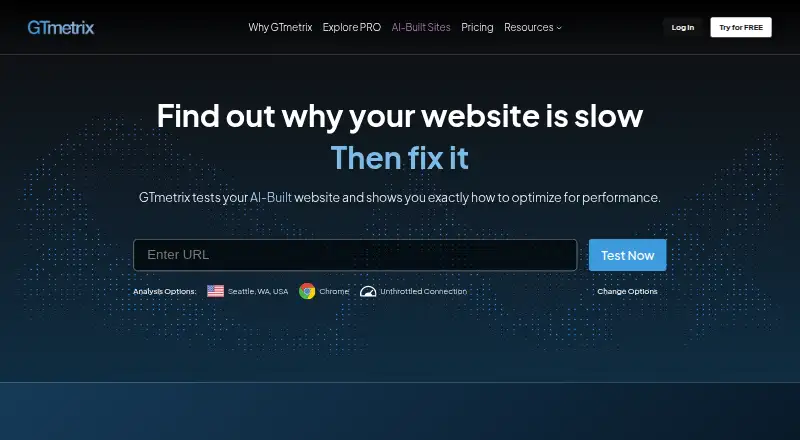
What GTmetrix is
GTmetrix is a website performance service for measuring page speed and finding potential causes of slow loads. Its reports pair Lighthouse-powered performance and structure scores with Web Vitals and audits ordered by impact. Tests run in a real Chrome browser, while request-level waterfall charts show timing, status codes, response sizes, and headers. For sites with sufficient Chrome traffic, GTmetrix also uses Chrome UX Report data for field measurements such as INP.
Testing is available from 28 global locations and can simulate more than 55 mobile and tablet devices. Users can schedule monitored pages hourly, daily, weekly, or monthly, then review historical graphs and performance alerts. The service includes a REST API and MCP server; its homepage names Claude, Cursor, GitHub Copilot CLI, ChatGPT, and Lovable as compatible AI coding tools. API analysis requests require an API key and use credits. GTmetrix offers web and API access, a free option, and paid plans from $4.99 a month billed yearly. It describes its audience as developers, marketers, hobbyists, agencies, small businesses, and enterprises.
Who it suits
GTmetrix suits developers, marketers, agencies, and site owners who need browser-based performance reports, request-level details, or recurring monitoring. Teams that want API or MCP workflows can also consider it, while Expert plans include five team seats.
What it does well
- Real Chrome tests measure observed page performance.
- Waterfalls show request timing, status, size, and headers.
- Reports combine scores, Web Vitals, and impact-ranked audits.
- Tests cover 28 locations and over 55 simulated devices.
- Monitoring supports schedules, history graphs, and alerts.
- A REST API and MCP server support workflows.
What to know first
- Lite limits users to 50 on-demand tests each month.
- Lite and Core do not include hourly monitoring or team seats.
- API analysis requests consume credits.
- Unlimited on-demand testing is subject to fair use.
Limits
Lite includes 50 on-demand tests per month, one monitored slot, five test locations, and one month of data retention; it has no hourly monitoring or team seats. Core includes 150 monthly on-demand tests and has no hourly monitoring or team seats. Unlimited on-demand tests on Advanced and Expert are subject to fair use.
Plans
| Plan | Billed and limits | Price |
|---|---|---|
| Free | Free option; no credit card required | Free |
| Advanced | billed yearly · Unlimited On-Demand Tests* · 10 Monitored Slots · 28 Test Locations · 50 Daily API/MCP Credits · 6 Months Data Retention · Hourly Monitoring · No Team Seats | $24.99 a month |
| Lite | billed yearly · 50 On-Demand Tests/month · 1 Monitored Slot · 5 Test Locations · Trial – 10 API/MCP Credits · 1 Month Data Retention · No Hourly Monitoring · No Team Seats | $4.99 a month |
| Expert | billed yearly · Unlimited On-Demand Tests* · 50 Monitored Slots · 28 Test Locations · 100 Daily API/MCP Credits · 12 Months Data Retention · Hourly Monitoring · 5 Team Seats | $49.99 a month |
| Core | billed yearly · 150 On-Demand Tests/month · 3 Monitored Slots · 10 Test Locations · 10 Daily API/MCP Credits · 6 Months Data Retention · No Hourly Monitoring · No Team Seats | $9.99 a month |
| Enterprise Plans | Custom plan; more monitored slots, API credits, and team seats; priority support; white-label PDF reports | On request |
As gtmetrix.com lists them, read 11 Oct 2026. The maker's own page has the final word.
Getting started
- Visit https://gtmetrix.com/ to access the web service.
- Choose the Free option or a paid plan.
- Use the web platform or API access.
- For REST API requests, obtain an API key and use credits.
- Set monitored-page testing frequency on a plan that includes monitoring.
Verdict
Choose GTmetrix for detailed page diagnostics, recurring checks, and options to test from multiple locations and devices. The free option provides a way to start, while teams needing seats should look at Expert; API users should account for credit limits and plan allowances.
Questions
Is GTmetrix free?
Yes. The Free option costs nothing and does not require a credit card.
What do paid plans cost?
Lite is $4.99 a month billed yearly; Core is $9.99 a month billed yearly; Advanced is $24.99 a month billed yearly; Expert is $49.99 a month billed yearly. Enterprise plan pricing is custom.
Which platforms does GTmetrix support?
The listed platforms are web and API.
Does GTmetrix provide monitoring?
Yes. Monitored pages can be tested hourly, daily, weekly, or monthly, depending on plan. Lite and Core do not include hourly monitoring.
Does GTmetrix have an API?
Yes. It offers a REST API and MCP server. REST API access requires an API key, and analysis requests use credits.
How many team seats are included?
Expert includes five team seats with Owner, Administrator, Tester, and Viewer roles. Enterprise plans offer custom team-seat amounts.
Facts from GTmetrix's own pages
- API access
- The REST API requires an API key, uses HTTPS, and meters analysis requests with credits. · gtmetrix.com, 11 Oct 2026
- Audience
- GTmetrix describes its users as developers, marketers, hobbyists, agencies, small businesses, and enterprises. · gtmetrix.com, 11 Oct 2026
- Devices and locations
- The product offers testing from 28 global locations and simulates more than 55 mobile and tablet devices. · gtmetrix.com, 11 Oct 2026
- Fair use limit
- Unlimited On-Demand Tests are subject to a fair use policy, and GTmetrix may restrict or suspend excessive or abusive use. · gtmetrix.com, 11 Oct 2026
- Founded
- 2009 · gtmetrix.com, 28 Sept 2026
- Headquarters
- Lyon, France · gtmetrix.com, 28 Sept 2026
- Monitoring
- Monitored pages can be tested hourly, daily, weekly, or monthly, with historical graphs and performance alerts. · gtmetrix.com, 11 Oct 2026
- Privacy and security
- The privacy policy says GTmetrix does not receive or store Google, Microsoft, or GitHub account passwords used for third-party sign-in. · gtmetrix.com, 11 Oct 2026
- Purpose
- GTmetrix tests website performance and explains why a page is slow and how to optimize it. · gtmetrix.com, 11 Oct 2026
- Real browser
- GTmetrix loads tests in a real Chrome browser and measures observed page performance. · gtmetrix.com, 11 Oct 2026
- Real user data
- GTmetrix uses Chrome UX Report data for field measurements including INP, when a site has sufficient Chrome traffic. · gtmetrix.com, 11 Oct 2026
- Reports
- Reports combine Lighthouse-powered performance and structure scores with Web Vitals and audits ranked by impact. · gtmetrix.com, 11 Oct 2026
- Support
- Enterprise plans include priority support, and the site provides a contact option for questions. · gtmetrix.com, 11 Oct 2026
- Team access
- Expert plans include five team seats with Owner, Administrator, Tester, and Viewer roles. · gtmetrix.com, 11 Oct 2026
- Waterfall
- Waterfall charts break page loads down request by request, including timing, status codes, response sizes, and headers. · gtmetrix.com, 11 Oct 2026
- Workflow and integrations
- GTmetrix offers a REST API and MCP server, and its homepage names Claude, Cursor, GitHub Copilot CLI, ChatGPT, and Lovable as compatible AI coding tools. · gtmetrix.com, 11 Oct 2026
Where GTmetrix stands on Freedom251
- Website Monitoring Software#9 of 55
- Website Optimization Tools#7 of 29