Freedom251 › Infrastructure Automation

Google Cloud Infrastructure Manager
Visit Google Cloud Infrastructure Manager Alternatives Pricing
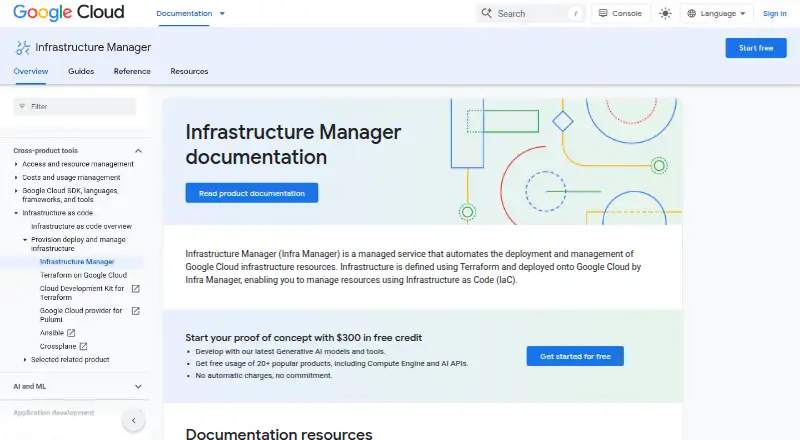
What Google Cloud Infrastructure Manager is
Google Cloud Infrastructure Manager is a managed service for deploying and managing Google Cloud infrastructure with Terraform configurations. It organizes work into deployments and revisions, keeping revision logs, configuration, resource lists and state files. Preview deployments let users inspect how proposed changes may affect infrastructure before applying them; drift detection and importing existing resources are also supported. Terraform configurations can come from Cloud Storage buckets, Git repositories or local directories. Infrastructure Manager uses Cloud Build for automated workflows, with connections through Cloud Build for GitHub, GitHub Enterprise, GitLab, GitLab Enterprise and Developer Connect. Users can deploy through the Google Cloud console or Google Cloud CLI, and REST and RPC API references are provided. IAM controls access, and deployment service accounts need permissions for the resources being deployed. Google advises against putting personal or sensitive information in Terraform configuration values. Deployments and updates have a two-hour timeout, while previews have a one-hour timeout. The pay-as-you-go plan charges for Cloud Build execution and Cloud Storage storage; build-minute charges may apply above a threshold, and storage costs vary by location. The service does not manage application deployment onto provisioned resources.
Who it suits
It suits users familiar with Terraform who deploy and manage Google Cloud infrastructure. Teams needing application deployment onto provisioned resources will need to account for the stated scope limit.
What it does well
- Previews show proposed infrastructure changes before applying them.
- Supports drift detection and importing existing resources.
- Configurations can come from Git, Cloud Storage or local directories.
- Deployments can use the console or Google Cloud CLI.
What to know first
- Terraform familiarity is expected.
- It does not manage application deployment.
- Deployments and updates time out after two hours.
- Cloud Build and Cloud Storage charges apply.
Limits
Deployments and updates time out after two hours, while preview deployments time out after one hour. Per-project, per-region quotas include 1,000 deployments and 1,000 previews, with Cloud Build and Cloud Storage limits also applying. The pay-as-you-go plan bills Cloud Build execution and Cloud Storage storage, with possible build-minute charges above a threshold.
Plans
| Plan | Billed and limits | Price |
|---|---|---|
| Pay-as-you-go | Charges for Cloud Build execution and Cloud Storage storage; contact sales for a custom quote. · Cloud Build build-minute charges may apply above a threshold · Cloud Storage cost varies by location | On request |
As cloud.google.com lists them, read 8 Oct 2026. The maker's own page has the final word.
Getting started
- Open the Infrastructure Manager documentation website.
- Prepare an HCL Terraform configuration.
- Store the configuration in Cloud Storage, a Git repository, or a local directory.
- Use the Google Cloud console or Google Cloud CLI to create a deployment.
- Set IAM permissions for the deployment service account and target resources.
- Connect Cloud Build workflows and supported Git services when needed.
Verdict
Infrastructure Manager supports Terraform-based Google Cloud deployments, previews and managed state information. Users should account for its time limits, usage charges and infrastructure-only scope.
Questions
Does Infrastructure Manager have a free plan?
No. Its pricing model is paid, with a pay-as-you-go plan.
Which configuration language does it use?
It uses HCL Terraform configurations.
Where can configurations come from?
Configurations can come from Cloud Storage buckets, Git repositories, or local directories.
Which platforms and interfaces are available?
It is available through web and API interfaces, including the Google Cloud console, Google Cloud CLI, REST, and RPC references.
Does it support existing resources and drift detection?
Yes. It supports importing existing resources and drift detection.
Facts from Google Cloud Infrastructure Manager's own pages
- Access control
- It uses IAM to control access, and deployment service accounts need permissions for the resources being deployed. · docs.cloud.google.com, 8 Oct 2026
- Configuration sources
- Terraform configurations can come from Cloud Storage buckets, Git repositories, or local directories. · docs.cloud.google.com, 8 Oct 2026
- Deployment limits
- Deployments and updates have a two-hour timeout, while previews have a one-hour timeout. · docs.cloud.google.com, 8 Oct 2026
- Integrations
- Infrastructure Manager uses Cloud Build for automated workflows and supports GitHub, GitHub Enterprise, GitLab, GitLab Enterprise, and Developer Connect connections through Cloud Build. · docs.cloud.google.com, 8 Oct 2026
- Interfaces
- Users can deploy through the Google Cloud console or Google Cloud CLI, and the documentation provides REST and RPC API references. · docs.cloud.google.com, 8 Oct 2026
- Lifecycle
- It manages infrastructure through deployments and revisions and stores revision logs, configuration, resource lists, and state files. · docs.cloud.google.com, 8 Oct 2026
- Previews
- It can create preview deployments so users can see how changes affect infrastructure before applying them. · docs.cloud.google.com, 8 Oct 2026
- Purpose
- Infrastructure Manager is a managed service for deploying and managing Google Cloud infrastructure with Terraform configurations. · docs.cloud.google.com, 8 Oct 2026
- Quotas
- The documented per-project, per-region quotas include 1,000 deployments and 1,000 previews; Infrastructure Manager is also subject to Cloud Build and Cloud Storage quotas and limits. · docs.cloud.google.com, 8 Oct 2026
- Scope
- Infrastructure Manager does not manage application deployment onto provisioned resources. · docs.cloud.google.com, 8 Oct 2026
- Security guidance
- Google advises users not to include personal or sensitive information in Terraform configuration values. · docs.cloud.google.com, 8 Oct 2026
- Supported users
- Google says users should be familiar with Terraform to work with Infrastructure Manager. · docs.cloud.google.com, 8 Oct 2026
Where Google Cloud Infrastructure Manager stands on Freedom251
- Infrastructure Automation#20 of 24
- IT Configuration Management Software#23 of 27
- Cloud Orchestration Software#24 of 27
- Orchestration / Provisioning Software#24 of 27
- Infrastructure as Code Tools#29 of 31