Freedom251 › Enterprise Backup Software
Google Cloud Backup and DR Service
Visit Google Cloud Backup and DR Service Alternatives Pricing
What Google Cloud Backup and DR Service is
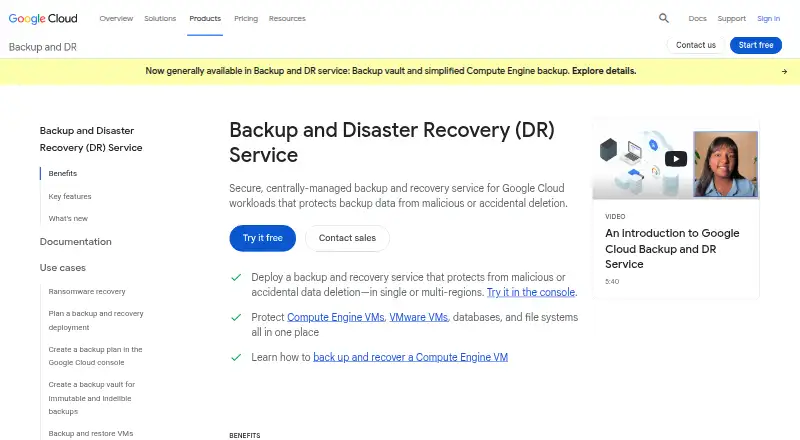
Google Cloud Backup and DR Service centrally manages backup and recovery for Google Cloud workloads, including virtual machines, disks, file storage and databases. Backup vaults keep copies in a Google-managed environment and guard them against changes and early deletion. Supported workloads include Compute Engine instances and disks, Filestore, Google Cloud VMware Engine VMs, Cloud SQL, AlloyDB, Oracle, Microsoft SQL Server, SAP HANA, MySQL and PostgreSQL. Backup plans can run intraday or on daily, weekly, monthly and yearly schedules, with configurable locations and retention periods. Recovery options include file-level restores, full workload recovery, and cloning across regions or projects. Operations can be automated with gcloud CLI, APIs and Terraform. Reporting connects with Cloud Monitoring, Cloud Logging and BigQuery, while security integrations include Security Command Center and Google Security Operations. Customer-managed encryption keys are supported for eligible workloads. A 30-day introductory trial provides up to 50 TiB of backup storage per vault and up to 10 vaults, but some transfer, storage and appliance charges may still apply. At trial end, the project upgrades automatically to paid usage, and retained backups can continue to incur storage charges.
Who it suits
It suits teams protecting Google Cloud workloads that need scheduled backups, recovery options and centralized management. Users backing up certain VMware VMs or databases inside Compute Engine should note the appliance requirement.
What it does well
- Backup plans support schedules from intraday to yearly.
- Recovery includes file restores and cross-region cloning.
- Automation supports gcloud CLI, APIs and Terraform.
- Reporting integrates with Cloud Monitoring, Logging and BigQuery.
What to know first
- No free plan is listed; paid usage is consumption-based.
- The trial upgrades automatically to paid usage.
- Some transfer, storage and appliance costs may still apply.
- Certain workloads require backup/recovery appliances.
Limits
The introductory trial allows up to 50 TiB of backup storage per vault and up to 10 vaults, with one trial per project. Inter-region transfers, multi-regional uploads or downloads, self-managed storage, and appliance costs may still be charged; after 30 days, usage converts to paid billing and retained backups can continue generating storage charges.
Plans
| Plan | Billed and limits | Price |
|---|---|---|
| 30-day introductory trial | 30 days; trial ends or upgrades to paid usage · Up to 50 TiB of backup storage per vault · Up to 10 vaults · One trial per project · Inter-region transfers, multi-regional uploads/downloads, self-managed storage, and appliance costs may still be charged | Free |
| Paid usage | Monthly, based on usage; consumption-based billing · Charges can include backup storage, backup management, inter-region data transfer, and multi-regional uploads/downloads; backup/recovery appliances incur standard Compute Engine instance charges | On request |
As cloud.google.com lists them, read 3 Oct 2026. The maker's own page has the final word.
Getting started
- Open the Google Cloud Backup and DR Service website
- Choose API, Linux, self-hosted, or web access
- Create backup vaults and select protected workloads
- Configure schedules, locations, and retention periods
- Automate operations with gcloud CLI, APIs, or Terraform
- Start the 30-day introductory trial if the project is eligible
Verdict
The service combines managed backup vaults, configurable schedules and several recovery paths for Google Cloud workloads. Review trial eligibility, possible additional charges and appliance requirements before relying on it.
Questions
Is there a free plan?
No. A 30-day introductory trial is available for eligible projects, then the project upgrades automatically to paid usage.
How much does paid usage cost?
Paid usage has no listed fixed price. Monthly consumption billing can include backup storage, management, data transfer, uploads or downloads, and appliance compute charges.
Which workloads can it protect?
It supports Compute Engine, Filestore, Google Cloud VMware Engine, Cloud SQL, AlloyDB, and Oracle, Microsoft SQL Server, SAP HANA, MySQL, and PostgreSQL databases.
Can backups be automated?
Yes. Google lists gcloud CLI, APIs, and Terraform for automating backup operations.
Does it support ransomware recovery?
Yes. Backup vaults protect copies against modification and early deletion, and the service lists ransomware recovery support.
Facts from Google Cloud Backup and DR Service's own pages
- Appliance requirement
- Backing up VMware VMs and SAP HANA, IBM Db2, Oracle, or Microsoft SQL Server databases running inside Compute Engine instances requires an appliance management console and one or more backup/recovery appliances. · docs.cloud.google.com, 3 Oct 2026
- Automation
- Google lists gcloud CLI, APIs, and Terraform as ways to automate backup operations and integrate them with infrastructure-as-code workflows. · cloud.google.com, 3 Oct 2026
- Encryption
- Backup and DR supports customer-managed encryption keys managed in Cloud Key Management Service for supported workloads. · docs.cloud.google.com, 3 Oct 2026
- Immutable backups
- Backup vaults store backups in a Google-managed environment and protect them against modification and early deletion. · cloud.google.com, 3 Oct 2026
- Legacy support notice
- Google states that support for new deployments of affected databases in the legacy appliance management console ended after July 31, 2026. · docs.cloud.google.com, 3 Oct 2026
- Purpose
- Google Cloud describes the service as centrally managed backup and recovery for Google Cloud workloads, protecting backup data from malicious or accidental deletion. · cloud.google.com, 3 Oct 2026
- Recovery
- The service supports granular file-level restores, full workload recoveries, and cross-region or cross-project cloning. · docs.cloud.google.com, 3 Oct 2026
- Reporting integrations
- Backup and DR reporting integrates with Cloud Monitoring, Cloud Logging, and BigQuery for dashboards, alerts, and custom reports. · docs.cloud.google.com, 3 Oct 2026
- Scheduling and retention
- Backup plans support intraday, daily, weekly, monthly, and yearly schedules with configurable backup locations and retention periods. · cloud.google.com, 3 Oct 2026
- Security integrations
- The service integrates with Security Command Center and Google Security Operations to surface alerts about high-risk backup activity. · docs.cloud.google.com, 3 Oct 2026
- Supported workloads
- Supported workloads include Compute Engine instances and disks, Filestore, Google Cloud VMware Engine VMs, Cloud SQL, AlloyDB, and enterprise databases including Oracle, Microsoft SQL Server, SAP HANA, MySQL, and PostgreSQL. · docs.cloud.google.com, 3 Oct 2026
- Trial conversion
- At the end of the 30-day trial, the project automatically upgrades to paid usage and retained backups can continue to incur storage charges. · docs.cloud.google.com, 3 Oct 2026
- Trial eligibility
- A project cannot start the introductory trial if it already has an active Backup and DR configuration or used the trial within the past 12 months. · docs.cloud.google.com, 3 Oct 2026
- Trial SLA
- Google says service level agreements might be limited during the trial period. · docs.cloud.google.com, 3 Oct 2026
Where Google Cloud Backup and DR Service stands on Freedom251
- Enterprise Backup Software#6 of 25
- Backup and Disaster Recovery Software#11 of 36