Freedom251 › Artifact repository software
Google Artifact Registry
What Google Artifact Registry is
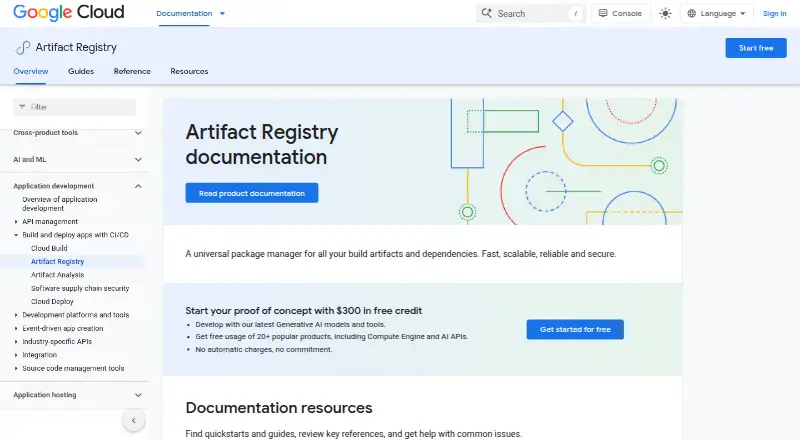
Google Artifact Registry is a cloud service for keeping software packages, Docker container images, and build dependencies in one managed location. It supports Docker, Ruby, Conda, Maven, npm, Python, Apt, Yum, Kubeflow, Go, and generic artifacts. Teams can connect it with Cloud Build and other CI/CD tools, then deploy artifacts to Google Kubernetes Engine, Cloud Run, Compute Engine, or the App Engine flexible environment.
Repositories are private by default, with Identity and Access Management handling credentials and access control. Remote repositories cache upstream dependencies; connector repositories proxy upstream sources without caching; and virtual repositories place remote and private repositories behind one endpoint. New images trigger automatic vulnerability scanning, and vulnerability information is updated as new issues are discovered. Customer content is encrypted at rest by default, and repositories can use customer-managed keys in Cloud KMS. VPC Service Controls and Binary Authorization policies support protected deployments. Image streaming can prewarm images for Google Kubernetes Engine workloads. The service is available through web and API, with community and documentation support.
Who it suits
Artifact Registry suits developers, DevOps teams, and security teams working in Google Cloud, across small, mid-market, and enterprise organizations. It is useful for teams that need a shared repository for packages and container images, plus controls for access and deployment.
What it does well
- Stores packages and Docker images in one location.
- Supports Docker, Ruby, Conda, Maven, npm, Python, and other formats.
- Connects with Cloud Build and other CI/CD tools.
- Offers remote, connector, and virtual repository modes.
- Automatically scans newly pushed images for vulnerabilities.
- Supports customer-managed Cloud KMS encryption keys.
What to know first
- Cloud deployment only; self-hosting is unavailable.
- Image streaming is described for Google Kubernetes Engine workloads.
Limits
The free storage tier applies from 0 to 0.5 gibibyte month across projects attached to a billing account. The listed storage plan is free for 0.5 gibibyte month and above, billed by gibibyte hour per account for one month.
Plans
| Plan | Billed and limits | Price |
|---|---|---|
| Artifact Registry Storage | 1 gibibyte hour, per 1 month / account · 0.5 gibibyte month and above · regional and multi-regional repositories | Free |
| Free storage tier | 0 gibibyte month to 0.5 gibibyte month · per 1 month / account · Storage free tier applies across projects attached to a billing account | Free |
As cloud.google.com lists them, read 1 Oct 2026. The maker's own page has the final word.
Getting started
- Open the Artifact Registry website.
- Use the web interface or API.
- Create a repository for the packages or images you need to store.
- Choose a repository mode: remote, connector, or virtual.
- Connect the repository to Cloud Build or another CI/CD tool.
- Set access through Identity and Access Management.
Verdict
Choose Google Artifact Registry if your team needs centralized package and image storage within Google Cloud, with repository controls and CI/CD connections. Look elsewhere if you need a self-hosted repository.
Questions
Is Google Artifact Registry free?
It has a free storage tier of 0 to 0.5 gibibyte month per billing account. The listed storage plan is free for 0.5 gibibyte month and above.
Which artifact formats does it support?
Supported formats include Docker, Ruby, Conda, Maven, npm, Python, Apt, Yum, Kubeflow, Go, and generic artifacts.
Can it proxy upstream repositories?
Yes. Remote repositories cache upstream dependencies, while connector repositories proxy upstream sources without caching.
Which Google Cloud services can use its artifacts?
Artifacts can be deployed to Google Kubernetes Engine, Cloud Run, Compute Engine, and App Engine flexible environment.
How are repositories secured?
Repositories are private by default, and Identity and Access Management controls credentials and access. Content is encrypted at rest by default, with customer-managed Cloud KMS keys available.
Can Artifact Registry be self-hosted?
No. It is cloud deployed.
Facts from Google Artifact Registry's own pages
- Access control
- Identity and Access Management provides consistent credentials and access control for Artifact Registry. · docs.cloud.google.com, 1 Oct 2026
- CI/CD integration
- Artifact Registry integrates with Google Cloud CI/CD services and existing CI/CD tools, including Cloud Build. · docs.cloud.google.com, 1 Oct 2026
- Company size fit
- small, mid market, enterprise · cloud.google.com, 22 Sept 2026
- Deployment
- cloud · cloud.google.com, 22 Sept 2026
- Deployment runtimes
- Artifacts can be deployed to Google Kubernetes Engine, Cloud Run, Compute Engine, and App Engine flexible environment. · docs.cloud.google.com, 1 Oct 2026
- Encryption
- Customer content is encrypted at rest by default, and repositories can use customer-managed encryption keys in Cloud KMS. · docs.cloud.google.com, 1 Oct 2026
- Image streaming
- Image streaming can prewarm images to reduce cold-start latency for Google Kubernetes Engine workloads. · docs.cloud.google.com, 1 Oct 2026
- Integrations
- Cloud Build, Google Kubernetes Engine, Cloud Run, Compute Engine · cloud.google.com, 22 Sept 2026
- Intended users
- Google Cloud describes its software supply-chain capabilities as tools for developers, DevOps teams, and security teams. · docs.cloud.google.com, 1 Oct 2026
- Package and image storage
- It provides a single location for storing and managing packages and Docker container images. · docs.cloud.google.com, 1 Oct 2026
- Pricing model
- Usage charges can include storage, data transfer, and vulnerability scanning when enabled and supported by the repository. · cloud.google.com, 1 Oct 2026
- Purpose
- Artifact Registry centrally stores artifacts and build dependencies as part of an integrated Google Cloud experience. · docs.cloud.google.com, 1 Oct 2026
- Repository modes
- Remote repositories cache upstream dependencies, connector repositories proxy upstream sources without caching, and virtual repositories group remote and private repositories behind one endpoint. · docs.cloud.google.com, 1 Oct 2026
- Repository privacy
- All repositories are private by default and access should follow least-privilege principles. · docs.cloud.google.com, 1 Oct 2026
- Security controls
- Artifact Registry supports VPC Service Controls and Binary Authorization policies for protected deployments. · docs.cloud.google.com, 1 Oct 2026
- Support channels
- community, docs · cloud.google.com, 22 Sept 2026
- Supported formats
- Supported formats include Docker, Ruby, Conda, Maven, npm, Python, Apt, Yum, Kubeflow, Go, and generic artifacts. · docs.cloud.google.com, 1 Oct 2026
- Vulnerability scanning
- Automatic scanning is triggered when a new image is pushed, and vulnerability information is continuously updated when new vulnerabilities are discovered. · docs.cloud.google.com, 1 Oct 2026
Where Google Artifact Registry stands on Freedom251
- Artifact repository software#24 of 64