Freedom251 › Photo Preset Libraries

Goodlight Presets
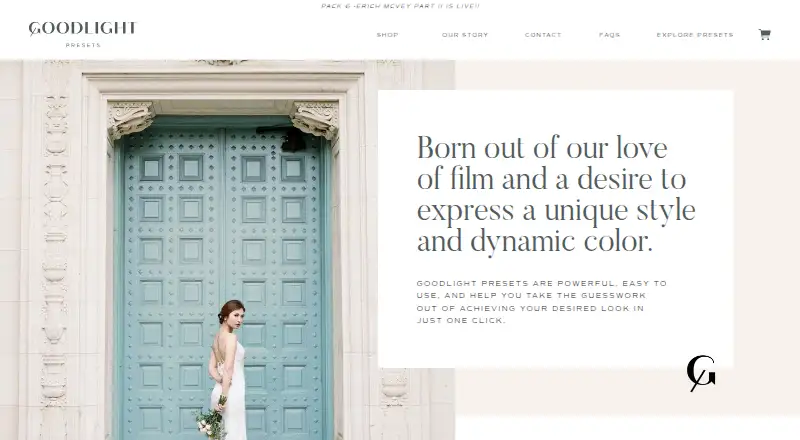
What Goodlight Presets is
Goodlight Presets provides Lightroom presets connected to enhanced profiles that apply film-inspired color and tonality to photos. The profile strength can be adjusted with an amount slider. Pack 4 – Erich McVey contains 15 profiles: nine color and six black-and-white. It also includes editing boards, presets and tools for tone, sharpening and grain adjustments, plus a PDF user guide. Mac and PC installers, an installation GIF and a video guide link are included.
The presets support Lightroom Classic 7.4 or later, Photoshop/Camera Raw 10.3 or later, and Lightroom CC for mobile on iOS and Android. They do not work with Lightroom 5. Mobile editing requires an Adobe Creative Cloud subscription and an initial import through desktop Lightroom. JPEG files are supported, though RAW is recommended; the maker suggests starting JPEG profile strength around 20–30%. The maker says the presets work with all cameras and names Nikon, Canon, Sony, Panasonic and Fuji among those it tested. Goodlight Presets is paid, with prices from $27 one-time; Pack 4 is $347, paid once. Purchases are delivered by download, and the maker says the link will be provided within 24 hours after purchase.
Who it suits
Goodlight Presets suits photographers who edit with supported Adobe applications and want film-inspired color or black-and-white profiles with adjustable strength. Pack 4 may suit buyers who want 15 profiles plus tone, sharpening and grain tools, while mobile-only editors need access to desktop Lightroom for the initial import.
What it does well
- Profile strength can be adjusted with an amount slider.
- Pack 4 includes nine color and six black-and-white profiles.
- JPEG files are supported, and RAW is recommended for best results.
- Pack 4 includes tone, sharpening and grain tools plus a PDF guide.
- Installers and guides are provided for Mac and PC.
What to know first
- Mobile editing requires an Adobe Creative Cloud subscription and desktop import.
- Downloadable purchases are final, with no refunds or returns.
- Pack 4 is listed at $347, paid once.
Limits
Mobile editing requires an Adobe Creative Cloud subscription and initial import through desktop Lightroom. Downloadable purchases are final, and Pack 4 is listed at $347, paid once.
Plans
| Plan | Billed and limits | Price |
|---|---|---|
| Pack 4 - Erich McVey | 15 unique profiles · Lightroom Classic 7.4 or later, Photoshop/Camera Raw 10.3 or later, Lightroom CC 1.4 or later · desktop installation required for mobile-only editing | $347, paid once |
As goodlightpresets.com lists them, read 11 Oct 2026. The maker's own page has the final word.
Getting started
- Visit the Goodlight Presets website.
- Choose a pack; Pack 4 – Erich McVey is listed at $347, paid once.
- Purchase the downloadable product; download instructions are emailed and the link is provided within 24 hours.
- Use the included Mac or PC installer and installation guide with a supported Adobe application.
- For mobile editing, import the presets through desktop Lightroom first and use an Adobe Creative Cloud subscription.
Verdict
Choose Goodlight Presets if you use a supported Adobe application and want film-inspired profiles with adjustable strength. Pack 4 adds 15 profiles and editing tools; look elsewhere if you need a refund option or cannot meet the desktop setup requirement for mobile editing.
Questions
What does Goodlight Presets cost?
Paid pricing starts at $27 one-time. Pack 4 – Erich McVey is listed at $347, paid once.
Which software does it support?
The listed support includes Lightroom Classic 7.4 or later, Photoshop/Camera Raw 10.3 or later, and Lightroom CC for mobile on iOS and Android. The presets do not work with Lightroom 5.
Can I use the presets on a phone?
Yes. Mobile editing requires an Adobe Creative Cloud subscription and importing the presets through a desktop Lightroom app first.
Can the presets be used with JPEG files?
Yes. The maker recommends RAW for best results and suggests starting JPEG profile strength around 20–30%.
Can I get a refund after buying?
No. The return policy says downloadable product sales are final, with no refunds or returns.
How is Pack 4 delivered?
It is a download. Instructions are emailed after purchase, and the download link will be provided within 24 hours.
Facts from Goodlight Presets's own pages
- Additional materials
- Pack 4 includes editing boards, presets and tools for adjusting tones, sharpening and grain, plus a PDF user guide. · goodlightpresets.com, 11 Oct 2026
- Camera compatibility
- The maker says it tested the presets with Nikon, Canon, Sony, Panasonic, and Fuji cameras, and describes them as working with all cameras. · goodlightpresets.com, 11 Oct 2026
- Download delivery
- The return policy says download instructions are emailed after purchase and the download link will be provided within 24 hours. · goodlightpresets.com, 11 Oct 2026
- Editing control
- The presets are linked to profiles whose effect can be varied with an amount slider. · goodlightpresets.com, 11 Oct 2026
- Installation
- Pack 4 includes installers for Mac and PC, an installation GIF, and a link to a video guide. · goodlightpresets.com, 11 Oct 2026
- JPEG support
- The presets can be used on JPEG files, though the maker recommends RAW for best results and suggests starting JPEG profile strength around 20–30%. · goodlightpresets.com, 11 Oct 2026
- Mobile setup
- Mobile use requires an Adobe Creative Cloud subscription and first importing the presets through a desktop Lightroom app. · goodlightpresets.com, 11 Oct 2026
- Pack 4 contents
- Pack 4 includes 15 profiles: 9 color profiles and 6 black-and-white profiles. · goodlightpresets.com, 11 Oct 2026
- Product
- Goodlight Presets are Lightroom presets linked to enhanced profiles for applying film-inspired color and tonality to photos. · goodlightpresets.com, 11 Oct 2026
- Refunds
- The return policy says all sales are final and refunds or returns are unavailable for downloadable products. · goodlightpresets.com, 11 Oct 2026
- Support
- The maker says it will respond by email to technical problems and issues as soon as possible, and lists [email protected] as its contact email. · goodlightpresets.com, 11 Oct 2026
- Supported software
- The FAQ lists Lightroom Classic 7.4 or later, Photoshop/ACR 10.3 or later, and Lightroom CC for mobile on iOS and Android; it says the presets do not work with Lightroom 5. · goodlightpresets.com, 11 Oct 2026
- Try-before-buy
- The maker invites prospective buyers to its Facebook community for five test edits on Pack 4 imagery. · goodlightpresets.com, 11 Oct 2026
Where Goodlight Presets stands on Freedom251
- Photo Preset Libraries#17 of 35