Freedom251 › AI Dating Assistants
Go Smooth
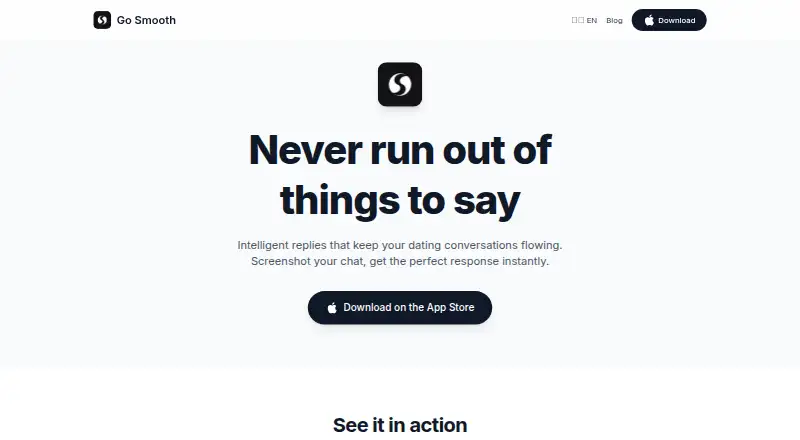
What Go Smooth is
Go Smooth is an AI dating assistant for generating context-aware reply suggestions from conversation screenshots. Its workflow starts with a screenshot: open the Smooth keyboard, then choose or edit a suggested reply. You can shape suggestions with language style, text case, flirt level and profile details; listed tones are Casual, Witty, Confident and Sweet. The keyboard can be used in Tinder, Hinge, Bumble, OkCupid, Match, iMessage and WhatsApp. The first few replies are free, and Premium unlocks unlimited replies for $49.99 a year, billed yearly. The app requires iOS 17.0 or later; the listing also gives Mac compatibility for macOS 14.0 or later on Apple M1 or later. Screenshots and style preferences are sent to Google Gemini with consent. The privacy policy says screenshots are discarded after processing and are not stored or used to train AI models. The keyboard requires Full Access permission.
Who it suits
Go Smooth suits people who want help composing dating or messaging replies and are comfortable using a screenshot-based workflow. It may also suit users who want to adjust tone and style before choosing a suggestion.
What it does well
- Offers four listed reply tones.
- Personalize language, text case and flirt level.
- Works with listed dating and messaging apps.
- First few replies are free.
What to know first
- Keyboard requires Full Access permission.
- Unlimited replies require Premium at $49.99 a year.
- Requires iOS 17.0 or later on iOS.
Limits
The first few replies are free. Unlimited replies require Premium at $49.99 a year, billed yearly.
Plans
| Plan | Billed and limits | Price |
|---|---|---|
| Premium Yearly | Yearly · Unlimited replies | $49.99 a year |
As gosmooth.app lists them, read 7 Oct 2026. The maker's own page has the final word.
Getting started
- Open the Go Smooth website or install its iOS app
- Use an iOS device running iOS 17.0 or later
- Enable the Smooth keyboard and grant Full Access
- Screenshot a conversation in a supported messaging app
- Open the Smooth keyboard and choose or edit a suggested reply
- Consent to Gemini data sharing, or turn sharing off in settings
Verdict
Go Smooth combines screenshot-based reply suggestions with controls for tone and personalization. Consider the Full Access requirement and yearly Premium price if you expect to use it beyond the first few free replies.
Questions
Is Go Smooth free?
The app uses a freemium model. The first few replies are free, while Premium unlocks unlimited replies for $49.99 a year, billed yearly.
Which devices support Go Smooth?
It requires iOS 17.0 or later. The App Store listing also gives Mac compatibility for macOS 14.0 or later on Apple M1 or later.
Which apps can use the Smooth keyboard?
The keyboard can be used in Tinder, Hinge, Bumble, OkCupid, Match, iMessage, WhatsApp, and other dating or messaging apps.
How are screenshots handled?
Screenshots are sent to Google Gemini for AI analysis after consent, then immediately discarded. They are not stored or used to train AI models.
What permission does the keyboard need?
Full Access is required so the keyboard can reach recent screenshots and provide reply suggestions.
Facts from Go Smooth's own pages
- Age
- The terms say the app is intended for users aged 17 or older. · gosmooth.app, 7 Oct 2026
- AI provider
- The privacy policy says screenshots and style preferences are sent to Google Gemini to generate reply suggestions. · gosmooth.app, 7 Oct 2026
- Data controls
- The policy says users must consent before data is shared with Gemini and can turn off AI data sharing in app settings. · gosmooth.app, 7 Oct 2026
- Free replies
- The App Store listing says the first few replies are free and Premium unlocks unlimited replies. · apps.apple.com, 7 Oct 2026
- Integrations
- The keyboard can be used in dating and messaging apps including Tinder, Hinge, Bumble, OkCupid, Match, iMessage, and WhatsApp. · gosmooth.app, 7 Oct 2026
- Keyboard requirement
- The keyboard requires Full Access permission to access recent screenshots and provide reply suggestions. · gosmooth.app, 7 Oct 2026
- Personalization
- The app lets users set language style, text case, flirt level, and profile details to personalize suggestions. · gosmooth.app, 7 Oct 2026
- Platform availability
- The App Store listing requires iOS 17.0 or later and lists Mac compatibility for macOS 14.0 or later on Apple M1 or later. · apps.apple.com, 7 Oct 2026
- Privacy
- The privacy policy says screenshots are processed for AI analysis and immediately discarded without being stored or used to train AI models. · gosmooth.app, 7 Oct 2026
- Reply styles
- The website lists Casual, Witty, Confident, and Sweet as reply tones. · gosmooth.app, 7 Oct 2026
- Security
- The privacy policy says data transmission uses HTTPS and local data is stored using iOS secure storage mechanisms. · gosmooth.app, 7 Oct 2026
- Support
- The support page says the team typically responds to email inquiries within 24 hours. · gosmooth.app, 7 Oct 2026
- What it does
- Go Smooth is an AI dating assistant that suggests context-aware replies from screenshots of conversations. · gosmooth.app, 7 Oct 2026
- Workflow
- Users screenshot a conversation, open the Smooth keyboard, then choose or edit a suggested reply. · gosmooth.app, 7 Oct 2026
Where Go Smooth stands on Freedom251
- AI Dating Assistants#8 of 26