Freedom251 › Hypervisor Software

GNOME Boxes
What GNOME Boxes is
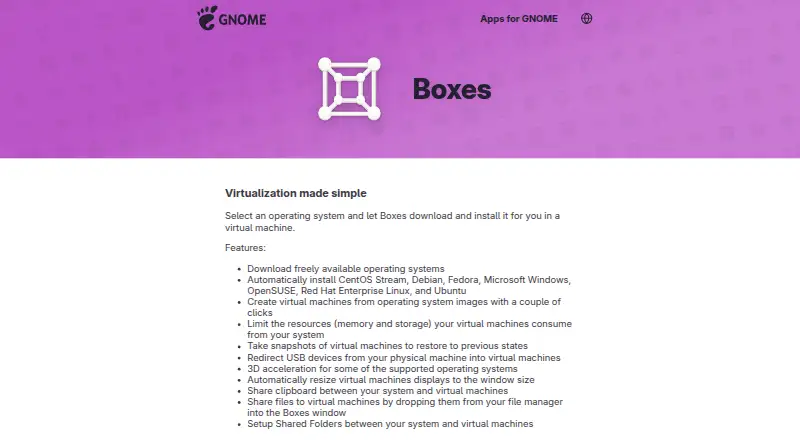
GNOME Boxes is a free Linux desktop application for creating and managing local virtual machines, then installing an operating system in one. Its automatic installation options include CentOS Stream, Debian, Fedora, Microsoft Windows, OpenSUSE, Red Hat Enterprise Linux, and Ubuntu. Users can limit memory and storage use, save a virtual machine state as a snapshot, and restore it later.
Boxes supports shared clipboard, file drop, and shared folders between the host and virtual machines. USB redirection makes devices attached to the local computer available inside a VM. Guest tools can improve input performance, screen resizing, clipboard sharing, and file transfer. Boxes uses qemu-kvm, libvirt-glib, and spice-gtk to manage virtual machines. It is for local VMs; GNOME directs users to Connections for remote virtual machines or remote computer displays. Boxes performs best with processor virtualization extensions enabled, and GNOME recommends at least 8 GB RAM and 20 GB of free disk space for efficient use. Three-dimensional acceleration is available for some supported operating systems.
Who it suits
Boxes suits Linux desktop users who want to create and manage local virtual machines, including installing supported operating systems. It is not the GNOME option for remote machines or displays.
What it does well
- Free Linux desktop application
- Supports VM snapshots and restoration
- Shared folders, clipboard, and file drop
- USB devices can be redirected into VMs
- Automatic installation covers several operating systems
What to know first
- For local virtual machines, not remote ones
- GNOME recommends 8 GB RAM and 20 GB free disk space
- 3D acceleration is available only for some supported systems
Limits
The free application is desktop-only and provides access to local virtual machines. GNOME recommends at least 8 GB RAM and 20 GB free disk space for efficient use.
Plans
| Plan | Billed and limits | Price |
|---|---|---|
| Boxes | Free application; desktop only | Free |
As apps.gnome.org lists them, read 5 Oct 2026. The maker's own page has the final word.
Getting started
- Visit the GNOME Boxes website.
- Install the latest version from Flathub.
- Open the desktop app and create a local virtual machine.
- Choose an operating system from the automatic installation options, if applicable.
- Set memory or storage limits and use snapshots or host sharing as needed.
Verdict
Boxes brings local VM setup, resource limits, snapshots, and host integration into a desktop application. Check the recommended hardware requirements and use Connections for remote machines or displays.
Questions
Is GNOME Boxes free?
Yes. The listed Boxes plan costs nothing, and the app is a free application.
Which platforms does it support?
Boxes is listed for Linux and is desktop-only.
Which operating systems can it install automatically?
The listed options are CentOS Stream, Debian, Fedora, Microsoft Windows, OpenSUSE, Red Hat Enterprise Linux, and Ubuntu.
Can it save and restore virtual machine states?
Yes. Users can save a virtual machine state as a snapshot and restore it later.
Can Boxes manage remote virtual machines?
Boxes provides access to local virtual machines. GNOME directs users to Connections for remote virtual machines or remote computer displays.
Is a free trial available?
No. The listed free trial availability is no.
Facts from GNOME Boxes's own pages
- 3D acceleration
- 3D acceleration is available for some supported operating systems. · apps.gnome.org, 5 Oct 2026
- Distribution
- GNOME directs users to install the latest version from Flathub; the Flathub listing labels it desktop-only and lists a 46 MiB download. · flathub.org, 5 Oct 2026
- Free plan
- Yes · apps.gnome.org, 20 Sept 2026
- GPU acceleration
- Yes · apps.gnome.org, 20 Sept 2026
- Guest tools
- Guest tools can improve input performance, screen resizing, clipboard sharing, and file transfer; Windows guests use spice-guest-tools and Linux guests commonly use spice-vdagent. · help.gnome.org, 5 Oct 2026
- Hardware requirements
- Boxes performs best with processor virtualization extensions enabled; GNOME recommends at least 8 GB RAM and 20 GB free disk space for efficient use. · help.gnome.org, 5 Oct 2026
- Host integration
- Boxes supports shared clipboard, file drop, and shared folders between the host system and virtual machines. · apps.gnome.org, 5 Oct 2026
- Host platforms
- Linux · apps.gnome.org, 20 Sept 2026
- Local use
- Boxes provides access to local virtual machines; GNOME directs users to Connections for remote virtual machines or remote computer displays. · help.gnome.org, 5 Oct 2026
- Management interface
- desktop · apps.gnome.org, 20 Sept 2026
- Project background
- The GNOME Project was founded in 1997 by Miguel de Icaza and Federico Mena and is backed by the non-profit GNOME Foundation. · gnome.org, 5 Oct 2026
- Purpose
- Boxes lets users create and manage local virtual machines and install an operating system in one. · apps.gnome.org, 5 Oct 2026
- Resource controls
- Users can limit virtual machines’ memory and storage use. · apps.gnome.org, 5 Oct 2026
- Snapshots
- Users can save a virtual machine state as a snapshot and restore it later. · help.gnome.org, 5 Oct 2026
- VM snapshots
- Yes · apps.gnome.org, 20 Sept 2026
- Support and contributions
- The app page links to online help, an issue tracker, translation contributions, and general app contributions. · apps.gnome.org, 5 Oct 2026
- Supported systems
- The app lists automatic installation for CentOS Stream, Debian, Fedora, Microsoft Windows, OpenSUSE, Red Hat Enterprise Linux, and Ubuntu. · apps.gnome.org, 5 Oct 2026
- USB access
- USB redirection makes devices plugged into the local computer available inside a virtual machine. · help.gnome.org, 5 Oct 2026
- Virtualization stack
- Boxes uses qemu-kvm, libvirt-glib, and spice-gtk to manage virtual machines. · help.gnome.org, 5 Oct 2026
Where GNOME Boxes stands on Freedom251
- Hypervisor Software#13 of 26
- Virtual machine software#13 of 24