Freedom251 › Network Troubleshooting Software

Glean Packets
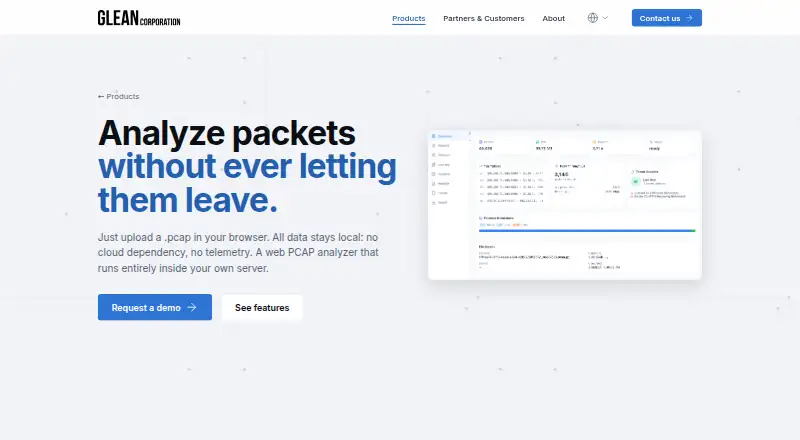
What Glean Packets is
Glean Packets is a self-hosted web PCAP analyzer for inspecting packet captures in a browser while keeping data on your own server. It accepts .pcap, .pcapng and .gz files, parses captures in parallel and indexes them in SQLite. Protocol decoding covers Ethernet, IP, TCP, UDP, ICMP and DNS, with a hex viewer. DNS tools search by name, IP or type and correlate queries with answers; flow analysis includes top flows, latency distribution and packets-per-second charts. Users can filter packets by protocol for .pcap.gz export or start live capture in the browser. For multi-node environments, it supports remote capture on any node, merging PCAPs across nodes and unified cluster access without a single point of failure. Signature-based detection uses user-defined YAML rules and regex, with severity and confidence scores from 0 to 100 and application-layer traits such as HTTP fields and SSL/SNI parsing. Optional Glean Agent searches and summarizes captures in plain language through a self-hosted or customer-provided LLM endpoint; a GPU is recommended. The product page says pricing is available on request.
Who it suits
Glean Packets suits teams inspecting captures for network troubleshooting, DNS analysis, forensics, product testing or distributed-site monitoring. Its self-hosted design is relevant to users who want capture data kept on their own server, including in air-gapped environments.
What it does well
- Supports .pcap, .pcapng and .gz files
- Includes DNS correlation and flow-analysis charts
- Supports remote capture and merging across nodes
- Can run without cloud dependency or telemetry
What to know first
- Pricing is available on request
- Optional Glean Agent recommends a GPU
Limits
Pricing is available on request, with a demo by request. A GPU is recommended for the optional Glean Agent.
Plans
| Plan | Billed and limits | Price |
|---|---|---|
| Pricing not listed | Pricing not stated on the product page; demo by request | On request |
As netglean.com lists them, read 10 Oct 2026. The maker's own page has the final word.
Getting started
- Visit the Glean Packets product website.
- Request a demo or pricing from Glean Co.
- Deploy it on your server; the maker says installation is not required.
- Set up TLS through a reverse proxy.
- Open the interface in a desktop or mobile browser.
Verdict
Glean Packets combines browser-based capture inspection with multi-node capture and analysis tools.
Questions
How much does Glean Packets cost?
It is paid, with pricing available on request. A demo can also be requested.
Where does Glean Packets run?
It is a self-hosted web product deployed on a server. The maker says it can run on commodity hardware and in on-premises or air-gapped environments.
Which capture formats does it support?
It supports .pcap, .pcapng and .gz files.
Can it capture traffic remotely or live?
Yes. Users can start live capture from the browser, and remote capture is supported on any node.
Does it include AI features?
The optional Glean Agent searches and summarizes captures in plain language using a self-hosted or customer-provided LLM endpoint. A GPU is recommended.
What languages and browsers does the interface support?
The interface is available in English and Japanese and supports desktop and mobile browsers.
Facts from Glean Packets's own pages
- Authentication and transport
- The listed authentication is JWT for admin and user roles with Argon2 hashing, and deployment uses TLS via a reverse proxy. · netglean.com, 10 Oct 2026
- Capture and export
- Users can filter packets by protocol for .pcap.gz export and start live packet capture from the browser. · netglean.com, 10 Oct 2026
- DNS and flow tools
- DNS analysis can search by name, IP, or type and correlate queries with answers; flow analysis includes top flows, latency distribution, and packets-per-second charts. · netglean.com, 10 Oct 2026
- File formats
- It supports .pcap, .pcapng, and .gz files. · netglean.com, 10 Oct 2026
- Headquarters
- Tokyo, Japan · netglean.com, 28 Sept 2026
- Intended use
- The maker lists product testing, network troubleshooting, DNS analysis, network forensics, and distributed-site monitoring as use cases. · netglean.com, 10 Oct 2026
- Multi-node access
- The product supports remote capture on any node, merging PCAPs across nodes, and unified cluster access without a single point of failure. · netglean.com, 10 Oct 2026
- Optional AI
- The optional Glean Agent searches and summarizes captures in plain language and connects to a self-hosted or customer-provided LLM endpoint; a GPU is recommended. · netglean.com, 10 Oct 2026
- Parsing and indexing
- It parallel-parses capture files and automatically indexes them into SQLite. · netglean.com, 10 Oct 2026
- Privacy and deployment
- The maker says data stays inside the user's own server with no cloud dependency or telemetry, including in on-premises and air-gapped environments. · netglean.com, 10 Oct 2026
- Protocol analysis
- It decodes Ethernet, IP, TCP, UDP, ICMP, and DNS, and includes a hex viewer. · netglean.com, 10 Oct 2026
- Purpose
- Glean Packets is a self-hosted web PCAP analyzer that lets users inspect captures in a browser while keeping data on their own server. · netglean.com, 10 Oct 2026
- Requirements and interface
- The maker says it runs on commodity hardware, requires no installation, and has an English/Japanese interface for desktop and mobile browsers. · netglean.com, 10 Oct 2026
- Support
- Glean Co. says it provides product evaluation, localization, technical support, and training in-house. · netglean.com, 10 Oct 2026
- Threat detection
- Signature-based detection supports user-defined YAML rules and regex, severity and confidence scoring from 0 to 100, and application-layer traits including HTTP fields and SSL/SNI parsing. · netglean.com, 10 Oct 2026
Where Glean Packets stands on Freedom251
- Network Troubleshooting Software#14 of 18
- Network Protocol Analyzers#29 of 30