Freedom251 › File transfer services

fsend
What fsend is
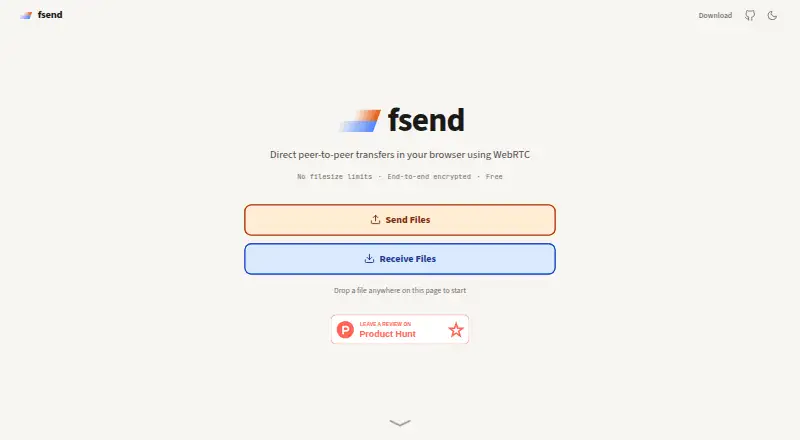
fsend is a free, open-source file transfer tool that works in a browser or from a command line. Its web app uses WebRTC to send files or folders directly to another browser. A sender selects content, shares a one-time code, and the receiver accepts the transfer in a browser tab. The site says file data stays out of fsend’s servers and travels through end-to-end encrypted WebRTC data channels. There is no stated file-size limit, although the connection and the receiver’s available disk space constrain transfers. Both browser tabs must remain open until completion. Any WebRTC-capable browser can work; Chrome, Edge, and Opera are recommended. Firefox and Safari buffer transfers in memory, save folders as ZIP files, limit transfers to available RAM, and cannot resume interrupted transfers. The command-line tool interoperates with the web app and has Linux, macOS, Windows, and source installation options. Debian and Ubuntu packages support x86_64 and aarch64. The CLI uses iroh with a fallback relay by default.
Who it suits
fsend suits people who want browser-based peer-to-peer transfers without a desktop app, as well as command-line users on Linux, macOS, or Windows. It is also useful for users who need open-source software and can keep both browser tabs open.
What it does well
- Free plan with no stated file-size limit
- End-to-end encrypted WebRTC data channels
- File data does not touch fsend servers
- Browser and command-line tools interoperate
- CLI includes a fallback relay by default
What to know first
- Both browser tabs must stay open
- Firefox and Safari transfers use available RAM
- Browser web app has no fallback relay
- Desktop app is not available
Plans
| Plan | Billed and limits | Price |
|---|---|---|
| Free | No file size limit · limited by connection and receiver’s free disk space | Free |
As fsend.sh lists them, read 12 Oct 2026. The maker's own page has the final word.
Verdict
fsend provides direct browser transfers with encrypted WebRTC channels and no stated file-size ceiling. Browser compatibility and the requirement to keep both tabs open are important constraints, while its interoperable CLI adds another transfer route.
Facts from fsend's own pages
- Browser compatibility
- The site says any browser with WebRTC can work, and recommends Chromium-based browsers such as Chrome, Edge, or Opera for the best experience. · fsend.sh, 12 Oct 2026
- Browser limits
- Firefox and Safari buffer transfers in memory and save folders as ZIP files; the site says this limits transfer size to available RAM and prevents resuming interrupted transfers. · fsend.sh, 12 Oct 2026
- CLI connectivity
- The README says the webapp has no fallback relay and may not work depending on network or browser, while the CLI uses iroh, which provides a fallback relay by default. · github.com, 12 Oct 2026
- CLI platforms
- The download page lists Linux, macOS, and Windows installation options, plus source installation. · fsend.sh, 12 Oct 2026
- Command line
- fsend is also available as a command-line tool. · fsend.sh, 12 Oct 2026
- Desktop app
- No · fsend.sh, 21 Sept 2026
- File size
- The site says there is no file size limit; transfers are constrained by the connection and the receiver’s free disk space. · fsend.sh, 12 Oct 2026
- Free plan
- Yes · fsend.sh, 21 Sept 2026
- Linux packages
- The download page says its Debian/Ubuntu APT repository covers x86_64 and aarch64, and updates arrive through the normal apt upgrade. · fsend.sh, 12 Oct 2026
- Online requirement
- Both browser tabs must stay open until the transfer finishes. · fsend.sh, 12 Oct 2026
- Open source
- The site describes fsend as free and open source and links to its code on GitHub. · fsend.sh, 12 Oct 2026
- Privacy
- The site says WebRTC data channels are end-to-end encrypted and file data never touches fsend’s servers. · fsend.sh, 12 Oct 2026
- Product components
- The project README describes fsend as a peer-to-peer file transfer webapp and CLI tool that interoperate. · github.com, 12 Oct 2026
- Purpose
- fsend provides direct peer-to-peer file transfers in a browser using WebRTC. · fsend.sh, 12 Oct 2026
- Transfer flow
- Senders select files or folders, share a one-time code, and transfer files directly to the receiver’s browser. · fsend.sh, 12 Oct 2026
Where fsend stands on Freedom251
- File transfer services#28 of 105