Freedom251 › Redlining Software

Formable
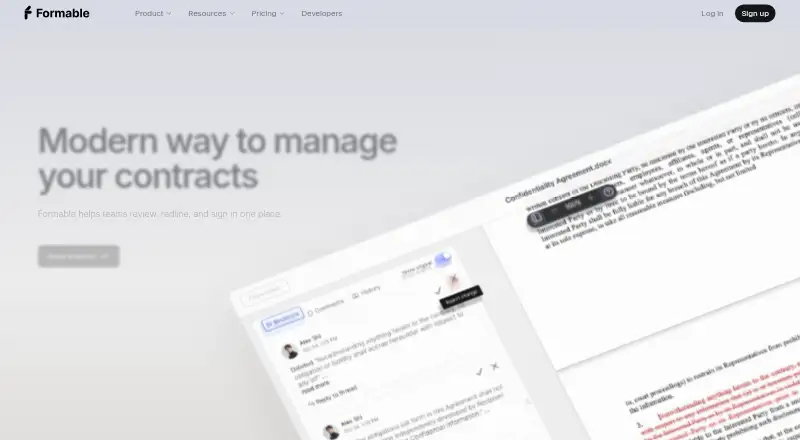
What Formable is
Formable is a contract workflow service for drafting, reviewing, redlining, signing, and tracking agreements. Its AI review checks contracts against a playbook and flags risky clauses, missing terms, and deviations with links to the relevant text. To create a draft, users answer guided questions and choose from standard templates; the service lists 25 free templates across 10 categories. Its browser based editor handles DOCX tracked changes, comments, @mentions, and turn based negotiations. Recipients can sign from a secure link without making a Formable account, including on a phone without an app. Formable says it integrates with Salesforce, Slack, and Google Workspace, with custom integrations available on request. Developers can use REST APIs for embedded signing and redlining, webhooks for document events, and SDKs for Node.js, Python, PHP, Java, Go, Ruby, and .NET. Documents are encrypted in transit and at rest; completed audit trails use SHA-256 hash chains and immutable storage. E-signatures are built for enforceability under the U.S. ESIGN Act and UETA. The free Basic plan allows three signed contracts per month, three templates, basic fields, and limited file storage. The pricing note lists paid plans from $29.99/mo; Growth is listed at $0.35 per signature.
Who it suits
Formable suits teams that need contract drafting, review, negotiation, and signing in a browser. Developers can use its APIs and SDKs to embed signing or redlining, while teams can connect listed business tools or request custom integrations.
What it does well
- AI review flags clauses and links findings to contract text.
- 25 free templates span 10 categories.
- Recipients can sign securely without an account or phone app.
- DOCX redlining includes tracked changes, comments, and @mentions.
- REST APIs, webhooks, and SDKs support embedded workflows.
What to know first
- Basic allows three signed contracts per month and three templates.
- Basic includes basic fields and limited file storage.
- Growth is priced at $0.35 per signature.
Limits
Basic permits three signed contracts per month and three templates, with basic fields and limited file storage. Developer allows up to 50 signatures per month; Growth allows up to 10,000 signatures per month and is listed at $0.35 per signature.
Plans
| Plan | Billed and limits | Price |
|---|---|---|
| Developer | Free · Up to 50 signatures/month · API access · Webhooks · Email support | Free |
| Basic | free forever · 3 signed contracts/month · 3 templates · basic fields · limited file storage | Free |
| Growth | $0.35/ signature · Up to 10,000 signatures/month · Everything in Starter · Priority support · White-label options | $0.35, paid once |
| Enterprise | custom · custom integrations · custom branding · teams · API access · dedicated 24/7 support | On request |
| Pro | Pay annually option shown · unlimited templates · redlining suite · high reasoning AI models · advanced fields · 50 GB storage | On request |
As formabledocs.com lists them, read 2 Oct 2026. The maker's own page has the final word.
Getting started
- Open the Formable website in a browser.
- Choose a plan: Basic and Developer are free, while the pricing note lists paid plans from $29.99/mo.
- Create a draft by answering guided questions and selecting a standard template.
- Review or redline the contract in the browser editor.
- Send a secure signing link to recipients, who can sign without a Formable account.
Formable is a contract workflow platform for teams that draft, negotiate, review, sign, and track agreements, as well as developers embedding signing or redlining in their products. It suits organizations that want those steps together; its free plans are useful for trying the workflow or a small API volume, but the Basic plan’s monthly contract cap is tight for regular team use.
Overview
Formable combines guided template drafting, playbook-based AI review, browser redlining, and e-signatures. Its strongest case is continuity: teams can move from an initial draft through revisions to signature without requiring recipients to create accounts. It is less compelling for teams seeking generous free contract volume or a clearly priced all-in-one team plan.
Key features
Drafting and review
The creator turns answers to guided questions into drafts based on standard templates. The library includes 25 free templates across 10 categories, a practical starting point for common agreements rather than a substitute for bespoke drafting. AI review compares agreements with a playbook and flags risky clauses, missing terms, and deviations, linking each finding to the relevant text. That makes it most useful to teams with an established playbook to check against.
Redlining and signing
The browser editor supports DOCX tracked changes, comments, @mentions, and turn-based negotiations, keeping revision work in the contract workflow. Recipients can sign from a secure link without a Formable account, and phone signing does not require an app. DOCX and PDF export, custom clause support, and e-signatures round out the document workflow.
Integrations and security
Formable integrates with Salesforce, Slack, and Google Workspace, with custom integrations available on request. Its REST APIs support embedded signing and redlining, and webhooks report document events; SDKs are offered for Node.js, Python, PHP, Java, Go, Ruby, and .NET. This breadth gives product teams options for embedding contract steps, though API support varies by plan.
Documents are encrypted in transit and at rest. Completed audit trails use SHA-256 hash chains and immutable storage. Formable says its e-signatures are designed for enforceability under the U.S. ESIGN Act and UETA; SOC 2 Type II, HIPAA, and GDPR compliance are in progress for the redlining API.
Pricing
Formable has a free Basic plan, a separate free Developer plan, and paid or custom options. There is no free trial.
- Basic: Free forever, with three signed contracts per month, three templates, basic fields, and limited file storage. It can serve very light use, but the contract and storage caps make it a poor fit for an active team workflow.
- Developer: Free, with up to 50 signatures per month, API access, webhooks, and email support. It is a sensible starting point for low-volume integrations, but the signature ceiling limits production use.
- Growth: $0.35 per signature, with up to 10,000 signatures per month, everything in Starter, priority support, and white-label options. The per-signature price and high stated ceiling suit embedded signing at scale; teams should weigh volume against usage-based cost.
- Pro: Custom pricing, billed monthly, with unlimited templates, the redlining suite, high-reasoning AI models, advanced fields, and 50 GB of file storage. It is the more feature-rich fit for contract teams needing these capabilities, but no price is given to compare against Growth.
- Enterprise: Custom pricing, with custom integrations and branding, teams, API access, and dedicated 24/7 support. It suits organizations needing tailored connections and support rather than a fixed self-serve package.
The plan descriptions do not establish seat counts or renewal terms. Basic’s three-contract and three-template limits are the clearest constraint for prospective users; Growth is priced by signature rather than a monthly subscription.
Platforms
Formable supports Android, iOS, web, and API access. It works in any browser without a Word plugin or desktop app, which keeps browser-based editing available across devices; phone signing also works without an app.
Who it's for
Formable is best for teams that want drafting, playbook checks, DOCX negotiation, and signing in one workflow, especially where account-free signing helps external counterparties. Developers can consider it for embedded signing or redlining through APIs and webhooks. Teams that need substantial free contract volume, or want a known flat price for a full team plan, should compare alternatives.
Pros and cons
- Pro: Guided drafting, contextual AI flags, and DOCX redlining cover several stages of contract work in one browser workflow.
- Pro: Secure-link signing without an account and phone signing without an app reduce friction for recipients.
- Pro: REST APIs, webhooks, and multiple SDKs support teams embedding contract steps in other products.
- Con: Basic allows only three signed contracts and three templates per month, with limited storage, restricting ongoing use.
- Con: Growth’s $0.35 per-signature pricing can make cost depend on signing volume, while Pro and Enterprise require custom pricing.
- Con: SOC 2 Type II, HIPAA, and GDPR compliance for the redlining API are in progress, which may not suit teams requiring those assurances now.
Alternatives
AI Contract Generators is a useful category starting point for comparing more contract-generation tools.
- Genie AI is a better fit for someone wanting a broader AI document toolkit, 500+ templates, and desktop or browser platforms; its Pro plan is $59 a year.
- Agreements.ai suits users prioritizing a free allowance of unlimited documents, five e-signatures monthly, and 50 legal templates; its Pro plan is $20 a month.
- Bind is worth considering when the need is identity verification and signing, rather than sending or generating contracts on its free plan.
- ContractAI offers a free tier with three contracts per month and ten AI generations, making it another limited-volume option to compare.
- Contractbook is an alternative for teams seeking a plan with five users and a centralized workspace; Centralize is $399 a month, billed annually.
- DraftRight is an alternative with a free plan billed in GBP and a watermarked one-document monthly allowance.
- Legitt AI is an alternative with a free allowance of ten contracts per month and unlimited e-signatures.
- QuickClause is an alternative with a free document and basic Indian templates.
Verdict
Choose Formable if your team needs contract creation, playbook-based AI review, redlining, and signing to work together, or if you are embedding contract steps through its APIs. Its recipient-friendly signing and developer options are strong reasons to consider it. Look elsewhere if the Basic caps are too restrictive, if per-signature Growth pricing does not fit your volume, or if you need established compliance rather than compliance in progress for the redlining API.
Verdict
Choose Formable if your workflow needs contract creation, AI review, redlining, and signing together. Its APIs and integrations also suit teams embedding contract steps in other tools. The free Basic plan has tight contract, template, and storage limits; Growth is listed at $0.35 per signature.
Questions
Is there a free plan?
Yes. Basic is free forever and includes three signed contracts per month, three templates, basic fields, and limited file storage. Developer is also listed as free, with up to 50 signatures per month and API access.
How much does Formable cost?
The pricing note says paid plans start at $29.99/mo. Growth is listed at $0.35 per signature, while Enterprise and Pro have no listed price.
Which platforms does Formable support?
The listed platforms are Android, API, iOS, and web. Formable says it works in any browser and does not require a Word plugin or desktop app.
Can recipients sign without creating an account?
Yes. Recipients can sign from a secure link without a Formable account, including on a phone without an app.
What integrations and developer tools are available?
Formable lists Salesforce, Slack, and Google Workspace integrations, plus custom integrations on request. Its REST APIs support embedded signing and redlining; webhooks report document events, and SDKs are listed for Node.js, Python, PHP, Java, Go, Ruby, and .NET.
Facts from Formable's own pages
- AI review
- Its AI compares contracts with a playbook and flags deviations, missing terms and risky clauses with suggested fixes. · formabledocs.com, 15 Oct 2026
- API
- The developer pages describe REST APIs for embedded signing and redlining, with webhooks for document events. · formabledocs.com, 2 Oct 2026
- API documentation
- The documentation provides an OpenAPI 3.0 specification, API reference, playground, quickstart and webhook guidance. · docs.formabledocs.com, 15 Oct 2026
- Audit trail
- Completed envelopes use append-only SHA-256 hash chaining, immutable S3 Object Lock storage and certificate PDFs containing event, timestamp and IP details. · formabledocs.com, 15 Oct 2026
- Browser limitation
- Formable works in a browser and explicitly says it has no Word plugin or desktop app. · formabledocs.com, 15 Oct 2026
- Browser support
- Formable says it works in any browser and does not require a Word plugin or desktop app. · formabledocs.com, 2 Oct 2026
- Changelog
- An August 14, 2026 changelog entry added templates for DPAs, one-way NDAs, contractor agreements, MSAs, service agreements, SOWs, order forms, LOIs, pilots, term sheets, amendments and AI addenda. · formabledocs.com, 15 Oct 2026
- Collaboration
- Shared drafts provide live presence, comments and @mentions for real-time team editing. · formabledocs.com, 15 Oct 2026
- Company address
- Trustpilot lists Formable at 193 Ave C Apt 3, New York, NY 10009, United States. · trustpilot.com, 15 Oct 2026
- Company headquarters
- LinkedIn lists Formable's headquarters in New York, New York. · linkedin.com, 15 Oct 2026
- Company industry
- LinkedIn categorizes Formable under Software Development. · linkedin.com, 15 Oct 2026
- Company mission
- LinkedIn says Formable builds AI-powered tooling for creation, collaboration and execution of high-stakes documents. · linkedin.com, 15 Oct 2026
- Company size
- LinkedIn lists Formable as privately held with 2–10 employees. · linkedin.com, 15 Oct 2026
- Compliance
- Formable says its e-signatures are built for enforceability under the U.S. ESIGN Act and UETA; its redlining API page says SOC 2 Type II, HIPAA, and GDPR compliance are in progress. · formabledocs.com, 2 Oct 2026
- Contract drafting
- Users answer guided questions to generate drafts from templates such as NDAs, MSAs, SOWs and DPAs. · formabledocs.com, 15 Oct 2026
- Data protection
- The service states that documents are encrypted in transit and at rest, served from private storage and protected with scoped authentication and expiring links. · formabledocs.com, 15 Oct 2026
- Developer SDKs
- Formable lists SDKs for Node.js, Python, PHP, Java, Go, Ruby, and .NET. · formabledocs.com, 2 Oct 2026
- Drafting
- The contract creator generates drafts from standard templates after users answer guided questions, and the page lists 25 free templates across 10 categories. · formabledocs.com, 2 Oct 2026
- Embedded signing API
- The REST API creates signature requests and returns short-lived signing URLs for iframe embedding. · formabledocs.com, 15 Oct 2026
- E-signature
- Users place signature, initials, date, checkbox and other fields, then send secure signing links. · formabledocs.com, 15 Oct 2026
- Go SDK licence
- Formable's public Go SDK repository is MIT licensed and covers templates, signature requests, redlining and billing. · github.com, 15 Oct 2026
- Integrations
- The home page advertises more than 20 integrations, including Salesforce, Slack and Google Workspace, with custom integrations available. · formabledocs.com, 15 Oct 2026
- Limit: API availability
- The pricing page places API access in the custom Enterprise plan. · formabledocs.com, 15 Oct 2026
- Limit: Basic quota
- The free Basic plan allows only three signed contracts and three templates per month. · formabledocs.com, 15 Oct 2026
Where Formable stands on Freedom251
- Redlining Software#1 of 16
- AI Contract Generators#3 of 24