Freedom251 › Interactive Video Software

FMVMachine
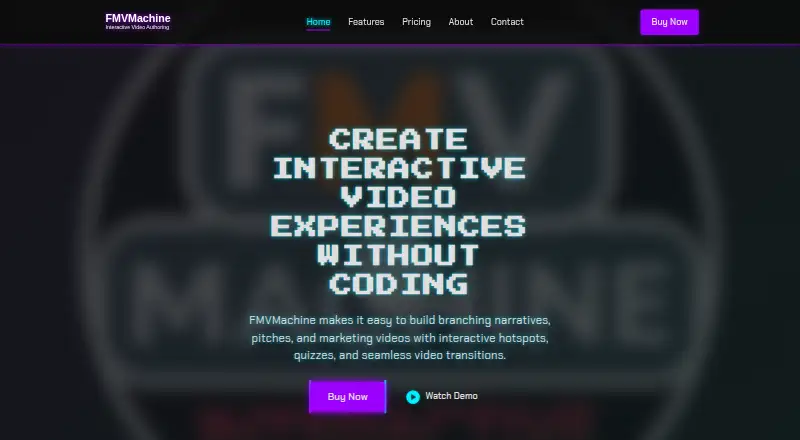
What FMVMachine is
FMVMachine is a desktop tool for creating interactive video experiences without coding. Its visual editor lets creators place hotspots by dragging and dropping them, set their timing, and control their visibility with conditions. Hotspots and quizzes connect videos into branching narratives. Quizzes can respond to answers with feedback and send viewers along different paths according to their results. Finished projects export as self-contained webpages that users can uncompress and upload to a host they choose. The maker says projects are created and stored locally, so users decide how to store and distribute them. FMVMachine is aimed at game developers, educators, marketers and film producers. It runs on Windows and macOS; minimum requirements include 64-bit Windows 7, 8 or 10, or macOS 10.13 High Sierra or later. Distribution is exclusively through Steam, using its client to download and install the software. After installation, the maker says everyday use does not require an internet connection, though updates and online resources do. The FMVMachine plan costs 49.99 USD as a one-time purchase and includes all features, unlimited projects, commercial use and free updates for life.
Who it suits
FMVMachine suits game developers, educators, marketers and film producers who want to build video experiences with interactive hotspots, quizzes and branching paths. It is also a fit for creators who want to export webpages and choose their own hosting and distribution approach.
What it does well
- Create interactive video experiences without coding.
- Hotspots support drag-and-drop positioning, timing and conditional visibility.
- Quizzes can provide answer feedback and direct viewers to different paths.
- Exports are self-contained webpages for hosting of your choice.
- One-time plan includes unlimited projects and commercial use.
What to know first
- The software is available exclusively through Steam.
- It runs on Windows and macOS only.
- No free plan or trial is available.
- Internet access is needed for updates and online resources.
Plans
| Plan | Billed and limits | Price |
|---|---|---|
| FMVMachine | one-time purchase · All features included · Unlimited projects · Commercial use · Free updates for life | $49.99, paid once |
As fmvmachine.com lists them, read 8 Oct 2026. The maker's own page has the final word.
Getting started
- Download and install FMVMachine through the Steam client.
- Use a Windows or macOS computer that meets the listed minimum requirements.
- Purchase the FMVMachine plan for 49.99 USD as a one-time payment.
- Create and store projects locally using the visual editor.
- Export a project as a self-contained webpage and upload it to a host of your choice.
Verdict
Pick FMVMachine if you want to create branching video experiences with hotspots and quizzes, then host exported webpages yourself. Look elsewhere if you need a free plan or trial, or a platform other than Windows or macOS.
Questions
How much does FMVMachine cost?
The FMVMachine plan costs 49.99 USD as a one-time purchase.
Is there a free plan or trial?
No. FMVMachine is paid and has no free trial.
Which operating systems does it support?
FMVMachine runs on Windows and macOS. Minimum requirements include 64-bit Windows 7, 8 or 10, or macOS 10.13 High Sierra or later.
How do I download and install it?
FMVMachine is distributed exclusively through Steam, where users download and install it with the Steam client.
Does it require an internet connection?
The maker says day-to-day use after installation does not require internet. Updates and access to online resources do.
What is included in the plan?
The one-time plan includes all features, unlimited projects, commercial use and free updates for life.
Facts from FMVMachine's own pages
- Audience
- The maker identifies game developers, educators, marketers, and film producers as users of FMVMachine. · fmvmachine.com, 8 Oct 2026
- Branching
- Creators can link videos through hotspots and quizzes to make branching narratives. · fmvmachine.com, 8 Oct 2026
- Distribution
- FMVMachine is distributed exclusively through Steam, where users download and install it through the Steam client. · fmvmachine.com, 8 Oct 2026
- Export and hosting
- Projects export as self-contained webpages that users can uncompress and upload to a host of their choice. · fmvmachine.com, 8 Oct 2026
- Free trial
- The maker says it currently does not offer a free trial version. · fmvmachine.com, 8 Oct 2026
- Hotspots
- Its visual editor supports drag-and-drop hotspot positioning, customizable timing, and conditional visibility. · fmvmachine.com, 8 Oct 2026
- Integrations
- The maker describes integration with interactive hotspots and quizzes but does not name third-party software integrations on the opened pages. · fmvmachine.com, 8 Oct 2026
- Local use and privacy
- The maker says projects are created and stored locally, and users choose how to store and distribute them. · fmvmachine.com, 8 Oct 2026
- Maker
- The about page identifies Phill Katz as FMVMachine's founder and describes his background in game development and filmmaking. · fmvmachine.com, 8 Oct 2026
- Offline use
- The maker says an internet connection is not required for day-to-day use after installation, though downloading updates and accessing online resources require one. · fmvmachine.com, 8 Oct 2026
- Operating systems
- The maker lists Windows and macOS system requirements; its minimum requirements include Windows 7/8/10 (64-bit) or macOS 10.13 High Sierra or later. · fmvmachine.com, 8 Oct 2026
- Product
- FMVMachine is a desktop tool for creating interactive video experiences without coding. · fmvmachine.com, 8 Oct 2026
- Quizzes
- Quizzes can provide feedback on answers and send viewers down different paths based on results. · fmvmachine.com, 8 Oct 2026
- Support
- The maker lists [email protected] for project help and technical questions. · fmvmachine.com, 8 Oct 2026
Where FMVMachine stands on Freedom251
- Interactive Video Software#20 of 26