Freedom251 › CAD Viewer Software
Flyfish CAD Viewer
What Flyfish CAD Viewer is
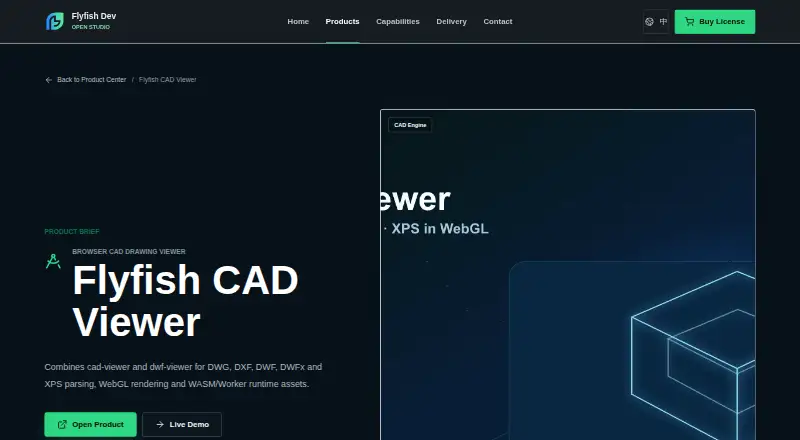
Flyfish CAD Viewer is a free, open-source browser viewer for DWG, DXF, DWF, DWFx, and XPS drawings. It is intended for use in engineering archives, PLM, manufacturing, construction, and after-sales systems. The project describes WebGL rendering built with WebAssembly and Worker runtime assets. DWG parsing uses LibreDWG WebAssembly in a worker, while DXF uses JavaScript parsing with a fallback parser. DWF, DWFx, and XPS are handled by the dwf-viewer renderer, which covers 2D vectors and 3D eModel geometry and can use a raster fallback. Drawings are read locally in the browser rather than uploaded to a backend. The demo provides zoom, pan, fit-to-view, cursor world coordinates, zoom percentage, and drag-and-drop. The README also describes typed bill-of-materials extraction and CSV and JSON export helpers. Deployment choices include an npm package, a static demo, WASM assets, and private integration. The maker lists static hosting, intranets, private clouds, and offline environments as supported environments, with runtime assets and licensing boundaries varying by plan. Integration paths include plain Web, framework components, iframe, Worker/WASM, and desktop WebView. Applications must serve the DWG and DWF runtime assets at a public URL and configure their paths. The package license is AGPL-3.0-only.
Who it suits
Flyfish CAD Viewer suits teams adding browser-based CAD viewing to engineering archives, PLM, manufacturing, construction, or after-sales systems. Its local file handling and listed private deployment options may fit organizations integrating drawing viewing into existing web or desktop applications.
What it does well
- Views DWG, DXF, DWF, DWFx, and XPS files.
- Drawings are read locally in the browser.
- Offers zoom, pan, fit-to-view, and drag-and-drop in the demo.
- Includes BOM extraction helpers with CSV and JSON exports.
- Lists several web and desktop integration paths.
What to know first
- Applications must serve and configure DWG and DWF runtime assets.
- The package uses the AGPL-3.0-only license.
- Runtime assets and licensing boundaries vary by plan.
Limits
Applications must serve the DWG and DWF runtime assets at a public URL and configure their paths. Runtime assets and licensing boundaries depend on the plan.
Getting started
- Visit the Flyfish CAD Viewer product page or project README.
- Choose a delivery route such as the npm package, static demo, WASM assets, or private integration.
- Serve the DWG and DWF runtime assets at a public URL.
- Configure the runtime asset paths in your application.
- Integrate through plain Web, framework components, iframe, Worker/WASM, or desktop WebView.
Verdict
Choose Flyfish CAD Viewer if you need browser viewing for the listed CAD and document formats, with local file handling and integration options. Review the AGPL-3.0-only package license and runtime asset requirements when planning an application integration.
Questions
Is Flyfish CAD Viewer free?
The pricing model is free, and the product is described as open source. The package license is AGPL-3.0-only.
Which file formats does it view?
It supports DWG, DXF, DWF, DWFx, and XPS files.
Are drawings uploaded to a backend?
The project README says files are read locally in the browser and drawings are not uploaded to a backend.
How can it be integrated into an application?
Listed options include plain Web, framework components, iframe, Worker/WASM, and desktop WebView. Delivery options include an npm package, a static demo, WASM assets, and private integration.
What runtime setup is required?
Applications must serve the DWG and DWF runtime assets at a public URL and configure their paths.
Where can I get sales or support?
The product page lists [email protected] for sales and support.
Facts from Flyfish CAD Viewer's own pages
- BOM extraction
- The README describes typed bill-of-materials extraction with CSV and JSON export helpers. · github.com, 4 Oct 2026
- Business integration
- The maker lists plain Web, framework components, iframe, Worker/WASM and desktop WebView integration paths that can work with existing frontend, authentication and file APIs. · flyfish.group, 4 Oct 2026
- Business system integration
- Flyfish says its products can integrate through plain Web, framework components, iframe, Worker/WASM and desktop WebView paths. · flyfish.group, 11 Oct 2026
- Compatibility evaluation
- Flyfish recommends trying the live demo and public samples, then testing sanitized representative files for formats, rendering quality, performance and deployment environment. · flyfish.group, 11 Oct 2026
- Distribution
- The maker lists an npm package, a static demo, WASM assets and private integration as delivery options. · flyfish.group, 4 Oct 2026
- DWF and XPS
- The README says DWF, DWFx and XPS use the dwf-viewer renderer, including 2D vectors, 3D eModel geometry and an optional raster fallback. · github.com, 4 Oct 2026
- DWG and DXF
- The README says DWG parsing uses LibreDWG WebAssembly in a worker and DXF uses JavaScript parsing with a fallback parser. · github.com, 4 Oct 2026
- Formats
- It lists support for DWG, DXF, DWF, DWFx and XPS, including 3D eModel content. · flyfish.group, 11 Oct 2026
- Integration
- The product page lists an npm package, static demo, WASM assets and private integration as delivery options. · flyfish.group, 11 Oct 2026
- License
- The public GitHub repository lists an AGPL-3.0 license. · github.com, 11 Oct 2026
- Licensing
- The README states the project package license is AGPL-3.0-only. · github.com, 4 Oct 2026
- Local file handling
- The public repository README says files are read locally in the browser and drawings are not uploaded to a backend. · github.com, 11 Oct 2026
- Notable runtime requirement
- The repository says DWG and DWF rendering require runtime assets that the integrating application must serve from a public URL or configure explicitly. · github.com, 11 Oct 2026
- Private deployment
- Flyfish says its products support static hosting, intranets, private clouds and offline environments; runtime assets and licensing boundaries depend on the selected plan. · flyfish.group, 11 Oct 2026
- Product
- Flyfish CAD Viewer is a browser CAD viewer for DWG, DXF, DWF, DWFx and XPS files. · flyfish.group, 4 Oct 2026
- Purpose
- Flyfish CAD Viewer is a browser CAD drawing viewer for engineering archives, PLM, manufacturing, construction and after-sales systems. · flyfish.group, 11 Oct 2026
- Rendering
- The product page describes WebGL rendering and WASM/Worker runtime assets. · flyfish.group, 11 Oct 2026
- Runtime requirement
- The README says applications must serve the DWG and DWF runtime assets at a public URL and configure their paths. · github.com, 4 Oct 2026
- Support
- The product page lists [email protected] for sales and support. · flyfish.group, 11 Oct 2026
- Target users
- The maker lists engineering archives, PLM, manufacturing, construction and after-sales systems as intended use cases. · flyfish.group, 4 Oct 2026
- Technical implementation
- The repository describes DWG parsing with LibreDWG WebAssembly in a worker, DXF parsing in JavaScript, and DWF/DWFx/XPS rendering through dwf-viewer. · github.com, 11 Oct 2026
- Viewing tools
- The README lists zoom, pan, fit-to-view, cursor world coordinates, zoom percentage and drag-and-drop in the demo. · github.com, 4 Oct 2026
Where Flyfish CAD Viewer stands on Freedom251
- CAD Viewer Software#28 of 31