Freedom251 › Simulation Software
FlexSim
What FlexSim is
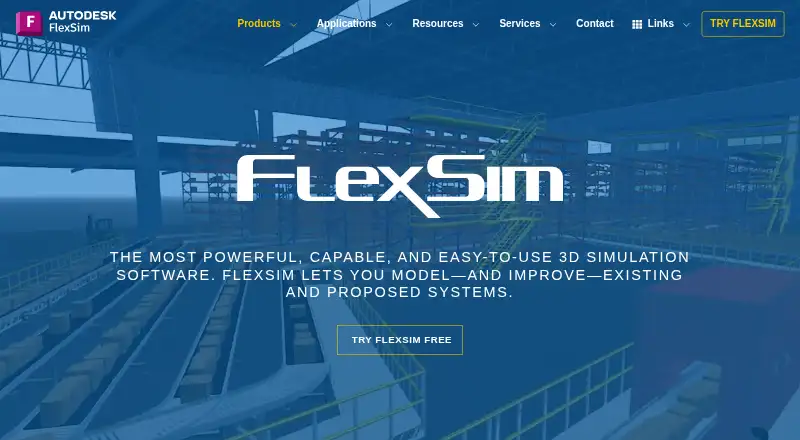
FlexSim is 3D discrete-event simulation software for modeling and improving existing or proposed systems. Its realistic 3D graphics help users see system behavior during a simulation. Models can be assembled by placing objects and resources with drag-and-drop controls, or by importing CAD drawings and custom 3D objects. The Standard Object Library and Process Flow activity blocks provide building elements; FlexScript and C++ integration support customization.
For analysis, FlexSim offers charts, graphs, data tracking, and export to spreadsheet applications. OptQuest supports scenario optimization across variables, constraints, and multiple objectives. The Experimenter compares scenarios, can distribute replications across CPU cores, and supports reports and performance measures. Data exchange options include Excel and SQL connectors, along with FlexScript APIs for files, sockets, and HTTP requests. Its Emulation tool supports connections such as Modbus, OPC DA, OPC UA, and certain manufacturer-specific PLC types; some require an Emulation license. FlexSim is listed for web and Windows, with desktop deployment. Pricing is on request. Its free Express trial plan is limited in model size and excludes the Experimenter and Optimizer.
Who it suits
FlexSim suits operations teams and modelers who need to represent systems in 3D and compare scenarios. It can also fit users who need to customize models, analyze simulation results, or connect to data sources and supported PLC types.
What it does well
- Realistic 3D graphics visualize system behavior.
- Drag-and-drop layout and CAD imports support model creation.
- Charts, graphs, and tracking help analyze results.
- OptQuest supports optimization across multiple objectives.
- Experimenter distributes replications across CPU cores.
What to know first
- Express trial allows up to 30 3D objects.
- Express trial allows up to 35 Process Flow activities.
- Express trial excludes Experimenter and Optimizer.
- Some PLC connection types require an Emulation license.
Limits
FlexSim Express (Trial Version) costs nothing and permits up to 30 3D objects and 35 Process Flow activities. It does not include the Experimenter or Optimizer and uses a fixed random number generator; it is for evaluation and model viewing.
Plans
| Plan | Billed and limits | Price |
|---|---|---|
| FlexSim Express (Trial Version) | Up to 30 3D objects · up to 35 Process Flow activities · no Experimenter or Optimizer · fixed random number generator · evaluation and model viewing | Free |
As flexsim.com lists them, read 9 Oct 2026. The maker's own page has the final word.
Getting started
- Visit the FlexSim website.
- Use the Autodesk trial intake page to access the 30-day trial.
- Download the Windows 64-bit trial version.
- Build a model using drag-and-drop objects, library items, or imported CAD drawings.
- Analyze or compare scenarios with the available tools in your plan.
FlexSim is a desktop-oriented 3D discrete-event simulation package for representing existing or proposed operations systems. It suits operations teams, engineers, analysts, and educators who need visual models, repeatable scenario comparisons, and room for custom logic. Its strongest case is a simulation workflow that can grow from drag-and-drop layouts into scripted, data-connected, and optimized models.
Overview
FlexSim models processes in realistic 3D, so users can see movement, resources, and bottlenecks rather than relying only on abstract diagrams. Drag-and-drop placement covers objects and resources, while CAD drawings and custom 3D objects can be imported when a model must reflect a real facility or proposed design.
The product has been developed since 1993 and became part of Autodesk in November 2023. Its focus is operations: testing how systems perform, comparing alternatives, and improving designs before changes are made in the real world.
Key features
Model construction and customization
The Standard Object Library and Process Flow activity blocks provide a structured starting point for models. FlexScript adds programmable control, and C++ integration gives experienced developers a deeper customization route. This combination favors organizations that need to move beyond standard templates, although the scripting and integration options imply a steeper technical commitment than a purely visual simulator.
Analysis and experimentation
Charts, graphs, data tracking, and spreadsheet export support reporting and review outside the model. The Experimenter compares scenarios, distributes replications across CPU cores, and produces reports with performance measures. That makes it suitable for decisions that require more than a single illustrative run.
Optimization and connectivity
OptQuest integration searches for better scenarios using variables, constraints, and multiple objectives. Excel and SQL connectors support data import and export, while FlexScript APIs can work with files, sockets, and HTTP requests. The Emulation tool connects to Modbus, OPC DA, OPC UA, and certain manufacturer-specific PLC types; some connection types require an Emulation license. These capabilities are valuable for data-rich or automation-linked projects, but they also make licensing and implementation scope important purchasing questions.
Pricing
FlexSim uses paid pricing with pricing on request for its commercial offering, so organizations must obtain a quote rather than select a published subscription amount. Technical support is included for customers with active maintenance or a subscription, with a stated aim of replying within two working days.
FlexSim Express (Trial Version)
The free trial plan costs free. It permits up to 30 3D objects and up to 35 Process Flow activities, and is intended for evaluation and model viewing. It uses a fixed random number generator and excludes both Experimenter and Optimizer. Those caps are enough to inspect the workflow or build a small proof of concept, but they constrain serious scenario analysis and optimization; teams needing those functions will have to move beyond the trial version.
The Autodesk trial intake page provides a 30-day trial from the download date. The available FlexSim 2027 trial platform is Windows 64-bit.
Platforms
FlexSim is offered for web and Windows in the directory’s platform classification, while the product’s system requirements specify 64-bit Windows editions for the application. It is not designed for virtual operating-system environments. Deployment is desktop-based, so organizations planning a browser-only or broadly cross-platform workflow should account for that constraint.
Who it's for
FlexSim is a strong fit for manufacturing, logistics, facilities, and other operations groups that need 3D visibility into capacity, flow, and resource behavior. It also suits analysts who need controlled replications, measurable performance reports, optimization, and links to spreadsheets or SQL data. Developers and automation specialists gain useful extension points through FlexScript, C++, APIs, and PLC connectivity. It is less suitable for a small project that only needs a lightweight diagram, or for teams that require Experimenter and OptQuest while staying within a tightly capped free plan.
Pros and cons
Pros
- Realistic 3D representation: visual models make physical flow and system behavior easier to communicate.
- Broad customization path: object libraries and activity blocks can be extended with FlexScript and C++.
- Serious scenario analysis: Experimenter supports replicated comparisons, CPU-core distribution, reports, and performance measures.
- Optimization and integration: OptQuest, Excel, SQL, web-oriented APIs, and selected PLC protocols support advanced operational studies.
Cons
- Commercial pricing is quote-based: budgeting requires contact with the vendor.
- Trial limits are material: 30 objects and 35 activities, with no Experimenter or Optimizer, restrict free evaluation of larger projects.
- Windows desktop dependency: the application requires 64-bit Windows and is not designed for virtual OS environments.
- Specialized licensing may apply: some PLC connection types require an Emulation license.
Alternatives
AnyLogic is the better direction if you need a freemium simulator spanning API, Linux, macOS, self-hosted, web, and Windows deployments; its Personal Learning Edition is free for education, self-learning, and evaluation with limits including 10 agent types and 200 embedded agents.
Forio fits browser and self-hosted business-simulation projects, with a free Epicenter Personal plan offering unlimited public and private projects but no end-user authentication or authenticated projects.
The Business School is aimed at web-based teaching and pilots, with a free six-step teacher demo and quote-based MAT licensing after a pilot.
OrgSimulator is a teaching-focused web option: professors receive unlimited platform use and course tools, while student access is charged at $50 per simulation run.
CompanyGame is a paid business-simulation alternative available on Android, iOS, and the web.
Cesim Business Simulations is a paid, web-based option with a free trial.
Capsim Business Simulations is a paid web alternative.
IndustryMasters is another paid web-based choice.
Business Simulation Software provides a broader category shortlist when FlexSim's operations-centered modeling is not the right match.
Verdict
Choose FlexSim when you need detailed 3D operations models, repeatable scenario analysis, and customization that can extend into code, databases, optimization, or selected PLC connections. Look elsewhere if you need a fully browser-based or non-Windows deployment, or if the Express trial's object and activity caps prevent a meaningful evaluation.
Verdict
Choose FlexSim if you need 3D discrete-event modeling, scenario analysis, and customization options for operations systems. Look elsewhere if the Express trial’s object and activity caps are too restrictive, or if you need the Experimenter or Optimizer without moving beyond that trial plan.
Questions
How much does FlexSim cost?
Pricing is on request. The FlexSim Express (Trial Version) is free.
Is there a free trial?
Yes. The trial intake page lists a 30-day trial from the date of download, with Windows 64-bit as the available platform for FlexSim 2027.
Which platforms does FlexSim support?
FlexSim is listed for web and Windows, and its deployment is desktop. The trial intake page lists Windows 64-bit for the trial.
What does the Express trial include?
It allows up to 30 3D objects and 35 Process Flow activities. It excludes the Experimenter and Optimizer, uses a fixed random number generator, and is for evaluation and model viewing.
Can FlexSim connect to PLCs?
The Emulation tool supports Modbus, OPC DA, OPC UA, and certain manufacturer-specific PLC types. Some connection types require an Emulation license.
Facts from FlexSim's own pages
- 3D modeling
- It uses realistic 3D graphics to model systems and visualize what is happening in simulations. · flexsim.com, 9 Oct 2026
- Analysis
- Analysis features include charts, graphs, data tracking, and export to spreadsheet applications. · flexsim.com, 9 Oct 2026
- Company history
- FlexSim says it began in 1993 and that Autodesk acquired FlexSim Software Products in November 2023. · flexsim.com, 9 Oct 2026
- Data connections
- FlexSim documentation describes importing and exporting data through Excel and SQL database connectors, plus FlexScript APIs for files, sockets, and HTTP requests. · docs.flexsim.com, 9 Oct 2026
- Experimentation
- The Experimenter compares scenarios, distributes replications across CPU cores, and supports report generation and performance measures. · flexsim.com, 9 Oct 2026
- Founded
- 1993 · flexsim.com, 28 Sept 2026
- Headquarters
- San Francisco, California, USA · flexsim.com, 28 Sept 2026
- Model building
- The Standard Object Library, Process Flow activity blocks, FlexScript, and C++ integration support model building and customization. · flexsim.com, 9 Oct 2026
- Model layout
- Users can place objects and resources with drag-and-drop controls and import CAD drawings and custom 3D objects. · flexsim.com, 9 Oct 2026
- Operating system
- The system requirements page lists 64-bit Windows editions and says FlexSim is not designed for virtual OS environments. · docs.flexsim.com, 9 Oct 2026
- Optimization
- FlexSim integrates with OptQuest for scenario optimization with variables, constraints, and multiple objectives. · flexsim.com, 9 Oct 2026
- PLC connectivity
- The Emulation tool supports connections including Modbus, OPC DA, OPC UA, and certain manufacturer-specific PLC types; some connection types require an Emulation license. · docs.flexsim.com, 9 Oct 2026
- Purpose
- FlexSim is 3D discrete-event simulation software for modeling and improving existing and proposed systems. · flexsim.com, 9 Oct 2026
- Security
- The product page links to Autodesk privacy and legal pages, but the opened FlexSim product and company pages do not state a security certification or compliance standard. · flexsim.com, 9 Oct 2026
- Support
- Technical support is included for customers with active maintenance or subscription, and the support page aims for a first response within two working days. · flexsim.com, 9 Oct 2026
- Trial
- The Autodesk trial intake page lists a 30-day trial from the date of download and Windows 64-bit as the available platform for FlexSim 2027. · autodesk.com, 9 Oct 2026
Where FlexSim stands on Freedom251
- Simulation Software#2 of 69
- Business Simulation Software#3 of 26