Freedom251 › AI Voice Changer Software
FineShare VoiceTrans
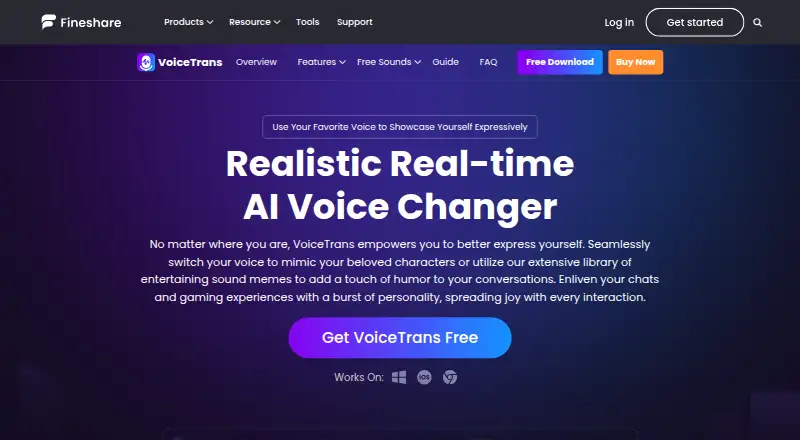
What FineShare VoiceTrans is
FineShare VoiceTrans is an AI voice changer and soundboard for altering voices and sharing voice messages or sound memes. Its desktop software changes voices in real time, and FineShare advertises more than 1,000 AI voice models. Users can import MP3 or WAV files to create a custom soundboard with key bindings; the product also offers a library of creator-made clips, memes, effects and voice packs. FineShare names WhatsApp, Facebook Messenger, iMessage, Slack and Zoom for sharing voice content, and says VoiceTrans is designed for Skype, Discord and games with voice chat. Listed uses include gaming, streaming, calls, video chats and online teaching. The iOS app cannot change voices live, but can create altered messages for use in voice chat apps. The free plan includes five daily voice effects, unlimited community effects, 10 custom voices and limited soundboard effects. Paid plans start at $9.99/mo. Custom model training costs $5.99, paid once and requires an MP3 or WAV file longer than 10 minutes.
Who it suits
VoiceTrans may suit people creating altered voice messages or soundboard content for gaming, streaming, chats, calls and online teaching. The iOS app is for creating changed messages rather than real-time voice changes.
What it does well
- Desktop voice changing works in real time.
- Advertises more than 1,000 AI voice models.
- Custom soundboards support MP3 and WAV imports.
- Free plan includes 10 custom voices.
- Supports sharing voice content through named apps.
What to know first
- iOS cannot change voices in real time.
- VoiceTrans has no API.
- Custom model training requires audio longer than 10 minutes.
Limits
The free plan includes five free daily voice effects, 10 custom voices, and limited soundboard effects; community voice effects are unlimited. Custom model training costs 5.99 USD once, and the training audio must be longer than 10 minutes. The iOS app cannot change voices in real time.
Plans
| Plan | Billed and limits | Price |
|---|---|---|
| Free | 5 free daily voice effects · unlimited community voice effects · 10 custom voices · limited soundboard effects | Free |
| Custom Model Training | Lifetime use · One-time cloning · custom AI voice model | $5.99, paid once |
| Monthly Plan | Auto-renew. Cancel at any time. · Unlimited AI voices, voice effects, sound effects and voice packs · 1 custom model · 24/7 free priority support | On request |
| Perpetual Plan | One-time Purchase. · Unlock 400+ voices · unlimited voice effects and sound effects · all voice packs except featured ones · 5 custom models · 24/7 free priority support | On request |
| Annual Plan | Auto-renew. Cancel at any time. · Unlimited AI voices, voice effects, sound effects and voice packs · 2 custom models · 24/7 free priority support | On request |
As fineshare.com lists them, read 30 Sept 2026. The maker's own page has the final word.
Getting started
- Open the VoiceTrans website.
- Choose a platform: Windows, macOS, iOS, or web.
- Start with the free plan or review the paid plans.
- On desktop, select a voice effect for real-time voice changing.
- Import MP3 or WAV files to build a soundboard and assign key bindings.
- For a custom model, provide an MP3 or WAV recording longer than 10 minutes and purchase training for 5.99 USD once.
Overview
FineShare VoiceTrans is a voice changer and soundboard for desktop voice chat and sharing recorded voice messages. It suits gamers, streamers and chat users who want live voice effects plus custom audio cues. Its best case is that combination; it is not the choice for iPhone users who need live voice conversion.
Key features
VoiceTrans changes voices in real time on desktop and supports recorded audio, advanced voice controls and audio export. FineShare says processing uses little CPU and GPU, which may help when running it alongside a game or stream. The product advertises more than 1,000 AI voice models, including character and celebrity voices, and tens of thousands of creator-made clips, sound memes, effects and voice packs. The breadth is appealing, but the free plan's daily voice-effect cap and limited soundboard effects constrain regular use.
Users can import MP3 or WAV files to create a soundboard and assign key bindings, making it suitable for recurring reactions or cues in voice chat. FineShare names WhatsApp, Facebook Messenger, iMessage, Slack and Zoom for sharing voice content, and says VoiceTrans is designed to work with Skype, Discord and games that support voice chat. Its use cases also include calls, video chats and online teaching.
Custom model training accepts MP3 or WAV recordings longer than 10 minutes and typically takes 6 to 72 hours. The trained model stays private to its user, who can view and download converted files. FineShare advertises 24/7/365 customer service; app-page help is offered by email or Discord. There is no VoiceTrans API, so developers seeking programmatic integration should look elsewhere.
Pricing
The free plan costs nothing and includes five free daily voice effects, unlimited community voice effects, 10 custom voices and limited soundboard effects. It is a reasonable way to explore the voice library, but the daily allowance and soundboard restriction make it less suitable for frequent use.
Custom Model Training costs $5.99, paid once for lifetime use. It buys one-time cloning of a custom AI voice model, rather than the broader ongoing access offered by the subscription plans. This is the focused option for someone who wants a single private model.
The Monthly Plan and Annual Plan are auto-renewing subscriptions, cancelable at any time, with custom pricing. Both include unlimited AI voices, voice effects, sound effects and voice packs, plus 24/7 free priority support; the Monthly Plan includes one custom model, while the Annual Plan includes two. The Perpetual Plan is a one-time purchase with custom pricing. It unlocks 400+ voices, unlimited voice and sound effects, all voice packs except featured ones, five custom models and 24/7 free priority support. It suits buyers who prefer a one-time purchase, though it does not include every voice pack. Paid plans start at 9.99/mo.
Platforms
VoiceTrans is available on Windows, macOS, iOS and the web. The iOS app cannot convert voices live, but it can create altered voice messages for use in voice-chat apps. Desktop is therefore the fit for live conversion; the mobile app is for preparing and sharing changed messages.
Who it's for
Choose VoiceTrans if you want desktop voice changing paired with a configurable soundboard, particularly for gaming, streaming or voice chats. Its message-sharing integrations also suit people who want to send altered clips through chat apps. It is a weaker fit for iOS users who need live effects, developers who need an API, or anyone unwilling to move beyond the free plan's effect limits for regular soundboard use.
Pros and cons
- Pro: Real-time desktop conversion, recorded-audio support and export cover both live chat and prepared clips.
- Pro: Importing MP3 or WAV files and assigning key bindings lets users tailor soundboard cues to their routines.
- Pro: Custom model training includes private access to the model and converted files.
- Con: iOS does not support live voice conversion, limiting mobile use to changed messages.
- Con: The free plan allows only five free daily voice effects and limits soundboard effects.
- Con: The monthly, annual and perpetual plans have custom pricing, so their full cost cannot be compared from a posted figure.
Alternatives
For a broader comparison, browse AI Voice Changer Software or Game Voice Changers. Consider LALAL.AI if its free Starter tier's 10 minutes in the Relaxed Queue and 200 MB per-file upload limit suit your audio workflow; full downloads are unavailable on that tier. Voice.ai offers a free online voice changer, text to speech and audio tools with a five-minute conversion limit, making it an option for those specific tools. EaseUS VoiceWave has a free tier with four voice effects, one free for 24 hours per day, and a $14.95 a month Individual Monthly plan. Altered Studio has a free tier with three minutes per month of Voice Morphing, 10,000 AI Tokens and local voice cloning, with an attribution license for noncommercial use. Applio is a free, open-source, MIT-licensed option with no accounts or paywalls. Echo Live offers a free AI voice library, a daily free UltraFast voice, real-time voice effects and a built-in soundboard. FineVoice has a free plan with 15 minutes of voice changer use per day and a Basic plan at $8.99 a month. iMyFone MagicMic offers five free voices daily, basic sound effects and voice memes, plus recordings and audio files on its free plan.
Verdict
VoiceTrans is a strong fit for desktop users who want live voice effects, a customizable soundboard and a large voice and clip library in one tool. Choose it for that mix and its custom-model option; look elsewhere if live iOS conversion or a VoiceTrans API is essential, or if the free plan's daily and soundboard limits are too restrictive.
Verdict
VoiceTrans combines real-time desktop voice changing with soundboard creation and voice-message sharing. The iOS app does not offer live voice conversion, and the free plan limits daily voice effects and soundboard effects.
Questions
Is FineShare VoiceTrans free?
Yes. The Free plan costs nothing and includes five free daily voice effects, unlimited community voice effects, 10 custom voices, and limited soundboard effects.
How much does VoiceTrans cost?
FineShare lists paid plans from $9.99/mo. Custom Model Training is 5.99 USD once for lifetime use; prices for the Monthly, Perpetual, and Annual plans are not given in the listed plan details.
Which platforms does VoiceTrans support?
The listed platforms are Windows, macOS, iOS, and web. Real-time voice changing is available on desktop; the iOS app makes changed voice messages instead.
Can I train a custom voice model?
Yes. Custom Model Training is listed at 5.99 USD once. It accepts MP3 or WAV files longer than 10 minutes and typically takes 6 to 72 hours.
Which apps can I use to share voice content?
FineShare names WhatsApp, Facebook Messenger, iMessage, Slack, and Zoom. It also says VoiceTrans is designed to work with Skype, Discord, and games that support voice chat.
Does VoiceTrans have an API?
FineShare says it does not currently offer a VoiceTrans API.
Facts from FineShare VoiceTrans's own pages
- Additional app compatibility
- The maker says VoiceTrans is designed to work with Skype, Discord, and games that support voice chat. · fineshare.com, 30 Sept 2026
- AI voices
- The product page advertises more than 1,000 AI voice models, including realistic character and celebrity voices. · fineshare.com, 30 Sept 2026
- API
- FineShare says it does not currently offer a VoiceTrans API. · fineshare.com, 30 Sept 2026
- Custom model privacy
- The purchase page says a trained custom model remains private to its user, who can view and download converted files. · fineshare.com, 30 Sept 2026
- Founded
- 2021 · fineshare.com, 28 Sept 2026
- Integrations
- FineShare names WhatsApp, Facebook Messenger, iMessage, Slack, and Zoom as places to share voice content. · fineshare.com, 30 Sept 2026
- Mobile limitation
- FineShare says the iOS app cannot change voices in real time, but can create changed voice messages for use in voice chat apps. · fineshare.com, 30 Sept 2026
- Platforms
- FineShare lists a Windows desktop app, an iOS app, and an online voice-clip experience. · fineshare.com, 30 Sept 2026
- Product
- VoiceTrans is an AI voice changer and soundboard for changing voices and sharing voice messages and sound memes. · fineshare.com, 30 Sept 2026
- Real-time voice changing
- The desktop voice changer transforms voices in real time, and FineShare describes its processing as low in CPU and GPU usage. · fineshare.com, 30 Sept 2026
- Security and privacy
- FineShare describes VoiceTrans as free of ads and viruses and directs security or privacy questions to [email protected]. · fineshare.com, 30 Sept 2026
- Soundboard
- Users can import MP3 or WAV files and create a custom soundboard with key bindings. · fineshare.com, 30 Sept 2026
- Sound library
- FineShare says VoiceTrans offers tens of thousands of creator-made voice clips, sound memes, sound effects, and voice packs. · fineshare.com, 30 Sept 2026
- Support
- FineShare advertises 24/7/365 customer service on the purchase page and offers help by email or Discord on its app page. · fineshare.com, 30 Sept 2026
- Training requirements
- Custom model training accepts MP3 or WAV files longer than 10 minutes and typically takes 6 to 72 hours. · fineshare.com, 30 Sept 2026
- Use cases
- The product page presents VoiceTrans for gaming, streaming, chatting, calls, video chats, and online teaching. · fineshare.com, 30 Sept 2026
Where FineShare VoiceTrans stands on Freedom251
- AI Voice Changer Software#7 of 48
- Game Voice Changers#7 of 29