Freedom251 › Motion Tracking Software

Final Cut Pro
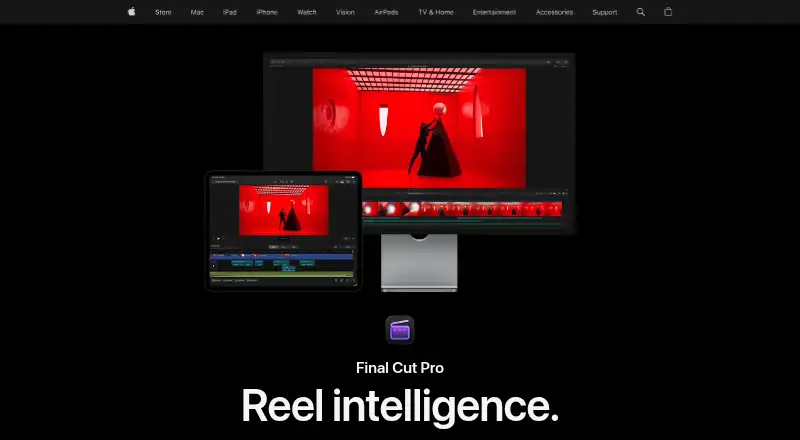
What Final Cut Pro is
Final Cut Pro is Apple’s video editing app for Mac and iPad, suited to both beginning editors and professionals. Its tools include clip trimming, background isolation without a green screen, and automatic captions from spoken audio, alongside audio editing, color grading, titles, transitions, and effects. Apple lists Magnetic Mask among its intelligent features; some Apple Creator Studio features require a device that supports Apple Intelligence. The iPad app has a touch-first interface, Apple Pencil support, Live Drawing, Montage Maker, and a way to send projects to Mac. On Mac, XML import and export support third-party workflows such as color grading and sound mixing. The Mac App Store listing names support for formats including ProRes, ProRes RAW, RED, XAVC, AVCHD, Avid DNxHR, Avid DNxHD, H.264, and HEVC, as well as third-party FxPlug plug-ins. Final Cut Pro supports 4K export and team collaboration, and users can import iMovie projects. The Mac version requires macOS 15.6 or later; iPad requires iPadOS 18.6 or later and a listed compatible iPad. Pricing includes a 299.99 USD one-time Mac purchase or subscriptions from $2.99 a month for students and educators.
Who it suits
Final Cut Pro suits video editors working on Mac or iPad, from beginners to professionals. The iPad tools support touch and Apple Pencil workflows, while Mac users can use XML workflows and FxPlug plug-ins.
What it does well
- Includes audio, color, title, transition, and effects tools
- Creates captions from spoken audio
- iPad app supports Apple Pencil and Live Drawing
- Supports 4K export and team collaboration
- Mac version supports a range of named formats
What to know first
- No free plan
- Mac version requires macOS 15.6 or later
- iPad version requires iPadOS 18.6 or later
- Some features require an Apple Intelligence-capable device
Limits
The Mac one-time purchase is 299.99 USD and covers the Mac application. Some premium content is limited to Apple Creator Studio subscribers, and Creator Studio services are unavailable with a Managed Apple Account.
Plans
| Plan | Billed and limits | Price |
|---|---|---|
| Apple Creator Studio | $129 per year after a 30-day free trial; automatically renews until cancelled · Includes Final Cut Pro for Mac and iPad · also includes Logic Pro, Pixelmator Pro, Motion, Compressor, MainStage, and enhanced Apple productivity apps | $129 a year |
| Apple Creator Studio | $12.99 per month after a 30-day free trial; automatically renews until cancelled · Includes Final Cut Pro for Mac and iPad · also includes Logic Pro, Pixelmator Pro, Motion, Compressor, MainStage, and enhanced Apple productivity apps | $12.99 a month |
| Apple Creator Studio for students and educators | $2.99 per month · Student and educator subscription · includes Final Cut Pro in Apple Creator Studio | $2.99 a month |
| Apple Creator Studio for students and educators | $29.99 per year · Student and educator subscription · includes Final Cut Pro in Apple Creator Studio | $29.99 a year |
| Final Cut Pro for Mac | One-time purchase · Mac app · some premium content is available only to Apple Creator Studio subscribers | $299.99, paid once |
As apple.com lists them, read 5 Oct 2026. The maker's own page has the final word.
Getting started
- Choose the Mac app or iPad app
- Install the Mac version on macOS 15.6 or later, or the iPad version on iPadOS 18.6 or later with a compatible iPad
- Buy Final Cut Pro for Mac for 299.99 USD once, or select an Apple Creator Studio plan
- Use the one-month free trial when starting a new Apple Creator Studio subscription
- Import footage or an iMovie project
- Edit, collaborate, and export the finished video
Verdict
Final Cut Pro pairs editing tools with Mac and iPad workflows, including 4K export and a broad list of supported formats. Check the operating-system requirements and whether a one-time Mac purchase or subscription fits your needs.
Questions
What does Final Cut Pro cost?
Final Cut Pro for Mac costs 299.99 USD as a one-time purchase. Apple Creator Studio costs $12.99 a month, while the student and educator plan costs $2.99 a month.
Is there a free trial?
Yes. New Apple Creator Studio subscribers receive a one-month free trial.
Which platforms support Final Cut Pro?
Final Cut Pro is available for macOS and iPadOS through Mac and iPad apps. It does not have a web app.
Can it export 4K video?
Yes. Final Cut Pro supports 4K export.
Does it support team collaboration?
Yes. Team collaboration is listed as a feature.
What are the system requirements?
The Mac version requires macOS 15.6 or later. The iPad version requires iPadOS 18.6 or later and a listed compatible iPad.
Facts from Final Cut Pro's own pages
- AI features
- Apple lists intelligent features including Magnetic Mask and automatic captions, and says some Apple Creator Studio features require an Apple Intelligence-capable device. · apple.com, 5 Oct 2026
- Audience
- Apple describes Final Cut Pro as suitable for both beginning editors and professionals. · apple.com, 5 Oct 2026
- Creative tools
- Final Cut Pro includes tools for audio editing, color grading, titles, transitions, and effects. · apple.com, 5 Oct 2026
- Desktop app
- Yes · apple.com, 20 Sept 2026
- Editing features
- Its editing tools include clip trimming, background isolation without a green screen, and automatic caption creation from spoken audio. · apple.com, 5 Oct 2026
- Export and workflow
- The Mac app supports XML import and export for third-party workflows such as color grading and sound mixing. · apps.apple.com, 5 Oct 2026
- Formats and plugins
- The Mac App Store listing names support for formats including ProRes, ProRes RAW, RED, XAVC, AVCHD, Avid DNxHR, Avid DNxHD, H.264, and HEVC, plus third-party FxPlug plug-ins. · apps.apple.com, 5 Oct 2026
- 4K export
- Yes · apple.com, 20 Sept 2026
- Free plan
- No · apple.com, 20 Sept 2026
- Integrations
- Apple says users can import iMovie projects and use Final Cut Pro with other Apple Creator Studio apps and Apple accessories. · apple.com, 5 Oct 2026
- iPad workflow
- The iPad app supports a touch-first interface, Apple Pencil, Live Drawing, Montage Maker, and sending projects to Mac. · apple.com, 5 Oct 2026
- Managed accounts
- Apple says Apple Creator Studio subscriptions and related services are unavailable when Final Cut Pro is accessed while signed in to a Managed Apple Account. · apple.com, 5 Oct 2026
- Mobile app
- Yes · apple.com, 20 Sept 2026
- Platforms and requirements
- Final Cut Pro is available for Mac and iPad; the Mac version requires macOS 15.6 or later, while the iPad version requires iPadOS 18.6 or later and a listed compatible iPad. · apple.com, 5 Oct 2026
- Privacy
- Apple says some Final Cut Pro analytics are associated with random identifiers rather than an Apple Account, and users can opt out of certain analytics collection in the app settings. · apple.com, 5 Oct 2026
- Purchase limit
- Apple says some premium content is available only to Apple Creator Studio subscribers, while existing one-time purchasers will continue to receive updates. · apple.com, 5 Oct 2026
- Purpose
- Final Cut Pro is a video editing app for creating polished, professional-quality videos on Mac and iPad. · apple.com, 5 Oct 2026
- Paid from
- 2.99 · apple.com, 20 Sept 2026
- Team collaboration
- Yes · apple.com, 20 Sept 2026
- Web app
- No · apple.com, 20 Sept 2026
Where Final Cut Pro stands on Freedom251
- Motion Tracking Software#27 of 40
- 360 Video Software#21 of 30
- Video editors#51 of 71
- Video Editing Software#120 of 155
- Multimedia Software#23 of 28
- Video Creation And Editing Software#26 of 31
- Content Creation tools#26 of 31
- AI Video Editors#69 of 81
- Video Making Software#27 of 31