Freedom251 › File Manager Software
FE File Explorer
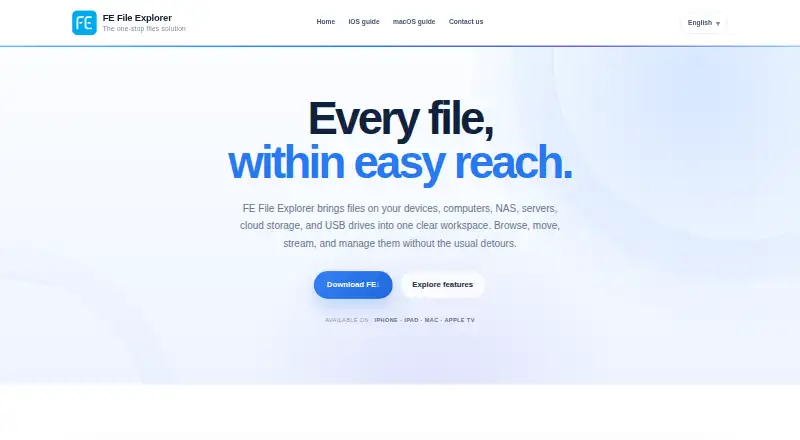
What FE File Explorer is
FE File Explorer is a file-management app that brings files from devices, computers, network storage, servers, cloud accounts, and USB drives into a single workspace. It connects to SMB/CIFS, WebDAV, FTP, and SFTP locations, including shares on macOS, Windows, and Linux, and supports Dropbox, OneDrive, Box, and Google Drive. You can transfer files between connected locations, including remote services, or send them directly between nearby iOS and Android devices without using a cloud handoff. The app opens documents, and its extension allows compatible apps to edit PDF, Microsoft Office, and iWork files and save changes back. It plays common audio and video formats, supports CUE and M3U playlists, and browses standard and RAW photo formats. On iOS, it can play media and slideshows on a TV through AirPlay or HDMI. The maker says it does not send information or files to Skyjos servers without consent and does not use analytics; third-party services may have their own data policies. It is paid, with no free plan, and is available on Android, iOS, and macOS.
Who it suits
It suits people who need to manage files across local devices, network shares, cloud services, and USB drives. Businesses can distribute settings and connections through mobile device management.
What it does well
- Connects to SMB/CIFS, WebDAV, FTP, and SFTP locations
- Supports Dropbox, OneDrive, Box, and Google Drive
- Transfers files between connected and remote locations
- Nearby sharing works between iOS and Android devices
- Supports common and RAW photo formats
What to know first
- No free plan
- Some editing requires compatible apps
- Third-party services may apply their own privacy policies
Plans
| Plan | Billed and limits | Price |
|---|---|---|
| FE File Explorer | Access files on computer & NAS | $4.99, paid once |
As skyjos.com lists them, read 12 Oct 2026. The maker's own page has the final word.
Getting started
- Visit the FE File Explorer website.
- Choose a supported platform: Android, iOS, or macOS.
- Use the paid FE File Explorer plan to access connected files, transfer, stream, and manage documents and photos.
Verdict
FE File Explorer combines network, cloud, and device file access with transfer, document, and media features. Its paid-only model and reliance on compatible apps for document editing are worth considering.
Questions
Is FE File Explorer free?
No. It has no free plan and is listed as a paid product.
Which platforms does it support?
The listed platforms are Android, iOS, and macOS. Supported platforms also include iPhone, iPad, Mac, and Apple TV.
Which network and cloud services can it connect to?
It connects to SMB/CIFS, WebDAV, FTP, and SFTP locations. Supported cloud services include Dropbox, OneDrive, Box, and Google Drive.
Can it transfer files between remote services?
Yes. It can copy files between network shares, cloud storage, mobile devices, and computers, including between remote services.
Does FE File Explorer support document editing and media playback?
It opens documents, and its extension lets compatible apps edit PDF, Microsoft Office, and iWork files and save changes back. It also plays common audio and video formats and browses common and RAW photo formats.
What does the maker say about privacy?
The maker says the app does not collect or send information or files to Skyjos servers without consent and does not use analytics. Third-party services may collect information under their own policies.
Facts from FE File Explorer's own pages
- Business management
- FE File Explorer supports distributing app settings and connections through mobile device management (MDM). · skyjos.com, 12 Oct 2026
- Cloud integrations
- The maker lists Dropbox, OneDrive, Box, and Google Drive as supported cloud storage services. · skyjos.com, 12 Oct 2026
- Document editing
- FE opens documents directly, and its extension lets users edit PDF, Microsoft Office, and iWork files in compatible apps and save changes back. · skyjos.com, 12 Oct 2026
- File management
- FE File Explorer brings files on devices, computers, NAS, servers, cloud storage, and USB drives into one workspace for browsing, moving, streaming, and managing. · skyjos.com, 12 Oct 2026
- File transfers
- It can copy files between network shares, cloud storage, mobile devices, and computers, including between remote services. · skyjos.com, 12 Oct 2026
- Free plan
- No · skyjos.com, 21 Sept 2026
- Media playback
- It plays common video and audio formats including MOV, MP4, AVI, MKV, FLAC, APE, MP3, and AAC, and supports CUE and M3U playlists. · skyjos.com, 12 Oct 2026
- Nearby sharing
- It sends files directly between nearby iOS and Android devices without a cloud handoff. · skyjos.com, 12 Oct 2026
- Network connections
- It connects to SMB/CIFS, WebDAV, FTP, and SFTP locations, including network shares on macOS, Windows, and Linux. · skyjos.com, 12 Oct 2026
- Photo formats
- It can browse common and RAW photo formats including JPG, PNG, GIF, CR2, NEF, ARW, and DNG. · skyjos.com, 12 Oct 2026
- Privacy
- The privacy policy says the app does not collect or send information or files to Skyjos servers without consent and does not use analytics; third-party services may collect information under their own policies. · skyjos.com, 12 Oct 2026
- Support
- The maker lists [email protected] as its contact for privacy questions. · skyjos.com, 12 Oct 2026
- TV playback
- On iOS, it can play videos, songs, photos, and slideshows on a TV through AirPlay or HDMI. · skyjos.com, 12 Oct 2026
Where FE File Explorer stands on Freedom251
- File Manager Software#82 of 100
- WebDAV Client Software#22 of 26