FBackup
by FBackup
What FBackup is
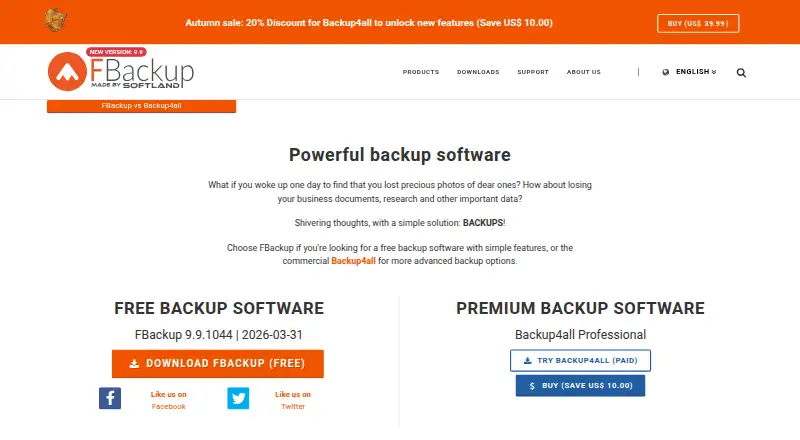
FBackup is free Windows software for creating and restoring file backups. It makes full backups in ZIP archives or mirror backups as uncompressed copies, with jobs started manually or scheduled automatically. Destinations include USB and FireWire devices, mapped network locations, Google Drive, and Dropbox. Google Drive and Dropbox files or folders can also be backup sources. ZIP creation includes ZIP64 for archives larger than 2 GB, and ZIP backups can be password-protected. Windows Volume Shadow Service lets it back up files open in another program. More than 100 free plugins support specific program settings and other custom data. FBackup provides reports when jobs produce errors or warnings and includes ransomware protection. Listed compatibility covers Windows 11, 10, 8, 7, Vista, and Windows Server 2025 through 2008 for x86/x64. The free plan is available for personal and commercial use.
Who it suits
FBackup suits Windows users needing scheduled or manual file backups to local, network, or cloud destinations. It also fits users who need server backup, password-protected ZIP files, or plugins for application data.
What it does well
- Free for personal and commercial use
- ZIP and mirror backup modes
- Google Drive and Dropbox support
- Over 100 free plugins
- Ransomware protection included
What to know first
- Windows only
- No mobile backup
- Backup scope is file-based
- Restore mode is file-based
Plans
| Plan | Billed and limits | Price |
|---|---|---|
| FBackup | Free for personal and commercial use · Windows only | Free |
As fbackup.com lists them, read 11 Oct 2026. The maker's own page has the final word.
Verdict
FBackup covers common file-backup workflows with scheduling, multiple destinations, plugins, and protection features at no listed cost. Its Windows-only, file-focused design makes platform and backup-scope fit important.
Facts from FBackup's own pages
- Backup reports
- FBackup provides reports when a backup has errors or warnings. · fbackup.com, 11 Oct 2026
- Backup scope
- file · fbackup.com, 23 Sept 2026
- Bundling
- The download page says the installer does not bundle third-party programs. · fbackup.com, 11 Oct 2026
- Cloud sources
- FBackup can use files and folders in Google Drive or Dropbox as backup sources. · fbackup.com, 11 Oct 2026
- Compatibility
- The download page lists Windows 11, 10, 8, 7, Vista, and Windows Server 2025, 2022, 2019, 2016, 2012, and 2008 for x86/x64. · fbackup.com, 11 Oct 2026
- Compression
- Full backups use standard ZIP compression, including ZIP64 for archives larger than 2 GB. · fbackup.com, 11 Oct 2026
- Computer backup
- Yes · fbackup.com, 23 Sept 2026
- Founded
- 1999 · fbackup.com, 28 Sept 2026
- Free plan
- Yes · fbackup.com, 23 Sept 2026
- Headquarters
- Cluj-Napoca, Romania · fbackup.com, 28 Sept 2026
- Maker
- Softland says it is a privately held company founded in 1999. · fbackup.com, 11 Oct 2026
- Mobile backup
- No · fbackup.com, 23 Sept 2026
- Open files
- FBackup uses the Windows Volume Shadow Service to back up files that are in use by another program. · fbackup.com, 11 Oct 2026
- Password protection
- FBackup can password-protect ZIP backups. · fbackup.com, 11 Oct 2026
- Supported platforms
- Windows · fbackup.com, 23 Sept 2026
- Plugins
- The download page says FBackup supports more than 100 free plugins for backing up specific program settings and other custom data. · fbackup.com, 11 Oct 2026
- Purpose
- FBackup is file backup software that creates full backups in ZIP files or mirror backups as uncompressed copies. · fbackup.com, 11 Oct 2026
- Ransomware protection
- Yes · fbackup.com, 23 Sept 2026
- Restore modes
- file · fbackup.com, 23 Sept 2026
- Scheduling
- Backup jobs can be scheduled to run automatically or started manually. · fbackup.com, 11 Oct 2026
- Server backup
- Yes · fbackup.com, 23 Sept 2026
- Storage destinations
- It can back up to USB or FireWire devices, mapped network locations, and Google Drive or Dropbox. · fbackup.com, 11 Oct 2026
- Support
- The company directs users to its FAQ and user forum for help with FBackup. · fbackup.com, 11 Oct 2026
- Unsupported versions
- The contact page says FBackup versions 1.x through 5.x are no longer supported. · fbackup.com, 11 Oct 2026
Where FBackup stands on Freedom251
- Backup software#69 of 151