Freedom251 › Music Collaboration Software
FarPlay
What FarPlay is
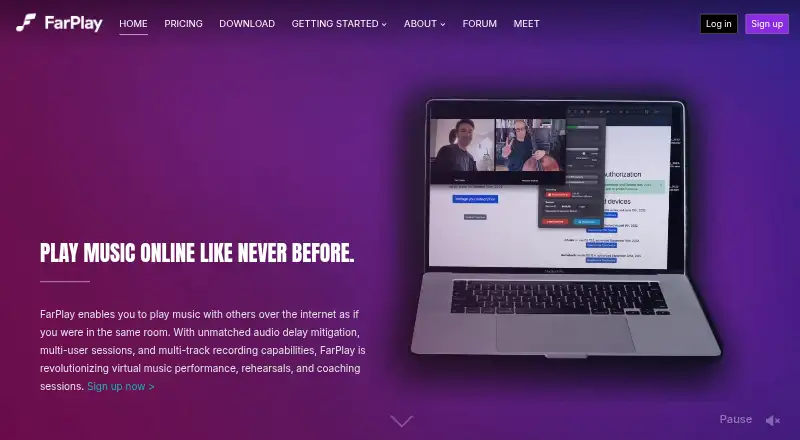
FarPlay lets people play music together over the internet with reduced audio delay. It transmits uncompressed, full-duplex 48kHz/16bit PCM audio and includes video, customizable layouts, and screensharing. A Latency Slider lets participants balance lower delay against possible audio glitches. Sessions can be recorded as separate synchronized audio tracks for later import into a DAW, while Broadcast Output sends multi-channel audio to a DAW for livestream mixing.
FarPlay uses peer-to-peer connections and does not require server setup or router-port configuration. It runs on Linux, macOS, and Windows computers, but not phones or tablets except Windows tablets with Intel processors. An internet connection that supports peer-to-peer connections is required; Ethernet is recommended for ultra-low latency. Free sessions are limited to two participants and 45 minutes, though free users can join multi-user sessions. Paid plans start at $5.99 a month, with the first month free. Only the person starting a session needs a subscription for it to have subscription benefits.
Who it suits
FarPlay may suit musicians arranging remote rehearsals, lessons, or performances, as well as people hosting podcasts, readings, or therapy sessions. It is for computer users with a peer-to-peer-capable internet connection, rather than most phone or tablet users.
What it does well
- Uncompressed, full-duplex 48kHz/16bit PCM audio
- Separate synchronized audio tracks can be recorded
- Built-in video includes screensharing
- Peer-to-peer setup needs no router-port configuration
What to know first
- Free sessions have a 45-minute limit
- Free sessions allow no more than two participants
- Phones and most tablets are unsupported
- Internet must support peer-to-peer connections
Limits
The free plan allows one-to-one sessions up to 45 minutes and lets users join multi-user sessions. Standard, the cheapest paid plan at $5.99 a month, adds unlimited session length and multi-user session creation; its first month is free.
Plans
| Plan | Billed and limits | Price |
|---|---|---|
| Free | 1-to-1 sessions up to 45 min · join multi-user sessions · forum support | Free |
| For Teachers | First Month Free · Everything in Standard+ · all session participants can record · 10 Persistent Rooms · priority support · one active session per account | $14.99 a month |
| Standard | First Month Free · Unlimited session length · create multi-user sessions · authorize up to 3 devices · audio mix and combined video recording | $5.99 a month |
| Standard+ | First Month Free · Everything in Standard · multi-track audio and video recording · multi-channel Broadcast Output · authorize up to 5 devices | $7.99 a month |
As farplay.io lists them, read 7 Oct 2026. The maker's own page has the final word.
Getting started
- Open https://farplay.io/.
- Use a Linux, macOS, or Windows computer; an Intel Windows tablet is also supported.
- Connect to an internet connection that supports peer-to-peer connections; Ethernet is recommended for ultra-low latency.
- Start with the free plan for one-to-one sessions up to 45 minutes, or choose a paid plan for longer sessions or to create multi-user sessions.
- For subscription benefits in a session, have the person initiating it subscribe.
Verdict
FarPlay combines reduced-delay audio with video, recording, and DAW routing options. The free tier is constrained to short, two-person sessions; paid plans start at $5.99 a month, with the first month free.
Questions
Is FarPlay free?
Yes. The Free plan costs nothing and includes one-to-one sessions up to 45 minutes, joining multi-user sessions, and forum support.
What do paid plans cost?
Standard is $5.99 a month, Standard+ is $7.99 a month, and For Teachers is $14.99 a month. Each paid plan is billed with the first month free.
Which computers does FarPlay support?
It supports Linux, macOS, and Windows computers. Phones and tablets are unsupported except Windows tablets with Intel processors.
Can FarPlay record audio for a DAW?
It can record separate synchronized audio tracks for later import into a DAW. Standard includes audio mix and combined video recording; Standard+ adds multi-track audio and video recording and multi-channel Broadcast Output.
Does everyone in a session need a subscription?
No. Only the person initiating the session needs a subscription for the session to have subscription benefits.
What internet connection does FarPlay need?
It requires an internet connection that supports peer-to-peer connections. Ethernet is recommended for ultra-low latency.
Facts from FarPlay's own pages
- Architecture
- FarPlay says it uses peer-to-peer architecture and does not require users to configure a server or open router ports. · farplay.io, 7 Oct 2026
- Audio
- FarPlay transmits uncompressed, full-duplex 48kHz/16bit PCM audio. · farplay.io, 7 Oct 2026
- Broadcast
- Broadcast Output sends multi-channel audio in real time to a DAW for mixing livestream performances. · farplay.io, 7 Oct 2026
- Free limits
- Free mode allows sessions with no more than two participants and limits each session to 45 minutes. · farplay.io, 7 Oct 2026
- Latency control
- Its Latency Slider lets users balance lower latency against possible audio glitches. · farplay.io, 7 Oct 2026
- Maker and origin
- The About page says Dan Tepfer began the software effort in 2020, FarPlay entered public beta in October 2021, and it became a startup in January 2022. · farplay.io, 7 Oct 2026
- Network needs
- FarPlay requires an internet connection that supports peer-to-peer connections; the site recommends Ethernet for ultra-low latency. · farplay.io, 7 Oct 2026
- Purpose
- FarPlay enables people to play music together over the internet with reduced audio delay. · farplay.io, 7 Oct 2026
- Recording
- FarPlay can record separate synchronized audio tracks for session participants for later import into a DAW. · farplay.io, 7 Oct 2026
- Subscription sharing
- For a session to have subscription benefits, only the person initiating it needs a subscription. · farplay.io, 7 Oct 2026
- Support
- The Free plan includes forum support, Standard includes email support, and For Teachers includes priority support. · farplay.io, 7 Oct 2026
- System support
- FarPlay supports Mac, Windows, and Linux computers, and does not support phones or tablets except Windows tablets with Intel processors. · farplay.io, 7 Oct 2026
- Use cases
- The site describes use for music lessons, remote rehearsals, online performances, podcasts, readings, and therapy. · farplay.io, 7 Oct 2026
- Video
- FarPlay includes built-in video with customizable layouts and screensharing. · farplay.io, 7 Oct 2026
Where FarPlay stands on Freedom251
- Music Collaboration Software#5 of 28