Freedom251 › Sega Master System Emulators
ESP32-FabGL-SMSEmulator
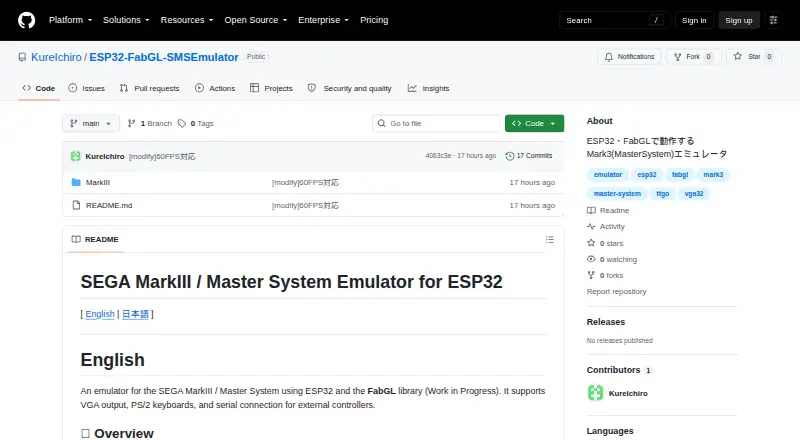
What ESP32-FabGL-SMSEmulator is
ESP32-FabGL-SMSEmulator is a work-in-progress emulator for SEGA MarkIII and Master System software, built for ESP32 with the FabGL library. It outputs video over VGA and accepts input from PS/2 keyboards or external controllers connected by serial. The main README reports 60 FPS (59.94 Hz) with every frame rendered, while the MarkIII subdirectory lists a target of about 30 FPS. SRAM-compatible titles can save and restore data on an SD card using three slots; the SAVE folder must be created manually before launch. Keyboard controls include F12 for pause or resume, Shift+F12 to reset the ESP32, and Shift+F9 through Shift+F11 for slots 1–3. Atari-specification D-Sub 9-pin controllers connect through UART at RS-232C 115200 bps on IO39 for two joystick ports. The recommended setup uses an ESP32 Dev Module, FabGL v1.0.9, and required PSRAM. FM sound, particularly rhythm sections, and some PSG sampling playback have reduced fidelity. The project is free and open source, though license details are in source-file headers; the repository page showed no releases.
Who it suits
This project is for people building or using an ESP32-based MarkIII or Master System emulator with VGA output. Users should be comfortable with the stated hardware requirements and possible source-code changes for keyboard mappings.
What it does well
- Free and open source.
- Supports VGA output and PS/2 keyboards.
- Reports 60 FPS in the main README.
- Offers three SD-card save slots for SRAM-compatible titles.
What to know first
- PSRAM is required.
- Some FM and PSG audio has reduced fidelity.
- Keyboard mapping may require source-code changes.
- The project is marked as a work in progress.
Limits
The project remains in progress, and the MarkIII subdirectory lists a target of about 30 FPS. FM sound and some PSG sampling playback have reduced fidelity. SRAM saves require compatible titles, an SD card, and a manually created SAVE folder.
Getting started
- Use an ESP32 Dev Module with enabled PSRAM
- Install or use FabGL v1.0.9
- Connect a VGA display and PS/2 keyboard or supported serial controller
- Create the SAVE folder on the SD card before launching
- Connect Atari-specification controllers through UART RS-232C at 115200 bps on IO39
- Adjust keyboard mappings in source code if needed
- Review source-file headers for applicable license terms
Verdict
ESP32-FabGL-SMSEmulator provides video, keyboard, controller, and save-state support for an ESP32 build. It comes with hardware requirements, audio limitations, and a work-in-progress status to consider.
Questions
What hardware does it support?
It runs on ESP32. The recommended setup uses an ESP32 Dev Module, FabGL v1.0.9, and required PSRAM.
How much does it cost?
The project is free and open source.
How do controllers connect?
Atari-specification D-Sub 9-pin controllers connect through UART using RS-232C at 115200 bps on IO39, supporting two joystick ports.
Can it save game data?
SRAM-compatible titles can save and restore data on an SD card using three slots. The SAVE folder must be created manually before launch.
What are the keyboard controls?
F12 pauses or resumes, Shift+F12 resets the ESP32, and Shift+F9 through Shift+F11 load or save slots 1–3.
Are releases available?
The GitHub repository page showed no releases.
Facts from ESP32-FabGL-SMSEmulator's own pages
- Audio limitation
- FM sound, especially rhythm, and PSG sample playback may have reduced fidelity because of FabGL sampling-rate constraints. · github.com, 9 Oct 2026
- Build requirements
- The recommended setup uses an ESP32 Dev Module with PSRAM enabled, the Espressif ESP32 board manager, and FabGL v1.0.9. · github.com, 9 Oct 2026
- Controller converter
- The README says the Atari-to-Serial converter hardware and firmware published in the repository’s MSX1 emulator section can be reused. · github.com, 9 Oct 2026
- Controller support
- Atari-specification D-Sub 9-pin controllers can connect through the ESP32 UART; the README specifies RS-232C at 115200 bps on IO39 for two joystick ports. · github.com, 9 Oct 2026
- Development status and support
- The developer says most main source code is based on AI-generated code and that they cannot answer detailed questions about its internal logic or specifications. · github.com, 4 Oct 2026
- Download availability
- The GitHub repository page showed no releases. · github.com, 4 Oct 2026
- External controllers
- It accepts Atari-specification D-Sub 9-pin controller signals via UART using RS-232C at 115200 bps on IO39, for two joystick ports. · github.com, 4 Oct 2026
- Frame rate
- The README reports 60 FPS (59.94 Hz), with every frame rendered. · github.com, 4 Oct 2026
- Keyboard controls
- F12 pauses or resumes the emulator, Shift+F12 resets the ESP32, and F9–F11 with Shift load and save slots 1–3. · github.com, 9 Oct 2026
- Keyboard mapping
- The README says users may need to modify source code to adapt key mappings to their keyboard layout. · github.com, 4 Oct 2026
- License information
- The README directs users to source-file header comments for license terms and says included cores follow the policies of FabGL, fMSX, and MIT/free licenses. · github.com, 9 Oct 2026
- Licensing
- The README directs users to review source-file header comments for license details and says included cores follow the stated FabGL, fMSX, and MIT or free-license policies. · github.com, 4 Oct 2026
- Performance
- The main README lists 60 FPS (59.94 Hz) with every frame rendered; the MarkIII subdirectory README lists a target of about 30 FPS. · github.com, 9 Oct 2026
- Product
- An emulator for the SEGA MarkIII / Master System built for ESP32 using the FabGL library; the project is marked as a work in progress. · github.com, 4 Oct 2026
- Purpose
- An in-progress SEGA MarkIII / Master System emulator built for ESP32 using the FabGL library. · github.com, 9 Oct 2026
- Save states
- SRAM-supported titles can save and restore data on a MicroSD card using three slots, with the SAVE folder created manually before launch. · github.com, 9 Oct 2026
- Support limitation
- The developer says most main source code is based on AI-generated code and detailed questions about its internal logic may not be answerable. · github.com, 9 Oct 2026
- Use disclaimer
- The README states that use is at the user's own risk and disclaims liability for resulting damages. · github.com, 4 Oct 2026
- Use limitation
- The project disclaims liability for damages and says users use the software at their own risk. · github.com, 9 Oct 2026
- Video and input
- The project describes VGA output, PS/2 keyboard support, and serial connections for external controllers. · github.com, 9 Oct 2026
Where ESP32-FabGL-SMSEmulator stands on Freedom251
- Sega Master System Emulators#25 of 25