Freedom251 › Video Editing Software
Editing.video
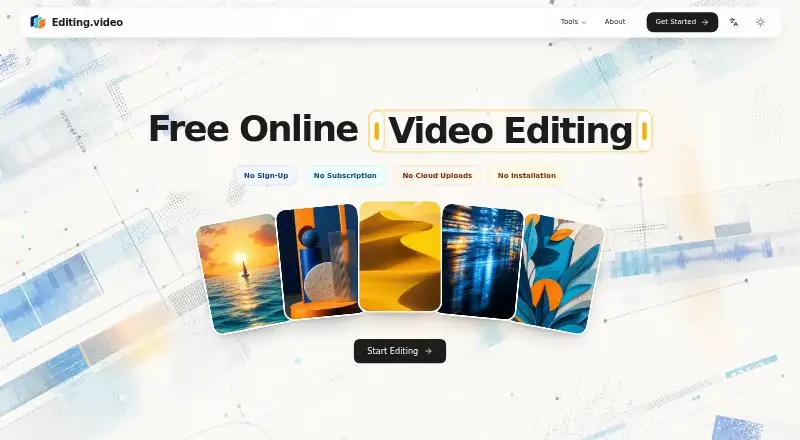
What Editing.video is
Editing.video is a free browser-based editor for creating and exporting videos. Its multitrack timeline supports video, images, titles, and audio, with trimming and preview controls. Projects can use landscape, square, or vertical formats. The editor runs on the web, has no desktop app, and its Free plan costs nothing with no account or subscription. Imported source media is processed locally in the browser rather than uploaded for editing. Projects and media may remain in browser-managed storage, so clearing browser data can permanently remove them. The site also provides conversion, video-to-GIF, resizing, cropping, rotation, compression, and screen-recording tools. Its recorder captures a screen, microphone, system audio, and camera, then previews and downloads WebM in a supported desktop browser. Mobile browsers generally lack the same capture flow. Google Analytics may process page and device usage information. Optional sound searches can pass through the service to Freesound, and transcription models may be downloaded from Hugging Face.
Who it suits
Editing.video suits creators, students, educators, small businesses, and marketing teams needing browser-based video tools. It also fits users who want local browser processing and no-account access.
What it does well
- Free plan costs 0.00 USD
- No account or subscription required
- Multitrack timeline with trimming and preview
- Supports landscape, square, and vertical video
- Source media processed locally in browser
What to know first
- Projects can disappear when browser data is cleared
- No desktop app
- Screen recording is intended for desktop browsers
- Google Analytics may process usage information
Plans
| Plan | Billed and limits | Price |
|---|---|---|
| Free | No account · No subscription · Browser-based editing | Free |
As editing.video lists them, read 12 Oct 2026. The maker's own page has the final word.
Verdict
Editing.video offers a broad set of browser video-editing and utility tools without an account or subscription. Users should protect browser-stored projects and use a supported desktop browser for recording.
Facts from Editing.video's own pages
- Analytics
- The privacy policy says the production site uses Google Analytics and that it may process page and device usage information. · editing.video, 12 Oct 2026
- Aspect ratios
- Users can create landscape, square, and vertical videos. · editing.video, 12 Oct 2026
- Desktop app
- No · editing.video, 21 Sept 2026
- Editing tools
- The editor supports a multitrack timeline with video, images, titles, audio, trimming, and preview. · editing.video, 12 Oct 2026
- Free plan
- Yes · editing.video, 21 Sept 2026
- Intended users
- The maker describes the product as useful for creators, students and educators, small businesses, and marketing teams. · editing.video, 12 Oct 2026
- Local storage limit
- Projects and imported media may be stored in browser-managed storage, and clearing browser data can permanently remove them. · editing.video, 12 Oct 2026
- Other tools
- The site also lists video conversion, video-to-GIF, resizing, screen recording, cropping, rotation, and compression tools. · editing.video, 12 Oct 2026
- Privacy
- The maker says imported source media is processed locally in the browser rather than uploaded for editing. · editing.video, 12 Oct 2026
- Product
- Editing.video is a free, browser-based video editor for creating and exporting videos. · editing.video, 12 Oct 2026
- Screen recorder
- The screen recorder can capture a screen, microphone, system audio, and camera, then preview and download a WebM recording in a supported desktop browser. · editing.video, 12 Oct 2026
- Screen recorder limit
- Screen recording is intended for desktop browsers because mobile browsers generally do not provide the same screen-capture flow. · editing.video, 12 Oct 2026
- Security
- The maker says it uses reasonable safeguards including encrypted network connections and access controls. · editing.video, 12 Oct 2026
- Support
- The About page invites users to contact the maker by email with questions, feedback, or product ideas. · editing.video, 12 Oct 2026
- Third-party services
- Optional sound-search queries may be sent through Editing.video’s server to Freesound, and transcription models may be downloaded from Hugging Face; source media is not sent with those requests. · editing.video, 12 Oct 2026
- Web app
- Yes · editing.video, 21 Sept 2026
Where Editing.video stands on Freedom251
- Video Editing Software#94 of 153