Freedom251 › Disk Cloning Software
EaseUS Disk Copy
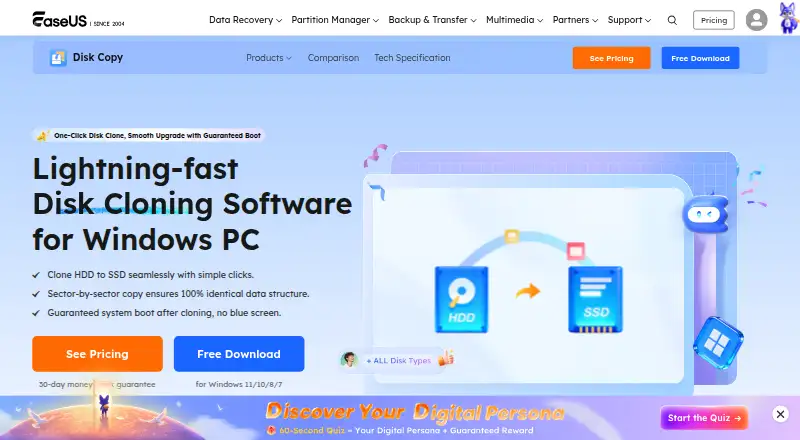
What EaseUS Disk Copy is
EaseUS Disk Copy clones disks or partitions to a target, either preserving their layout or resizing them proportionally. Its 1-Click OS Migrate feature detects a new disk and can copy the system and boot partitions. It supports MBR and GPT disks, up to 16 TB and 32 disks, and FAT12, FAT16, FAT32, NTFS, and EXT2/3 file systems. A paid edition can create bootable USB or CD/DVD media using Windows WinPE. Server or higher editions include Deploy Mode to create a clone image and distribute it to multiple PCs through PXE service. The demo allows you to prepare a cloning plan, but not perform the operation. EaseUS warns that cloning erases all data on the destination disk or partition. The Professional license covers personal use on one non-server computer; Technician is for one independent technician using it on up to 99 devices, including servers. It runs on Windows, has a free trial but no free plan, and listed Individual options include $19.90 a month, $39.90 a year, and $59.90, paid once for lifetime upgrades.
Who it suits
It suits Windows users who need to clone disks or partitions, migrate an operating system, or prepare bootable cloning media. Technician and server-or-higher editions address broader device or deployment needs.
What it does well
- Clones disks or partitions as-is or resized
- Can migrate system and boot partitions
- Supports MBR and GPT disks
- Free trial is available
- Technician covers up to 99 devices
What to know first
- No free plan
- Demo cannot apply a cloning operation
- Cloning erases data on the destination
- Windows only
Limits
The demo only creates a cloning plan and cannot execute it. Professional is limited to personal use on one non-server computer, while other license and device limits depend on the selected plan.
Plans
| Plan | Billed and limits | Price |
|---|---|---|
| Education Monthly | Auto-renew; cancel anytime · 40% off shown · 1 computer · student status verification · 1-month free upgrades | $11.94 a month |
| Individual Monthly | Auto-renew; cancel anytime · 1 computer · 1-month free upgrades | $19.90 a month |
| Education Annual | Auto-renew; cancel anytime · 40% off shown · 1 computer · student status verification · 1-year free upgrades | $23.94 a year |
| 2 PCs Monthly | Auto-renew; cancel anytime · 2 computers · 1-month free upgrades | $29.90 a month |
| Education Lifetime Upgrades | One-time purchase · 40% off shown · 1 computer · student status verification · lifetime free upgrades | $35.94, paid once |
| Individual Annual | Auto-renew; cancel anytime · 1 computer · 1-year free upgrades | $39.90 a year |
| Individual Lifetime Upgrades | One-time purchase · 1 computer · lifetime free upgrades | $59.90, paid once |
| 2 PCs Lifetime | One-time purchase · 2 computers · lifetime paid major upgrade | $59.90, paid once |
The first 8 of 9 plans, as easeus.com lists them, read 4 Oct 2026. The maker's own page has the final word. Every plan
Getting started
- Open the EaseUS Disk Copy website
- Select a Windows plan or start the free trial
- Install the software on Windows
- Choose a source disk or partition and a target
- Use OS Migrate, cloning, or a WinPE bootable medium
- Confirm the destination because cloning erases its data
Verdict
EaseUS Disk Copy offers disk and partition cloning, OS migration, and deployment options that vary by edition. Choose the destination carefully, since the product says its existing data will be erased.
Questions
What operating systems does EaseUS Disk Copy support?
It supports Windows.
Can it migrate an operating system?
Yes. 1-Click OS Migrate detects a new disk and clones the system and boot partitions to it.
What disk formats and capacities are supported?
It supports MBR and GPT disks up to 16 TB, as many as 32 disks, and FAT12, FAT16, FAT32, NTFS, and EXT2/3 file systems.
Is there a free plan or trial?
No free plan is listed, but a free trial is available. The demo can create a plan but cannot perform the operation.
What does it cost?
Individual Monthly costs $19.90 a month, Individual Annual costs $39.90 a year, and Individual Lifetime Upgrades costs $59.90, paid once.
Does cloning erase existing destination data?
Yes. EaseUS states that all data on the destination disk or partition will be erased during cloning.
Facts from EaseUS Disk Copy's own pages
- Bootable media
- A paid edition can create bootable USB or CD/DVD media based on Windows WinPE for cloning. · easeus.com, 4 Oct 2026
- Company history
- EaseUS says the company was formally established in 2004. · easeus.com, 4 Oct 2026
- Data loss precaution
- EaseUS says all data on the destination disk or partition will be erased during cloning. · easeus.com, 4 Oct 2026
- Demo limitation
- The demo can create a cloning plan for testing but cannot apply the real operation. · easeus.com, 4 Oct 2026
- Disk and file system support
- The product supports MBR and GPT disks, up to 16 TB and 32 disks, and lists FAT12, FAT16, FAT32, NTFS, and EXT2/3 file systems. · easeus.com, 4 Oct 2026
- Disk and partition cloning
- Disk Copy clones source disks or partitions to a target as-is or proportionally resized. · easeus.com, 4 Oct 2026
- Edition limits
- The Professional license is for personal use on one non-server computer; Technician allows one independent technician to use it on up to 99 devices, including server and non-server systems. · easeus.com, 4 Oct 2026
- Founded
- 2004 · easeus.com, 28 Sept 2026
- Network deployment
- Server or higher editions include Deploy Mode to create a clone image and deploy it to multiple PCs via PXE service. · easeus.com, 4 Oct 2026
- OS migration
- Its 1-Click OS Migrate feature detects a new disk and can clone the system and boot partitions to it. · easeus.com, 4 Oct 2026
- Purchase security
- The purchase page says it uses advanced encryption and fraud protection and accepts credit card, PayPal, and wire transfer. · easeus.com, 4 Oct 2026
- Refund policy
- The purchase page states products come with a 30-day money-back guarantee. · easeus.com, 4 Oct 2026
- Support
- The product help page offers email and online chat support, while the product page advertises 24/7 Technician support via live chat and email. · easeus.com, 4 Oct 2026
Where EaseUS Disk Copy stands on Freedom251
- Disk Cloning Software#20 of 26