Freedom251 › Product Configurator Software

DynaMaker
by DynaMaker
What DynaMaker is
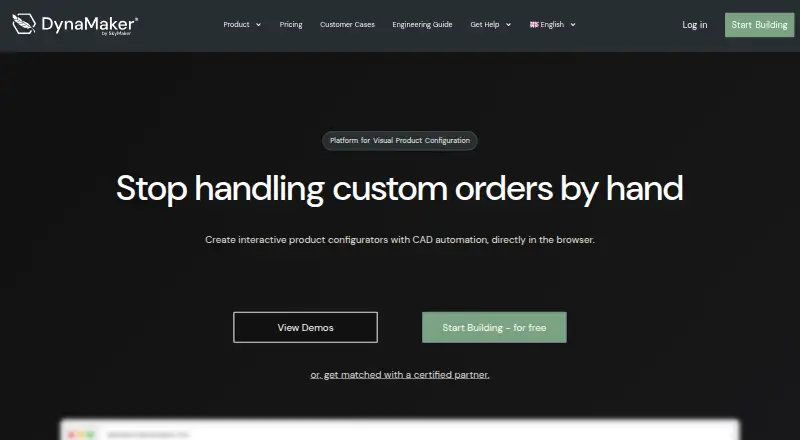
DynaMaker is a web-based product configuration platform for creating visual product experiences and generating quotes. It supports both 2D and 3D configuration, with product rules that shape which options customers can select. The product is offered as a standalone deployment and runs on the web.
The Free plan costs nothing and includes DynaMaker Studio, team invitations, documentation and tutorials, publishing, and public users. Lite provides unlimited public users. Standard adds CPQ and e-commerce integrations, 3D, BIM and STEP exports, multiple languages, and access for logged-in users. Pro adds on-demand CAD workflows and advanced document automation. DynaMaker also offers a 14-day trial.
The product is made by DynaMaker, a company founded in 2013 and headquartered in Linköping, Sweden. Its plans cover public-facing configuration, integrations and file exports, logged-in access, and CAD workflow automation.
Who it suits
DynaMaker suits teams that want customers to configure products visually in 2D or 3D and generate quotes. Teams needing integrations, technical exports, multiple languages, or logged-in users can consider Standard, while Pro adds CAD workflows and document automation.
What it does well
- Supports visual configuration in both 2D and 3D.
- Product rules guide available customer options.
- Quote generation is included.
- Free plan includes publishing and public users.
- Standard includes CPQ and e-commerce integrations.
What to know first
- Free plan is limited to public users.
- Logged-in users and integrations are listed under Standard.
- CAD workflows and advanced document automation are listed under Pro.
Limits
The Free plan includes public users, but unlimited public users are listed under Lite. CPQ and e-commerce integrations, exports, multiple languages, and logged-in users are listed under Standard; on-demand CAD workflows and advanced document automation are listed under Pro.
Plans
| Plan | Billed and limits | Price |
|---|---|---|
| Free | DynaMaker Studio · Team invitations · Documentation and tutorials · Publishing · Public users | Free |
| Lite | Unlimited public users | On request |
| Standard | CPQ and e-commerce integrations · 3D, BIM and STEP exports · Multiple languages · Logged-in users | On request |
| Pro | On-demand CAD workflows · Advanced document automation | On request |
As dynamaker.com lists them, read 22 Sept 2026. The maker's own page has the final word.
Getting started
- Visit the DynaMaker website.
- Start with the Free plan or use the 14-day trial.
- Use DynaMaker Studio and the documentation and tutorials.
- Invite team members and publish for public users.
- Choose a higher plan if you need its listed integrations, exports, logged-in access, or automation.
DynaMaker is a web-based tool for configuring products in 2D or 3D, applying product rules and generating quotes. It is best suited to businesses selling configurable products, particularly those that may need to connect configuration with commerce or CAD workflows as they grow. Its free plan provides a usable starting point, but moving beyond public publishing means stepping into tiers with custom pricing.
Overview
DynaMaker is a standalone product from a company founded in 2013 and headquartered in Linköping, Sweden. Its combination of visual configuration, rules and quote generation addresses a focused commercial need: helping customers configure a product while giving sellers a path from those choices to a quote. It is less suited to teams seeking a general-purpose design application.
Key features
Visual configuration and rules
Support for both 2D and 3D configuration lets businesses present products visually, while product rules can constrain the available choices. This pairing is useful when customers need to see a configuration take shape without being offered invalid combinations. Quote generation extends that flow beyond visualization.
Capabilities by tier
The Free plan includes DynaMaker Studio, team invitations, documentation and tutorials, publishing, and public users. That is a meaningful entry point for publishing configurations to the public, but it does not include the integrations, exports or logged-in access assigned to Standard. Standard adds CPQ and e-commerce integrations, 3D, BIM and STEP exports, multiple languages, and logged-in users, making it the more relevant tier for commerce connections or private customer access.
Pro is aimed at more specialized workflows, with on-demand CAD workflows and advanced document automation. Lite offers unlimited public users, a useful distinction for projects expecting broad public access, but its feature set beyond that is not described here. The tiers therefore separate public publishing from integrations, logged-in use and advanced automation rather than presenting one plan for every stage.
Pricing
DynaMaker uses a freemium model and offers a 14-day trial. Free costs nothing and includes DynaMaker Studio, team invitations, documentation and tutorials, publishing, and public users. It is the clearest fit for a team beginning with a public configurator, though the published plan description does not give a user quota.
Lite has custom pricing and includes unlimited public users. Standard also has custom pricing; it is the tier to consider for CPQ and e-commerce integrations, 3D, BIM and STEP exports, multiple languages, or logged-in users. Pro has custom pricing and adds on-demand CAD workflows and advanced document automation. Because none of the paid tiers has a published price, teams should weigh those capabilities against their budget before planning a move beyond Free.
Platforms
DynaMaker is web-based and deploys as a standalone product. That makes it a browser-accessible option without a stated dependency on a particular desktop operating system.
Who it's for
DynaMaker is a strong fit for businesses that sell products with rule-bound choices and want customers to configure them visually before receiving a quote. Free suits public-facing pilots or simpler publishing needs. Standard is better aligned with teams that need commerce integrations, exports, multiple languages or logged-in users; Pro is the more relevant choice when CAD workflows or document automation are central. It is not the obvious choice for a team that only needs a basic options list or cannot plan around custom-priced paid tiers.
Pros and cons
Pros
- 2D and 3D configuration, product rules and quote generation address the core path from product choice to quote.
- The Free plan includes publishing and public users, giving teams a way to start without a paid subscription.
- Standard and Pro extend the product into commerce integrations, exports, CAD workflows and document automation.
Cons
- Lite, Standard and Pro have custom pricing, making the cost of scaling or unlocking advanced workflows harder to assess in advance.
- Free is focused on public publishing; teams needing logged-in access, integrations or exports must look to Standard.
- Only Lite explicitly promises unlimited public users, so Free's public-user allowance is unclear.
Alternatives
Compare product configurator software if you want to weigh DynaMaker against a broader set of tools. Expivi is another product configurator, with web, mobile and API platforms and a free plan; its listed paid Business tier has no stated price, so it may suit readers considering a cross-platform alternative but its plan limits are unclear. ConvertSite Product Configurator may suit teams seeking a freemium web and API option with a free plan and trial. Apto.ONE is worth considering if open-source licensing and self-hosting are priorities. ConfigCraft Suite may fit a team focused on guided configuration, simple option pricing and WooCommerce checkout. Spokbee is another web and API configurator option. Hulk Product Options may suit businesses looking for product options across web and mobile, with a free plan and trial. QAD Configurator is an option for organizations using QAD Enterprise Applications, since it is an add-on module. Acumatica Product Configurator is another paid configurator with pricing tailored to the application, usage, resources and deployment preferences.
Verdict
Choose DynaMaker when visual 2D or 3D configuration, product rules and quote generation need to work together, with a route to integrations or CAD-related automation as requirements expand. Its Free plan makes public publishing accessible, and its tier structure covers more advanced commercial workflows. Look elsewhere if you need predictable paid pricing before committing, or if your project does not need a specialized product configurator.
Verdict
Choose DynaMaker if you need web-based 2D or 3D product configuration with rules and quote generation. The Free plan covers publishing for public users; look to Standard or Pro when you need integrations, logged-in access, CAD workflows, or advanced document automation.
Questions
Is DynaMaker free?
Yes. The Free plan costs nothing, and a 14-day trial is also offered.
What platforms does DynaMaker support?
DynaMaker runs on the web.
What does the Free plan include?
It includes DynaMaker Studio, team invitations, documentation and tutorials, publishing, and public users.
Which plan includes integrations and exports?
Standard includes CPQ and e-commerce integrations, plus 3D, BIM and STEP exports.
Who makes DynaMaker?
DynaMaker is made by DynaMaker, founded in 2013 and headquartered in Linköping, Sweden.
Facts from DynaMaker's own pages
- Founded
- 2013 · dynamaker.com, 28 Sept 2026
- Free plan
- Yes · dynamaker.com, 22 Sept 2026
- Headquarters
- Linköping, Sweden · dynamaker.com, 28 Sept 2026
- Pricing model
- flat_rate · dynamaker.com, 22 Sept 2026
- Primary deployment
- standalone · dynamaker.com, 22 Sept 2026
- Product rules
- Yes · dynamaker.com, 22 Sept 2026
- Quote generation
- Yes · dynamaker.com, 22 Sept 2026
- Visual configuration
- 2d_and_3d · dynamaker.com, 22 Sept 2026
Where DynaMaker stands on Freedom251
- Product Configurator Software#8 of 111