Freedom251 › Email Design Software

Drag
What Drag is
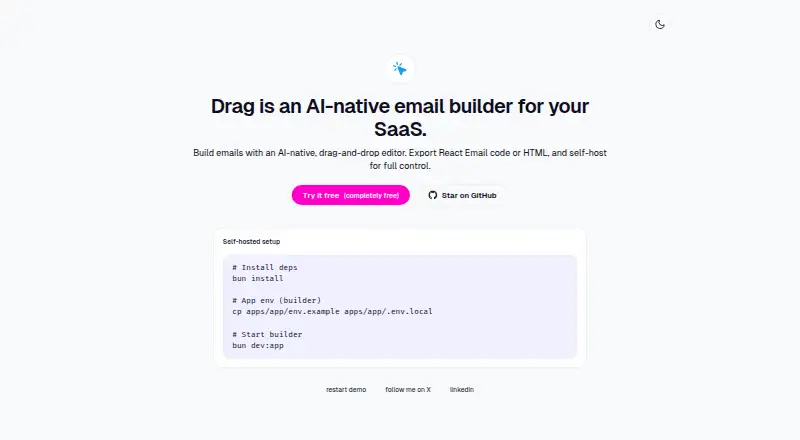
Drag is an AI-native email builder for SaaS projects. Its drag-and-drop editor includes an AI assistant and supports making marketing and transactional emails. Finished emails can be exported as React Email code or HTML, so the output can move into another development workflow.
The project describes tools for importing brand identity through Firecrawl and generating marketing assets through fal.ai. Resend is an optional email-sending integration in the project setup. AI assistant features require an AI Gateway API key. Drag is available on the web and can also be self-hosted; the setup instructions cover installing dependencies, configuring the builder environment, and starting the app locally. The public repository lists the project under the AGPL-3.0 license. Its Free plan costs nothing, and self-hosted setup is available. Teams considering a local installation should account for the setup steps, while users who want AI assistance need an AI Gateway API key.
Who it suits
Drag suits SaaS teams building marketing or transactional email and exporting the result as HTML or React Email code. It may also suit teams prepared to self-host or provide an AI Gateway API key for assistant features.
What it does well
- Drag-and-drop email editor
- Supports marketing and transactional emails
- Exports React Email code or HTML
- Free plan listed
- Self-hosted setup available
What to know first
- AI assistant requires an AI Gateway API key
- Self-hosting requires local setup steps
Plans
| Plan | Billed and limits | Price |
|---|---|---|
| Free | Completely free · self-hosted setup available | Free |
As drag.email lists them, read 11 Oct 2026. The maker's own page has the final word.
Getting started
- Open Drag on the web or obtain the self-hosted project
- Install the required dependencies
- Configure the builder environment
- Add an AI Gateway API key for AI assistant features
- Start the app locally when self-hosting
- Connect Resend if you want the optional sending integration
Verdict
Drag offers email editing with code export and a free plan. Its AI assistant has an API key requirement, and self-hosting involves configuring and starting the app locally.
Questions
What does Drag cost?
The listed Free plan costs nothing and is completely free. Self-hosted setup is available.
Which platforms does Drag support?
Drag is available on the web and as a self-hosted application.
What can Drag export?
It exports React Email code or HTML.
Do AI features require a key?
Yes. AI assistant features require an AI Gateway API key.
Can Drag send emails?
Resend is available as an optional email-sending integration in the project setup.
What license does the project use?
The public repository lists Drag under the AGPL-3.0 license.
Facts from Drag's own pages
- AI setup
- The project says AI assistant features require an AI Gateway API key. · github.com, 11 Oct 2026
- Brand tools
- The project describes importing brand identity via Firecrawl and generating marketing assets via fal.ai. · github.com, 11 Oct 2026
- Editor
- The builder supports drag-and-drop email editing with an AI assistant. · github.com, 11 Oct 2026
- Email sending
- Resend is an optional email-sending integration in the project setup. · github.com, 11 Oct 2026
- Email types
- The project says it supports building production-ready marketing and transactional emails. · github.com, 11 Oct 2026
- Exports
- Drag exports React Email code or HTML. · drag.email, 11 Oct 2026
- License
- The public repository lists the project under the AGPL-3.0 license. · github.com, 11 Oct 2026
- Product
- Drag is an AI-native email builder for SaaS. · drag.email, 11 Oct 2026
- Self-hosting
- The site provides setup instructions to install dependencies, configure the builder environment, and start the app locally. · drag.email, 11 Oct 2026
Where Drag stands on Freedom251
- Email Design Software#7 of 63