Freedom251 › Agentic AI Browser Software
DOZ
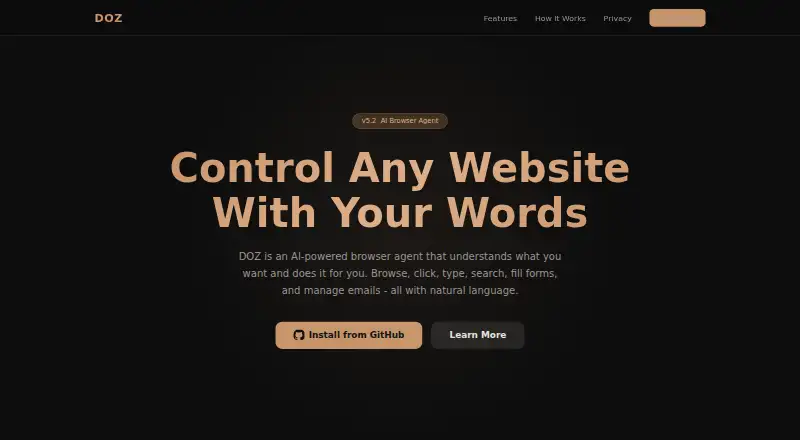
What DOZ is
DOZ is an AI browser agent delivered as a Chrome extension. It follows natural-language instructions in English or Arabic to search and navigate websites, click buttons, scroll, type, press keys, and fill forms. It can also connect to Gmail and Outlook/Hotmail through APIs to read, search, reply to, and compose email. You can choose full-auto operation, require approval before it acts, or have it produce a plan only. A step timeline displays screenshots taken before and after actions.
DOZ supports DeepSeek and NVIDIA Nemotron, and using it requires your API key for a supported provider. The Free plan costs nothing, but provider API usage charges are your responsibility. DOZ says page content is processed in the browser, sent directly to the selected LLM provider, and not retained by DOZ after a task. The extension stores API keys, settings, and email OAuth tokens using Chrome storage; Chrome Sync can sync them through your Chrome profile when enabled. DOZ says it has no servers, analytics, or tracking and that its source code is open source. To install it, download it from GitHub and load it as an unpacked extension in Chrome.
Who it suits
DOZ suits people who want to automate browser and email actions through English or Arabic instructions, while retaining options to approve actions or review a plan first. It may also suit users comfortable supplying an AI provider API key and taking responsibility for its usage charges and for reviewing AI actions.
What it does well
- Handles browsing, clicking, typing, searching, and form filling.
- Connects to Gmail and Outlook/Hotmail through APIs.
- Offers full-auto, approval, and plan-only modes.
- Shows before-and-after screenshots in a step timeline.
- Open-source code is available for auditing.
What to know first
- Requires your own DeepSeek or NVIDIA Nemotron API key.
- You are responsible for third-party API usage charges.
- Installation requires loading an unpacked extension in Chrome.
Limits
The Free plan requires your own DeepSeek or NVIDIA Nemotron API key, and API usage charges are your responsibility.
Plans
| Plan | Billed and limits | Price |
|---|---|---|
| Free | Requires your own DeepSeek or NVIDIA Nemotron API key; API usage charges are your responsibility | Free |
As doz.com lists them, read 4 Oct 2026. The maker's own page has the final word.
Getting started
- Download DOZ from GitHub.
- Load it as an unpacked extension in Chrome.
- Provide an API key for DeepSeek or NVIDIA Nemotron.
- Connect Gmail or Outlook/Hotmail if you want email actions.
- Choose full-auto, ask-before-acting, or plan-only mode, and review its actions.
Verdict
Pick DOZ if you want natural-language browser and email actions with configurable approval and visible action steps. Look elsewhere if you do not want to provide a supported provider API key, handle its usage charges, or install an unpacked Chrome extension.
Questions
What does DOZ cost?
Its Free plan costs nothing. You are responsible for third-party API usage charges.
Which AI providers does DOZ support?
It supports DeepSeek and NVIDIA Nemotron, and requires your API key for a supported provider.
Which browsers or platforms does it support?
The installation instructions describe loading it as an unpacked extension in Chrome.
Can DOZ manage email?
Yes. It can connect to Gmail and Outlook/Hotmail through APIs to read, search, reply to, and compose email.
Is DOZ open source?
Yes. DOZ says its source code is open source for auditing.
Where is page content processed?
DOZ says content is processed in the browser and sent directly to the selected LLM provider; DOZ says it is not retained after the task.
Facts from DOZ's own pages
- Action visibility
- DOZ captures screenshots before and after actions and displays them in a step timeline. · doz.com, 4 Oct 2026
- AI providers
- DOZ supports DeepSeek and NVIDIA Nemotron and requires the user to provide an API key for a supported provider. · doz.com, 4 Oct 2026
- Browser actions
- It can click buttons, fill forms, scroll pages, navigate sites, type text, and press keys. · doz.com, 4 Oct 2026
- Data handling
- Page content is processed in the browser and sent directly to the selected LLM provider; DOZ says it is not retained after the task. · doz.com, 4 Oct 2026
- Email integrations
- DOZ can connect to Gmail and Outlook/Hotmail through APIs to read, search, reply to, and compose email. · doz.com, 4 Oct 2026
- Installation
- The site instructs users to download DOZ from GitHub and load it as an unpacked extension in Chrome. · doz.com, 4 Oct 2026
- Languages
- DOZ says it understands instructions in English or Arabic. · doz.com, 4 Oct 2026
- Local storage
- The extension stores API keys, settings, and email OAuth tokens using Chrome storage, with sync through the Chrome profile if Chrome Sync is enabled. · doz.com, 4 Oct 2026
- Privacy
- DOZ says it does not collect, store, or transmit personal data to its servers and that it has no servers, analytics, or tracking. · doz.com, 4 Oct 2026
- Security
- The privacy policy says API communications use HTTPS, API keys use Chrome secure storage, and the source code is open source for auditing. · doz.com, 4 Oct 2026
- Support
- The privacy policy directs questions to the project's GitHub Issues page. · doz.com, 4 Oct 2026
- User controls
- Users can choose full-auto, ask-before-acting, or plan-only confirmation modes. · doz.com, 4 Oct 2026
- User responsibility
- Users are responsible for third-party API costs and for reviewing AI actions, especially in sensitive contexts. · doz.com, 4 Oct 2026
- What it does
- DOZ is an AI browser agent that uses natural language to browse, click, type, search, fill forms, and manage email. · doz.com, 4 Oct 2026
Where DOZ stands on Freedom251
- Agentic AI Browser Software#8 of 18
- Browser Agents#8 of 18
- AI Browser Agents#11 of 22