Freedom251 › Pitch Deck Software
DocSend
What DocSend is
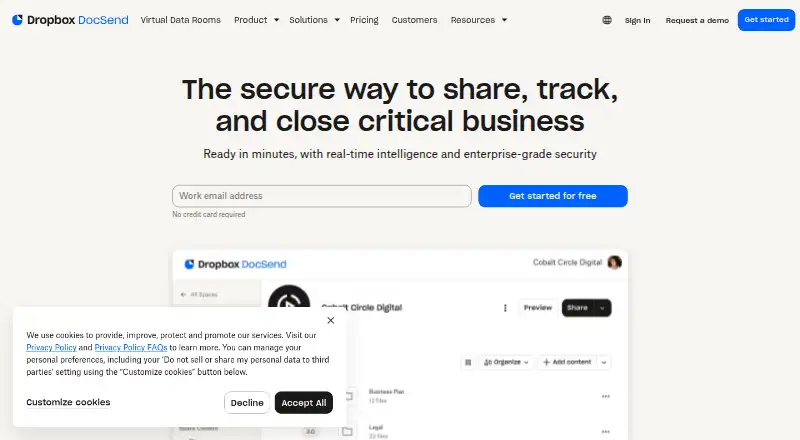
DocSend is a document-sharing platform for businesses that need to distribute files and track how individual recipients view them. Link analytics report views and time spent on each page. Users can protect documents with passcodes and revoke one person’s access without changing permissions for other viewers. Spaces group multiple documents under one link, with controls for link permissions and document versions. DocSend accepts a wide range of file types, with page-level analytics for PDF, Microsoft Word, Microsoft PowerPoint, Google Docs, Google Slides and Keynote. Gmail and Outlook extensions let users create and send links from an inbox. Listed integrations include Dropbox, Gmail, Outlook, Salesforce, Zapier, IFTTT, Egnyte, Google Drive, Box and OneDrive. DocSend says its services use distributed infrastructure with multiple protection layers and comply with SOC 2, with independent annual audits of its controls. It is available on the web and as an extension, is part of Dropbox, and was founded in 2013. There is no free plan; a free 14-day Advanced Data Rooms trial is offered, though unlimited visitors are unavailable during free trials.
Who it suits
DocSend suits businesses sharing documents for fundraising, M&A, sales, investor relations, account management, training or onboarding. It may be useful when teams need viewer-level engagement details and individual access controls.
What it does well
- Analytics show per-viewer page views and time spent.
- Access can be revoked for one viewer.
- Spaces group documents under a shared link.
- Gmail and Outlook extensions create links from inboxes.
- Integrations include Salesforce, Google Drive and Dropbox.
What to know first
- There is no free plan.
- The free trial lasts 14 days.
- Unlimited visitors are unavailable during free trials.
Limits
There is no free plan, and trial users do not receive unlimited visitors. Plan limits include storage, maximum upload size, data-room asset counts, and Personal’s four eSignatures per month per user.
Plans
| Plan | Billed and limits | Price |
|---|---|---|
| Personal | $10/user/month · 1 user included · 10 GB/user storage · 2 GB maximum upload · 4 eSignatures/month/user | $10 a month |
| Advanced | $150/month · 3 users included · 50 GB/user storage · 2 GB maximum upload · 2,000 assets per data room · Unlimited data rooms | $150 a month |
| Advanced Data Rooms | $180/month · 3 users included · 50 GB/user storage · 2 GB maximum upload · 4,000 assets per data room · Unlimited data rooms | $180 a month |
| Standard | $45/user/month · 1 user included · 50 GB/user storage · 2 GB maximum upload · 200 assets per data room · Unlimited eSignature | $45 a month |
As docsend.com lists them, read 7 Oct 2026. The maker's own page has the final word.
Getting started
- Open the DocSend website
- Choose a paid plan or start the 14-day Advanced Data Rooms trial
- Use the web service or install the browser extension
- Connect supported services such as Dropbox, Google Drive, Box, or OneDrive if needed
- Create a DocSend link from the web app, Gmail, or Outlook
- Add documents and configure passcodes, permissions, or versions
Verdict
DocSend pairs controlled document sharing with viewer-level analytics and multi-document Spaces. Check the plan limits and trial visitor restriction against the way your team shares files.
Questions
Does DocSend have a free plan?
No. DocSend offers paid plans and a free 14-day Advanced Data Rooms trial.
What does the Personal plan cost?
Personal costs $10 a month, billed at $10 per user per month, with one user included.
Which platforms can I use?
DocSend runs on the web and as an extension, with Gmail and Outlook plugins for creating and sending links.
Which files receive page-level analytics?
Page-level analytics are available for PDF, Microsoft Word, Microsoft PowerPoint, Google Docs, Google Slides, and Keynote.
Which integrations are listed?
Integrations include Dropbox, Gmail, Outlook, Salesforce, Zapier, IFTTT, Egnyte, Google Drive, Box, and OneDrive.
Who owns DocSend?
DocSend states that it is part of Dropbox.
Facts from DocSend's own pages
- Access controls
- Users can protect documents with passcodes and revoke access for an individual without affecting other viewers' permissions. · docsend.com, 7 Oct 2026
- Analytics
- DocSend link analytics report views and time spent on each page for individual viewers. · docsend.com, 7 Oct 2026
- Compliance
- DocSend says it complies with SOC 2 and that independent third-party auditors test its controls annually. · docsend.com, 7 Oct 2026
- Email extensions
- The Gmail and Outlook plugins let users create and send DocSend links from their inbox. · docsend.com, 7 Oct 2026
- Founded
- 2013 · docsend.com, 28 Sept 2026
- Integrations
- The integrations page lists Dropbox, Gmail, Outlook, Salesforce, Zapier, IFTTT, Egnyte, Google Drive, Box, and OneDrive. · docsend.com, 7 Oct 2026
- Ownership
- DocSend states that it is part of Dropbox. · docsend.com, 7 Oct 2026
- Purpose
- DocSend is a secure document sharing platform for sharing, tracking, and closing critical business. · docsend.com, 7 Oct 2026
- Security
- DocSend says its services use secure distributed infrastructure with multiple layers of protection. · docsend.com, 7 Oct 2026
- Spaces
- Spaces let users share multiple documents through one link while managing link permissions and document versions. · docsend.com, 7 Oct 2026
- Support
- The Advanced Data Rooms plan includes priority email support. · docsend.com, 7 Oct 2026
- Supported files
- DocSend supports just about any file type, with per-page analytics for PDF, Microsoft Word, Microsoft PowerPoint, Google Docs, Google Slides, and Keynote. · docsend.com, 7 Oct 2026
- Trial
- The pricing page offers a free 14-day Advanced Data Rooms trial and says unlimited visitors are unavailable during free trials. · docsend.com, 7 Oct 2026
- Use cases
- DocSend describes use for M&A, fundraising, investor relations, sales, account management, team training, and employee onboarding. · docsend.com, 7 Oct 2026
Where DocSend stands on Freedom251
- Pitch Deck Software#8 of 23
- Confidentiality Software#6 of 17
- Presentation Sharing Software#24 of 27