Freedom251 › Disk Wiping Software
Disk Shredder 7
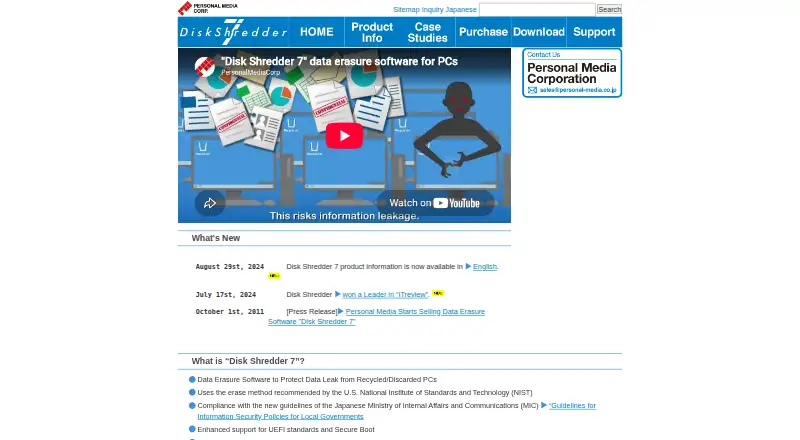
What Disk Shredder 7 is
Disk Shredder 7 erases disks in computers being recycled, discarded, or returned after rental or lease. It overwrites HDDs and can use disk secure-erase commands for SSDs; supported media also include external HDDs and SSDs and eMMC. The program starts from a supplied USB flash drive or DVD-ROM and does not require Windows installation. The maker says its method is recommended by NIST and refers to NIST SP 800-88 Rev. 1 erasure levels. Listed computers include Windows PCs and tablets and Intel Macs. Supported disks include SATA/IDE HDDs, SATA/NVMe SSDs, eMMC, and USB-connected drives. Erasure records can be saved to separate removable media and may include the date and time, method, computer details, and disk serial number. A copy can be reused on unlimited units but handles one computer at a time; five-packs allow up to five computers simultaneously. Plans are one-time purchases from 18,000 JPY to 342,000 JPY, with tax and delivery charges excluded. Lite plans fix the erasure method to one random-number pass unless qualifying customization is ordered.
Who it suits
It may suit businesses handling computer disposal or lease and rental returns. Buyers should check hardware compatibility and whether their disks and computers are among those supported.
What it does well
- Starts from supplied USB media or DVD-ROM.
- Supports HDDs, SSDs, eMMC, and USB-connected disks.
- Erasure records can be saved to removable media.
- Five-packs support up to five simultaneous computers.
What to know first
- Servers are not covered.
- RAID and SCSI connections are unsupported.
- M1 Macs and Android or iOS tablets are unsupported.
- Locked ATA-password disks must be unlocked first.
Limits
Lite plans fix the erasure method to one random-number pass unless qualifying customization is ordered. A standard copy processes one computer at a time; five-pack plans allow up to five computers simultaneously.
Plans
| Plan | Billed and limits | Price |
|---|---|---|
| Disk Shredder 7・Standard 5-pack — DVD-ROMs | 171,000yen; tax and delivery charges not included · Up to 5 computers simultaneously · Unlimited uses | ¥171,000, paid once |
| Disk Shredder 7・Standard 5-pack — USB flash drives | 171,000yen; tax and delivery charges not included · Up to 5 computers simultaneously · Unlimited uses | ¥171,000, paid once |
| Disk Shredder 7・Lite — DVD-ROM | 18,000yen; tax and delivery charges not included · One computer at a time per copy · Erase method fixed to random numbers once unless qualifying customization is ordered | ¥18,000, paid once |
| Disk Shredder 7・Lite — USB flash drive | 18,000yen; tax and delivery charges not included · One computer at a time per copy · Erase method fixed to random numbers once unless qualifying customization is ordered | ¥18,000, paid once |
| Disk Shredder 7・Super 5-pack — USB flash drives | 342,000yen; tax and delivery charges not included · Up to 5 computers simultaneously · Unlimited uses | ¥342,000, paid once |
| Disk Shredder 7・Super 5-pack — DVD-ROMs | 342,000yen; tax and delivery charges not included · Up to 5 computers simultaneously · Unlimited uses | ¥342,000, paid once |
| Disk Shredder 7・Standard — DVD-ROM | 36,000yen; tax and delivery charges not included · One computer at a time per copy · Unlimited uses and computers | ¥36,000, paid once |
| Disk Shredder 7・Standard — USB flash drive | 36,000yen; tax and delivery charges not included · One computer at a time per copy · Unlimited uses and computers | ¥36,000, paid once |
The first 8 of 10 plans, as disksh.com lists them, read 7 Oct 2026. The maker's own page has the final word. Every plan
Getting started
- Visit https://www.disksh.com/en/.
- Choose a paid plan and supplied media format: USB flash drive or DVD-ROM.
- Check the computer with the maker’s operation-check program before use.
- Start the software from the supplied media and erase one computer per copy at a time.
- Save erasure records to separate removable media if required.
Verdict
Disk Shredder 7 is a bootable disk-erasure tool with reusable licenses and removable-media records. Confirm device compatibility first; the maker does not guarantee operation on every model.
Questions
Does Disk Shredder 7 have a free plan?
No. Its listed plans are paid one-time purchases.
How much does Disk Shredder 7 cost?
Listed plan prices range from 18,000.00 JPY to ¥342,000 as a one-time purchase. Tax and delivery charges are not included.
What computers and disks are supported?
Listed computer types are Windows PCs, Windows tablets, and Intel Macs. Supported disks include SATA/IDE HDDs, SATA/NVMe SSDs, eMMC, and USB-connected HDDs and SSDs.
Does it support servers or RAID?
No. The FAQ says servers are not covered, and RAID and SCSI connections are unsupported.
Can one copy erase multiple computers?
A copy can be reused on an unlimited number of units, but it processes one computer at a time. Five-pack licenses allow up to five computers simultaneously.
Does it save erasure records?
Yes. Records can be saved to separate removable media and may include the date and time, method, computer details, and disk serial number.
Facts from Disk Shredder 7's own pages
- Bootable media
- The software starts directly from the supplied USB flash drive or DVD-ROM and does not require installation on Windows. · disksh.com, 7 Oct 2026
- Disk limits
- Supported disks include SATA/IDE HDDs, SATA/NVMe SSDs, eMMC, and USB-connected HDDs and SSDs; RAID and SCSI connections are unsupported. · disksh.com, 7 Oct 2026
- Erasure logs
- Erasure records can be saved to separate removable media; the maker says they can include the date and time, method, PC model and serial number, processor, memory, and disk serial number. · disksh.com, 7 Oct 2026
- Erasure methods
- It erases HDDs by overwriting data and can use disk secure-erase commands for SSDs; the maker says it also supports external HDD/SSD and eMMC. · disksh.com, 7 Oct 2026
- Format after erase
- The FAQ says a disk can be formatted with Disk Shredder 7 after erasure. · disksh.com, 7 Oct 2026
- Founded
- 1980 · disksh.com, 28 Sept 2026
- Hardware compatibility
- The maker does not guarantee operation on every model and recommends using its operation-check program to check a computer. · disksh.com, 7 Oct 2026
- Headquarters
- Shinagawa-ku, Tokyo, Japan · disksh.com, 28 Sept 2026
- Intended users
- The maker describes use in commercial PC disposal and lease/rental erasure services and cites reuse businesses among its examples. · disksh.com, 7 Oct 2026
- NIST
- The maker says Disk Shredder 7 uses an erasure method recommended by NIST and references NIST SP 800-88 Rev. 1 erasure levels on its method page. · disksh.com, 7 Oct 2026
- Purpose
- Disk Shredder 7 erases PC disks to help prevent data leaks when computers are recycled, discarded, or returned after rental or lease. · disksh.com, 7 Oct 2026
- Security limitation
- The FAQ says ATA-password-locked hard disks and SSDs cannot be erased until they are unlocked. · disksh.com, 7 Oct 2026
- Server limit
- The FAQ states that Disk Shredder 7 does not cover servers. · disksh.com, 7 Oct 2026
- Support
- The maker provides a user FAQ covering boot problems, erasure logs, disk support, and erasure behavior. · disksh.com, 7 Oct 2026
- Supported computers
- The listed operating models are Windows PCs, Windows tablets, and Intel Macs; Android/iOS tablets and Macs with M1 are not supported. · disksh.com, 7 Oct 2026
- Usage license
- One supplied USB flash drive or DVD-ROM can be used an unlimited number of times and on an unlimited number of units, but processes only one computer at a time per copy. · disksh.com, 7 Oct 2026
Where Disk Shredder 7 stands on Freedom251
- Disk Wiping Software#20 of 28