Freedom251 › Face Swap Software

DeepSwapApp
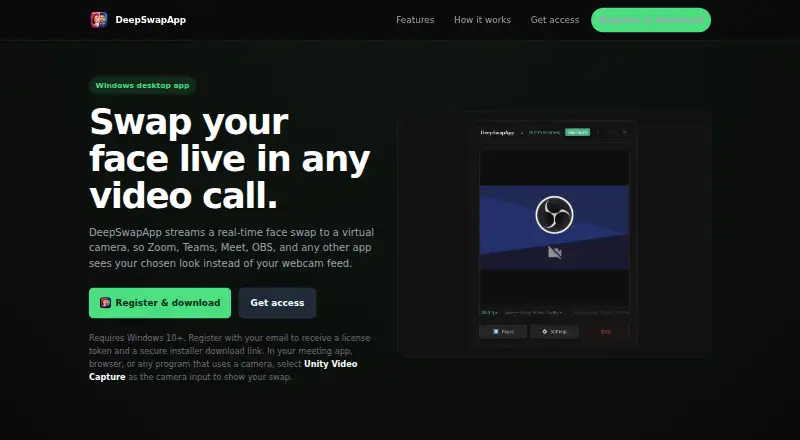
What DeepSwapApp is
DeepSwapApp streams a real-time face-swapped video feed to a virtual camera for video calls and other camera-enabled software. It runs on Windows 10 or later. After registering by email, users receive a license token and secure installer link. The installer adds a virtual camera driver named Unity Video Capture. Setup then involves activating the token, choosing a source face photo and webcam, and starting the stream. The site lists Zoom, Teams, Meet, OBS, browsers, and other camera apps as compatible when they use that virtual camera. Users must select Unity Video Capture separately in each destination app because DeepSwapApp does not replace the system default webcam automatically. Powered by InsightFace, it can use optional GPU acceleration. The floating interface stays in the bottom-right corner. Access uses tokens and live hours, with additional hours available by topping up. Pricing starts at $19, with no free plan.
Who it suits
It suits Windows users who need a live face-swapped camera feed in supported meeting, recording, streaming, or browser applications. Email registration and token-based access are required.
What it does well
- Streams face swaps through a virtual camera
- Works with Zoom, Teams, Meet, OBS, and browsers
- Optional GPU acceleration when available
- Lightweight floating interface during streaming
- Supports video on Windows 10 or later
What to know first
- Windows-only; requires Windows 10 or later
- No free plan; pricing starts at $19
- Users must select Unity Video Capture manually
- Streaming time uses live-hour tokens
Verdict
DeepSwapApp provides a direct virtual-camera workflow for live face swapping across named video apps. Its Windows requirement, manual camera selection, and token-based hours should be considered before purchase.
Facts from DeepSwapApp's own pages
- Access model
- Access uses a token and live hours, which users can top up when they need more streaming time. · deepswapapp.com, 11 Oct 2026
- Account and token
- Email registration provides a license token and a secure installer download link. · deepswapapp.com, 11 Oct 2026
- Camera selection
- Users must select Unity Video Capture in each app or browser where they want the swapped feed to appear. · deepswapapp.com, 11 Oct 2026
- Compatibility
- The site names Zoom, Teams, Meet, OBS, browsers, and other camera-enabled apps as compatible through the virtual camera. · deepswapapp.com, 11 Oct 2026
- Compatible apps
- The site names Zoom, Teams, Meet, OBS, browsers, and other camera apps as compatible through its virtual camera. · deepswapapp.com, 11 Oct 2026
- Face swap setup
- Users activate a token, choose a source face photo and webcam, then start the stream. · deepswapapp.com, 11 Oct 2026
- Interface
- The app is described as a lightweight floating app that stays in the bottom-right corner while streaming. · deepswapapp.com, 11 Oct 2026
- Maker
- The site identifies the product as DeepSwapApp by Blackhat. · deepswapapp.com, 11 Oct 2026
- Notable limitation
- DeepSwapApp does not replace the system's default webcam automatically. · deepswapapp.com, 11 Oct 2026
- Performance
- The app is powered by InsightFace and supports optional GPU acceleration when available. · deepswapapp.com, 11 Oct 2026
- Processing
- The site says the app is powered by InsightFace and supports optional GPU acceleration when available. · deepswapapp.com, 11 Oct 2026
- Product
- DeepSwapApp streams a real-time face swap to a virtual camera for use in video calls and other camera-enabled apps. · deepswapapp.com, 11 Oct 2026
- Registration
- Users register by email to receive a license token and secure installer download link. · deepswapapp.com, 11 Oct 2026
- Requirements
- The app requires Windows 10 or later. · deepswapapp.com, 11 Oct 2026
- Server sync
- The site says streaming hours sync securely with the DeepSwapApp server. · deepswapapp.com, 11 Oct 2026
- Setup
- Users activate their token, choose a source face photo and webcam, then start the stream. · deepswapapp.com, 11 Oct 2026
- Setup requirement
- The app requires Windows 10 or later and provides the installer download after email registration. · deepswapapp.com, 11 Oct 2026
- Support
- The site lists [email protected] as its support contact. · deepswapapp.com, 11 Oct 2026
- Virtual camera
- The installer automatically registers the virtual camera driver, named Unity Video Capture. · deepswapapp.com, 11 Oct 2026
Where DeepSwapApp stands on Freedom251
- Face Swap Software#30 of 30