Freedom251 › Face Swap Software

Deep Face Cam
What Deep Face Cam is
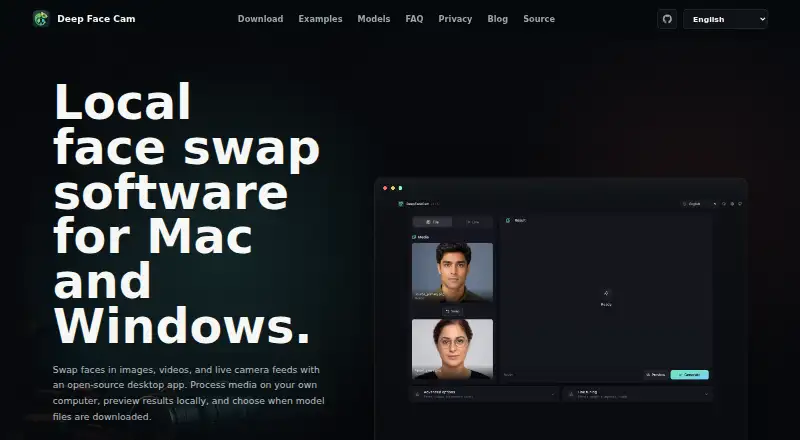
Deep Face Cam is a desktop application for swapping faces in photos, videos and live camera feeds on macOS and Windows. Processing runs through a local backend on the user’s machine. Controls cover alignment, blending, face enhancement and safety settings, with local previews, media rendering and live camera mode. The source code is public under the AGPL-3.0 license and can be built or forked. The privacy information says telemetry is not required, while model downloads require explicit confirmation and checksum verification. Models, outputs, temporary files and local settings stay in the per-user app data directory. Network access may be used for confirmed model downloads, project links or future update channels if added. The maker requires consent and lawful use, prohibiting impersonation, fraud, non-consensual intimate imagery and other harmful or deceptive uses. The software is free and open source. Ready-to-run supporter installers cost $29.99, paid once and include Apple Silicon and Intel macOS builds plus Windows CPU, DirectML and NVIDIA CUDA versions.
Who it suits
Deep Face Cam suits users who want local face-swapping for images, videos or live camera feeds on macOS or Windows. It also fits developers interested in AGPL-3.0 source code that can be built or forked.
What it does well
- Local processing on the user’s machine
- Open source under AGPL-3.0
- No required telemetry
- Adjustable alignment and blending controls
- Multiple macOS and Windows installers
What to know first
- Supports only macOS and Windows
- Ready-to-run installers cost 29.99 USD
- Use requires consent and lawful purposes
Limits
The free offering is the open-source software, while ready-to-run macOS and Windows installers are a one-time $29.99 USD purchase. Model downloads require explicit confirmation before they occur.
Plans
| Plan | Billed and limits | Price |
|---|---|---|
| Deep Face Cam Download: macOS & Windows Installers (v0.1.0) | Buy post $29.99 · Ready-to-run macOS and Windows installers · Apple Silicon and Intel Macs · Windows CPU, DirectML, and NVIDIA CUDA versions | $29.99, paid once |
As deepface.cam lists them, read 4 Oct 2026. The maker's own page has the final word.
Getting started
- Open https://deepface.cam/
- Choose the source build or a supporter installer for macOS or Windows
- Install the Apple Silicon, Intel, CPU, DirectML, or NVIDIA CUDA variant
- Confirm a model download when prompted
- Use local preview, file rendering, or live camera mode
Verdict
Deep Face Cam offers local, configurable face swapping with public source code and no required telemetry. Users should distinguish the free software from the paid ready-to-run supporter installers and follow the maker’s use restrictions.
Questions
Is Deep Face Cam free?
The software is free and open source under the AGPL-3.0 license. Ready-to-run supporter installers cost $29.99, paid once.
Which platforms have installers?
Installers are listed for macOS and Windows, including Apple Silicon and Intel Macs and Windows CPU, DirectML, and NVIDIA CUDA versions.
Does processing happen locally?
Images, videos, and camera frames are processed by a local backend on the user’s machine.
Is the source code open?
Yes. The source is public under the AGPL-3.0 license and can be built or forked.
Does the app require telemetry?
No telemetry is required. Model downloads need explicit confirmation and are verified with checksums.
What uses are prohibited?
The maker requires consent and lawful use, and prohibits impersonation, fraud, non-consensual intimate imagery, and other harmful or deceptive uses.
Facts from Deep Face Cam's own pages
- Editing controls
- Users can adjust alignment, blending, face enhancement, and safety settings. · deepface.cam, 4 Oct 2026
- Installer variants
- The download post lists Apple Silicon and Intel macOS builds plus Windows CPU, DirectML, and NVIDIA CUDA versions. · patreon.com, 4 Oct 2026
- Local processing
- Images, videos, and camera frames are processed by a local backend on the user's machine. · deepface.cam, 4 Oct 2026
- Model storage
- Models, outputs, temporary files, and local settings are stored in the per-user app data directory. · deepface.cam, 4 Oct 2026
- Model verification
- Required model files are downloaded after an explicit prompt and verified with checksums. · deepface.cam, 4 Oct 2026
- Network access
- The app may access the network to download models after confirmation, open project links, or check future update channels if added. · deepface.cam, 4 Oct 2026
- Open source
- The source code is public under the AGPL-3.0 license and can be built or forked. · deepface.cam, 4 Oct 2026
- Platforms
- The site lists macOS 12+ and Windows 10/11 support. · deepface.cam, 4 Oct 2026
- Preview and export
- Users can preview results locally, render media files, or switch to live camera mode. · deepface.cam, 4 Oct 2026
- Privacy
- The privacy page says no telemetry is required and that model downloads require explicit confirmation. · deepface.cam, 4 Oct 2026
- Supporter builds
- Ready-to-run installers are paid supporter downloads that fund packaging, testing, signing, and maintenance. · deepface.cam, 4 Oct 2026
- Use restrictions
- The maker says to use the app only with consent and lawful use, and prohibits impersonation, fraud, non-consensual intimate imagery, and other harmful or deceptive uses. · deepface.cam, 4 Oct 2026
- What it does
- Deep Face Cam swaps faces in images, videos, and live camera feeds using a desktop app. · deepface.cam, 4 Oct 2026
Where Deep Face Cam stands on Freedom251
- Face Swap Software#4 of 30
- AI Face Swap Tools#10 of 57