Freedom251 › Database Administration Tools
DBArtisan
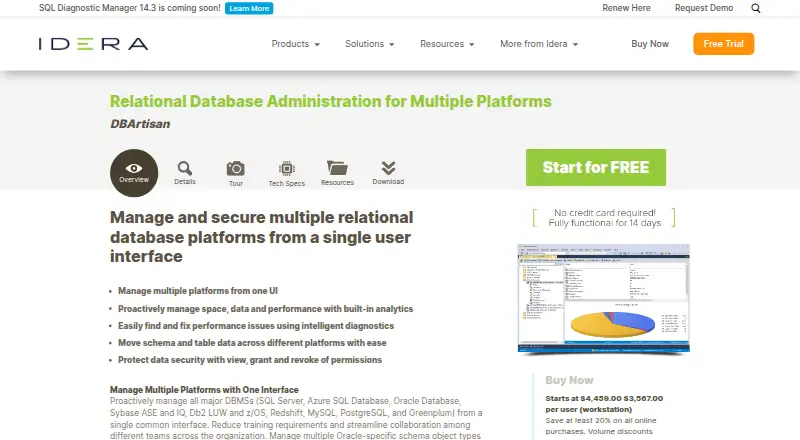
What DBArtisan is
DBArtisan is a self-hosted relational database administration tool for managing several database platforms through one Windows interface. It supports Microsoft SQL Server, Azure SQL Database, Oracle, IBM Db2 for LUW and z/OS, Sybase ASE and IQ, MySQL, PostgreSQL, Greenplum, Amazon Redshift, and Snowflake. Built-in analytics and diagnostics monitor space, data, and performance while helping identify inefficiencies. Graphical execution plans let administrators inspect SQL syntax, cardinality, index usage, and data skew. A Migration Wizard guides schema and table-data moves within one platform or between platforms. Administrators can view, grant, and revoke permissions across supported databases. Job management integrates with Windows Task Scheduler, and LDAP environments are supported. JDBC or ODBC drivers provide connectivity where available, with Unicode throughout the application. Windows 8, 8.1, 10, 11, and supported Windows Server versions are listed. A 14-day trial needs a business email and other details; the workstation license is $3,567, paid once.
Who it suits
DBArtisan suits database administrators managing multiple supported relational engines from Windows. It is also aimed at organizations needing migration, diagnostics, permissions, LDAP, or scheduled job management.
What it does well
- Manages many database platforms centrally
- Includes diagnostics and graphical execution plans
- Migration Wizard moves schemas and table data
- Supports permissions, LDAP, and Task Scheduler
- 14-day trial requires no credit card
What to know first
- No free plan
- Windows platform only
- Some database versions have limited features
- Older-version support may end in later releases
Limits
The trial lasts 14 days. Technical specifications state that some database versions provide only a subset of DBArtisan features and functions, and support for certain older versions may end in later releases.
Plans
| Plan | Billed and limits | Price |
|---|---|---|
| DBArtisan (per user, workstation) | Per user (workstation) · page also shows “Starts at $4,459.00” and says volume discounts available | $3,567, paid once |
As idera.com lists them, read 9 Oct 2026. The maker's own page has the final word.
Getting started
- Open the DBArtisan product website
- Start the 14-day trial or obtain a workstation license
- Complete the trial form with a business email, company, phone, and required fields
- Install on a supported Microsoft Windows desktop or server
- Provide a 1+ GHz CPU, 3 GB RAM, and 1 GB disk space
- Connect supported databases using available JDBC or ODBC drivers
- Configure LDAP or Windows Task Scheduler integration if needed
Verdict
DBArtisan combines cross-platform administration, analysis, migration, and permissions in one self-hosted Windows application. Check version support and the paid workstation licensing before deployment.
Questions
Is DBArtisan free?
No. It is paid software, with a 14-day trial that does not require a credit card.
What does the workstation license cost?
The per-user workstation license costs $3,567, paid once. Volume discounts are available.
Which operating systems does it support?
DBArtisan runs on Microsoft Windows 11, 10, 8.1, 8, and listed supported Windows Server versions.
Which databases can it administer?
Supported engines include SQL Server, Azure SQL Database, Oracle, Db2 LUW and z/OS, Sybase ASE and IQ, MySQL, PostgreSQL, Greenplum, Amazon Redshift, and Snowflake.
Can it manage permissions?
Yes. Users can view, grant, and revoke database permissions or privileges across supported platforms.
Facts from DBArtisan's own pages
- Connectivity
- The product supports JDBC/ODBC drivers where available and full Unicode character support throughout the application. · idera.com, 9 Oct 2026
- Diagnostics
- Built-in analytics and diagnostics help monitor space, data, and performance and identify inefficiencies. · idera.com, 9 Oct 2026
- Headquarters
- Austin, Texas, USA · idera.com, 28 Sept 2026
- Integrations
- DBArtisan integrates job management with Microsoft Windows Task Scheduler and supports LDAP environments. · idera.com, 9 Oct 2026
- Migration
- A Migration Wizard guides administrators through moving schemas and table data across the same or different platforms. · idera.com, 9 Oct 2026
- Minimum resources
- The technical specifications list a 1+ GHz CPU, 3 GB RAM, and 1 GB of disk space. · wiki.idera.com, 9 Oct 2026
- Operating system
- The technical specifications list Microsoft Windows 11, 10, 8.1, and 8, as well as supported Windows Server versions. · wiki.idera.com, 9 Oct 2026
- Performance analysis
- DBArtisan provides graphical execution plans and tools to inspect SQL syntax, cardinality, index usage, and data skew. · idera.com, 9 Oct 2026
- Permissions
- Users can view, grant, and revoke database permissions or privileges across supported platforms. · idera.com, 9 Oct 2026
- Purpose
- DBArtisan is a relational database administration tool for managing multiple platforms from a single user interface. · idera.com, 9 Oct 2026
- Supported databases
- The product page lists SQL Server, Azure SQL Database, Oracle, Db2 LUW and z/OS, Sybase ASE and IQ, Redshift, MySQL, PostgreSQL, and Greenplum. · idera.com, 9 Oct 2026
- Support limits
- The technical specifications state that some database versions have only a subset of DBArtisan features and functions, and that support for certain older versions may end in later releases. · wiki.idera.com, 9 Oct 2026
- Trial
- The download page offers a 14-day trial and says no credit card is needed. · idera.com, 9 Oct 2026
- Trial eligibility
- The trial form requires a business email address, company, phone number, and other required fields. · idera.com, 9 Oct 2026
Where DBArtisan stands on Freedom251
- Database Administration Tools#15 of 34