Freedom251 › Database Migration Tools
db-migrate
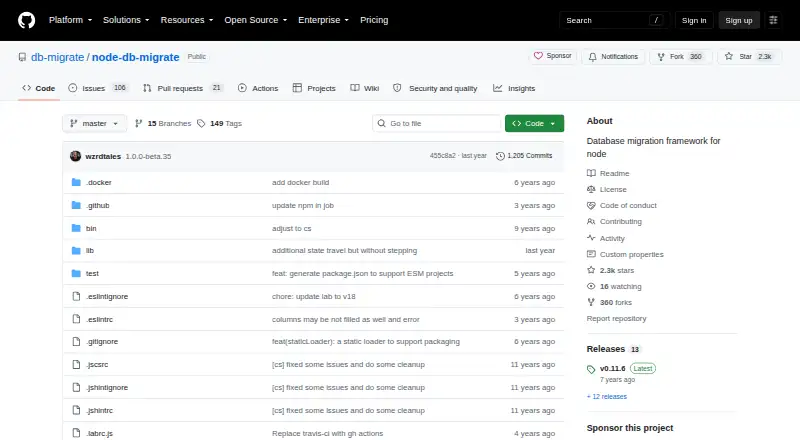
What db-migrate is
db-migrate is a free, open-source framework for managing database migrations in Node.js applications, available for self-hosting. Its command-line tools can apply and roll back migrations, reset migration state, create migration files, and work with the database. The documentation lists MySQL, PostgreSQL, sqlite3, MongoDB, and CockroachDB as supported databases; drivers are installed separately. Migration files can use callback-based or promise-based interfaces, and the --sql-file option creates separate files for the up and down statements. db-migrate records applied migrations in a migrations table. Environment settings can be loaded from database.json, and command-line options let users select an environment and configuration file. Configuration values such as database usernames and passwords can reference environment variables. The project documents global and local npm installation. Its metadata specifies Node.js 8.0.0 or later, while the project says Node.js 24 and newer are officially supported and older releases may work but are not tested. It uses the MIT License, which provides the software without warranty. SSH tunneling is available through a separately installed plugin.
Who it suits
db-migrate is for developers managing database changes in Node.js applications, particularly those comfortable installing database drivers and running a self-hosted tool. Its documentation provides usage instructions and examples.
What it does well
- Supports five listed databases, including CockroachDB.
- Migration files can use callbacks or promises.
- Tracks applied migrations in a database table.
- Environment credentials can reference variables.
- Free and distributed under the MIT License.
What to know first
- Database drivers must be installed separately.
- Node.js 24 and newer are the officially supported versions.
- SSH tunneling requires a separate plugin.
- The MIT license provides the software without warranty.
Limits
The free plan is the MIT-licensed software. Database drivers are installed separately, and SSH tunneling requires an additional plugin.
Plans
| Plan | Billed and limits | Price |
|---|---|---|
| db-migrate | MIT-licensed software · Node.js 24 or newer officially supported · database drivers installed separately | Free |
As github.com lists them, read 11 Oct 2026. The maker's own page has the final word.
Getting started
- Install Node.js 24 or newer.
- Install db-migrate globally with `npm install -g db-migrate` or locally with `npm install db-migrate`.
- Install the database driver for the database you use.
- Configure database settings in `database.json`, including environment-variable references for credentials if needed.
- Use the project documentation for usage instructions and examples.
Verdict
db-migrate provides command-line migration management for several databases, with rollback support and configurable environments. Check its Node.js support guidance and install the database drivers needed for your setup.
Questions
How much does db-migrate cost?
The listed plan is free. The project is open source under the MIT License.
Which databases does it support?
The documentation lists MySQL, PostgreSQL, sqlite3, MongoDB, and CockroachDB. Database drivers are installed separately.
Can db-migrate roll back migrations?
Yes. Its command-line interface includes a `down` command, and rollback support is listed.
Which Node.js versions does it support?
Node.js 24 and newer are officially supported. Older versions may work but are not tested.
How do I install it?
The project documents global installation with `npm install -g db-migrate` and local installation with `npm install db-migrate`.
Facts from db-migrate's own pages
- Additional database
- The documentation also lists CockroachDB as an officially supported database. · db-migrate.readthedocs.io, 11 Oct 2026
- Compatibility
- The README says db-migrate 0.11 and older are end of life, while v1 migrations continue to work unchanged. · github.com, 11 Oct 2026
- Credentials
- The configuration documentation supports environment-variable references for values such as database usernames and passwords. · db-migrate.readthedocs.io, 4 Oct 2026
- Databases
- The project lists MySQL, PostgreSQL, sqlite3, and MongoDB as officially supported databases. · github.com, 11 Oct 2026
- Documentation
- The repository links to the project's full documentation and usage examples on Read the Docs. · github.com, 11 Oct 2026
- Environments
- Environment settings can be loaded from database.json, with CLI options to choose an environment and config file. · db-migrate.readthedocs.io, 4 Oct 2026
- Install
- The project documents global installation with npm install -g db-migrate and local installation with npm install db-migrate. · github.com, 11 Oct 2026
- Installation
- The project documents global installation with npm install -g db-migrate and local installation with npm install db-migrate. · github.com, 4 Oct 2026
- License
- The project is distributed under the MIT License. · github.com, 11 Oct 2026
- Migration commands
- The command-line interface supports up, down, reset, create, and db commands. · db-migrate.readthedocs.io, 4 Oct 2026
- Migration styles
- Migration files can use callback-based or promise-based interfaces. · db-migrate.readthedocs.io, 4 Oct 2026
- Migration tracking
- The documentation says db-migrate creates a migrations table to track which migrations have been applied. · db-migrate.readthedocs.io, 4 Oct 2026
- Node support
- The project says Node.js 24 and newer are officially supported and older versions may work but are not tested. · github.com, 11 Oct 2026
- Purpose
- db-migrate describes itself as a database migration framework for Node.js. · github.com, 11 Oct 2026
- Runtime
- The package metadata specifies Node.js version >=8.0.0. · github.com, 4 Oct 2026
- Security
- The repository page displays a Security and quality section with 0 findings. · github.com, 4 Oct 2026
- Security terms
- The MIT license states that the software is provided as is without warranty. · github.com, 11 Oct 2026
- SQL files
- The --sql-file option generates separate SQL files for migration up and down statements. · db-migrate.readthedocs.io, 4 Oct 2026
- SSH
- The README says SSH tunneling is provided by a plugin that can be installed next to db-migrate. · github.com, 11 Oct 2026
- Support
- The repository invites users to seek project support through backer and sponsor contributions. · github.com, 11 Oct 2026
- Supported databases
- The documentation lists MySQL, PostgreSQL, sqlite3, MongoDB, and CockroachDB as supported databases. · db-migrate.readthedocs.io, 4 Oct 2026
- Who it is for
- The project describes its software as a database migration framework for Node.js applications. · github.com, 11 Oct 2026
Where db-migrate stands on Freedom251
- Database Migration Tools#11 of 32