Freedom251 › AI Dating Assistants
DateAvella AI
What DateAvella AI is
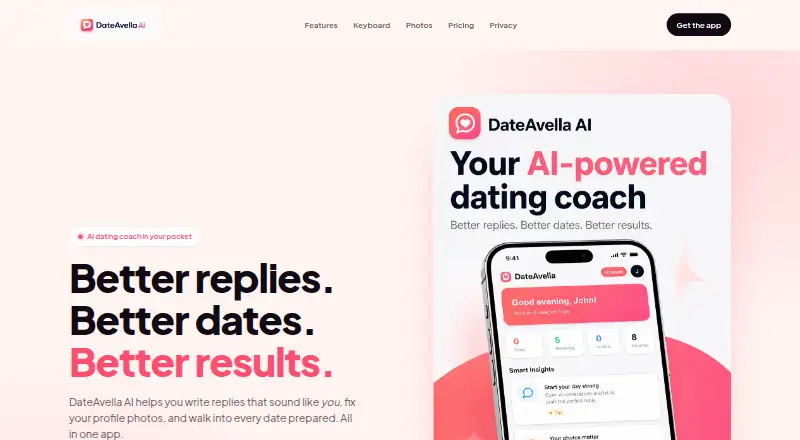
DateAvella AI is a dating coach for writing message replies, choosing profile photos and preparing for dates. Reply Coach generates three suggested replies to incoming messages, and Practice Mode runs simulated chats with insights, openers and reply suggestions. The Avella Keyboard works within Tinder, Bumble, Hinge, iMessage and WhatsApp, with Playful, Confident and Curious tones. AI Photoshoot Pro creates four professional dating photos from one selfie in about two minutes. Photo Consultant assesses lighting, framing, expression, outfit, background, posture and authenticity. Date Coach includes a Smart Date Planner, curated recommendations, conversation starters, and guidance before and after dates. Users paste, share or upload content themselves; the service does not sign in to third-party accounts for them. DateAvella says it does not sell personal information or use conversations to train AI models. Conversation screenshots and pasted text are retained for 14 days, and photos for 30 days by default. A free plan is available; Pro is listed at $5.99 a month, billed at $5.99 per week.
Who it suits
DateAvella AI is intended for adults aged 18 and older who want help with dating messages, profile photos or date preparation. Android and iOS apps are listed.
What it does well
- Generates three replies for incoming messages.
- Keyboard offers three tones in five named apps.
- Photo Consultant evaluates seven profile-photo elements.
- Free plan includes three daily Reply Coach uses.
What to know first
- Free Reply Coach use is limited to three per day.
- Free Photo Consultant covers one photo per week.
- Conversation screenshots and pasted text are retained for 14 days.
- Photos are retained for 30 days by default.
Limits
The free plan allows three Reply Coach uses per day and one Photo Consultant photo per week; Date Coach is light and the keyboard is basic. Pro is listed at $5.99 a month, billed $5.99 per week.
Plans
| Plan | Billed and limits | Price |
|---|---|---|
| Free | $0 / forever · 3 free Reply Coach uses / day · Photo Consultant (1 photo / week) · Date Coach (light) · Avella Keyboard (basic) | Free |
| DateAvella Pro | $5.99 / week · Unlimited Reply Coach & Opener Generator · AI Photoshoot Pro (unlimited generations) · Full Photo Consultant + Profile Slotting · Practice Mode + Smart Insights · Avella Keyboard (all tones) · Priority AI & new features first | $5.99 a month |
As velavia.io lists them, read 1 Oct 2026. The maker's own page has the final word.
Getting started
- Visit the DateAvella website.
- Choose the free plan or DateAvella Pro.
- Use the Android or iOS app.
- For keyboard suggestions, use the Avella Keyboard in a supported app.
- Paste, share or upload the content you want help with.
Overview
DateAvella AI is a dating coach for adults who want help with messages, profile photos, conversation practice, and date planning. It is best suited to people who want several kinds of coaching in one service; its free tier is tightly rationed, and the Pro billing terms make the recurring cost worth checking carefully.
Rather than signing in to dating accounts, DateAvella works with material users paste, share, or upload. That keeps the service separate from those accounts, but means users must bring their own messages and photos to it.
For other options in the category, see AI Dating Assistants.
Key features
Message help and practice
Reply Coach generates three responses to an incoming message, while the Avella Keyboard works in Tinder, Bumble, Hinge, iMessage, and WhatsApp. Its Playful, Confident, and Curious tones give users a choice of style without requiring them to leave those apps. Openers are supported too, and Practice Mode simulates chats with insights and suggestions for replies and openers. This range is useful for people who want help at different points in a conversation, though it is coaching rather than automatic access to dating accounts.
Profile photos
Photo Consultant assesses lighting, framing, expression, outfit, background, posture, and authenticity. AI Photoshoot Pro can generate four professional dating photos from one selfie in about two minutes. That pairing covers both critique and image creation, but the generated-photo tool sits in Pro, not the free plan.
Date planning and guidance
Date Coach combines a Smart Date Planner, curated recommendations, conversation starters, and guidance before and after a date. It extends the service beyond profile and messaging advice for users who also want help preparing for an in-person meeting.
Privacy and security
DateAvella says it does not sell personal information or use conversations to train AI models. It uses TLS 1.2 or higher, encryption at rest, bcrypt password hashing with per-user salts, and least-privilege access controls. Conversation screenshots and pasted text are kept for 14 days, and photos for 30 days by default. OpenAI handles text and voice processing, Replicate image generation, Google Firebase authentication and diagnostics, and Cloudflare CDN and DDoS protection. Users should weigh those integrations and retention periods when deciding what to upload. Privacy requests can be sent to [email protected]; they are acknowledged within five business days and resolved within 30 days.
Pricing
DateAvella uses a freemium model and offers a 3-day trial. The Free plan costs nothing, billed $0 / forever. It allows three Reply Coach uses per day, one Photo Consultant photo per week, light Date Coach access, and the basic Avella Keyboard. That is enough for occasional message and photo advice, but not for regular use across the service or AI photo generation.
DateAvella Pro is $5.99 a month, billed $5.99 / week. It includes unlimited Reply Coach and Opener Generator use, unlimited AI Photoshoot Pro generations, the full Photo Consultant with Profile Slotting, Practice Mode with Smart Insights, all Keyboard tones, and priority AI and new features first. The wider toolset suits frequent users, but the weekly billing amount is the practical recurring charge to consider: the monthly price label does not mean it is billed monthly.
Platforms
DateAvella AI is available on Android, iOS, and as an extension. Despite that platform listing, a browser extension is marked as unavailable. The Keyboard is designed to work inside Tinder, Bumble, Hinge, iMessage, and WhatsApp. DateAvella does not log into those services for users; people actively paste, share, or upload content instead.
Who it's for
DateAvella is intended for adults aged 18 and older. It is a strong fit for someone seeking one service for message suggestions, profile-photo feedback, generated dating photos, practice chats, and date guidance. It is less suited to people who want unrestricted help without a subscription, prefer a service to access dating accounts directly, or do not want to upload personal conversation or photo material.
Pros and cons
- Broad dating support: messaging, profile photos, practice, and date planning are covered in one service.
- Useful in-app writing reach: the Keyboard works across several named dating and messaging apps, with three distinct tones.
- Clear free-use caps: three daily replies and one weekly photo review offer a way to try core advice, but the limits make sustained use restrictive.
- Substantial Pro toolkit: unlimited generations and replies plus practice and full photo review suit regular users, though $5.99 / week is the billed amount.
- Defined data handling: stated retention periods and security measures help users assess uploads, but screenshots, text, and photos remain on file for 14 or 30 days by default.
Alternatives
Hitch offers a free tier with daily caps for scans, openers, red-flag checks, date plans, bios, and profile reviews, plus one free Photo Picker try, making it worth considering for users who want those specific bounded tools. Wingman has a free plan with limited coach chat, a few Romantic Interests, photo ratings, openers and replies, and quizzes; it may suit someone seeking those features without a free trial.
YourMove AI gives free users three conversation openers a day, one bio generation, and basic profile tips, with AI Enhanced Photos sold separately, so it may fit someone focused on starting conversations and bios. RIZZ is another freemium option for Android and iOS, with a $69.99 a year INFINITE RIZZ plan. SparkText is web-only; its Spark Plus plan costs $89.99 a year and includes 50 Sparks per day, unlimited screenshot uploads, up to five active matches, and context up to 60 days, suiting readers who want those stated limits and web access.
DateIQ is an extension with a free tier that includes 50 AI credits per month alongside swipe, location, filter, message-library, and bulk-send tools, a different emphasis for users interested in those functions. Firstline has Android and iOS apps, a free trial, and a $2.99 a month Monthly plan, making it an option for readers comparing lower stated monthly pricing.
Verdict
DateAvella AI is the strongest fit for adults who want messaging help alongside photo feedback, generated profile images, practice, and date preparation. Its breadth and cross-app Keyboard are the main reasons to choose it; the narrow free quotas and weekly Pro billing are the main reasons to look elsewhere if you need regular use at a clearly monthly recurring charge.
Verdict
DateAvella AI brings message suggestions, profile-photo tools and date-planning guidance into one service. The free plan has daily and weekly limits, while Pro is listed at $5.99 a month and billed weekly at $5.99.
Questions
Is DateAvella AI free?
Yes. Its Free plan is listed as free, billed at $0 forever. It includes three daily Reply Coach uses and one Photo Consultant photo per week.
How much does DateAvella Pro cost?
The plan is listed at $5.99 a month, with billing shown as $5.99 per week.
Which platforms are available?
Android and iOS apps are listed. The facts also say the browser extension is unavailable.
Which apps work with the Avella Keyboard?
It works inside Tinder, Bumble, Hinge, iMessage and WhatsApp, with Playful, Confident and Curious tones.
Does DateAvella log in to dating accounts for users?
No. Users actively paste, share or upload data; DateAvella does not log in to third-party services on their behalf.
How does DateAvella handle personal information?
The service says it does not sell personal information or use conversations to train AI models. Conversation screenshots and pasted text are retained for 14 days, and photos for 30 days by default.
Facts from DateAvella AI's own pages
- AI Photoshoot
- AI Photoshoot Pro generates four professional dating photos from one selfie in about two minutes. · velavia.io, 1 Oct 2026
- Data retention
- Conversation screenshots and pasted text are retained for 14 days, while photos are retained for 30 days by default. · velavia.io, 1 Oct 2026
- Date Coach
- Date Coach includes a Smart Date Planner, curated recommendations, conversation starters, and pre-date and post-date guidance. · velavia.io, 1 Oct 2026
- Eligibility
- DateAvella AI is intended for adults aged 18 and older. · velavia.io, 1 Oct 2026
- Headquarters
- Sacramento, California, USA · velavia.io, 23 Sept 2026
- Integrations
- The service uses OpenAI for text and voice processing, Replicate for image generation, Google Firebase for authentication and diagnostics, and Cloudflare for CDN and DDoS protection. · velavia.io, 1 Oct 2026
- Keyboard
- The Avella Keyboard works inside Tinder, Bumble, Hinge, iMessage, and WhatsApp with Playful, Confident, and Curious tones. · velavia.io, 1 Oct 2026
- Photo Consultant
- Photo Consultant evaluates lighting, framing, expression, outfit, background, posture, and authenticity. · velavia.io, 1 Oct 2026
- Practice Mode
- Practice Mode runs realistic chats and provides smart insights plus reply and opener suggestions. · velavia.io, 1 Oct 2026
- Privacy
- DateAvella says it does not sell personal information or use conversations to train AI models. · velavia.io, 1 Oct 2026
- Purpose
- DateAvella AI is an in-pocket dating coach that helps users write replies, improve profile photos, and prepare for dates. · velavia.io, 1 Oct 2026
- Reply Coach
- Reply Coach generates three smart replies for incoming messages. · velavia.io, 1 Oct 2026
- Security
- The service uses TLS 1.2 or higher, encryption at rest, bcrypt password hashing with per-user salts, and least-privilege access controls. · velavia.io, 1 Oct 2026
- Support
- Privacy requests can be sent to [email protected] and are acknowledged within five business days and resolved within 30 days. · velavia.io, 1 Oct 2026
- Third-party access
- DateAvella does not log in to Tinder, Bumble, Hinge, or other third-party services on a user's behalf; users actively paste, share, or upload data. · velavia.io, 1 Oct 2026
Where DateAvella AI stands on Freedom251
- AI Dating Assistants#1 of 26