Freedom251 › Video Personalization Software
Dataclay Templater
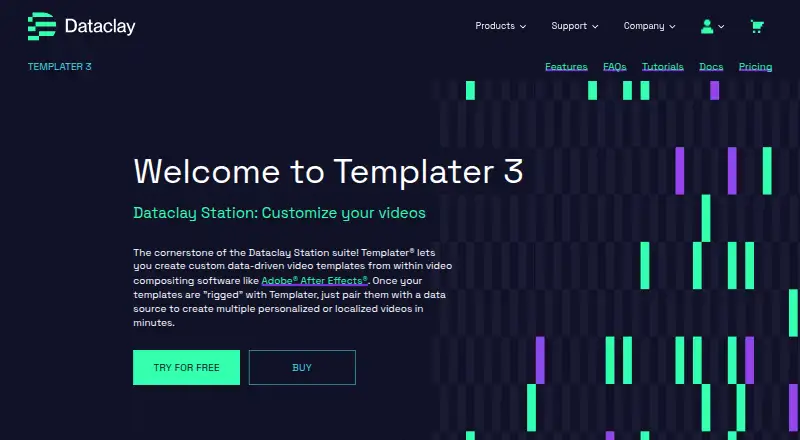
What Dataclay Templater is
Dataclay Templater is an Adobe After Effects plugin for creating data-driven compositions and producing personalized or localized videos. It can bring in information from Google Sheets, tab-separated value files, JSON text files, JSON feeds, or Dataclay QUE campaigns. In a composition, Templater can adjust text, images, branding, graphic elements, colors, and embedded footage. It supports batch rendering with Adobe Media Encoder, while its Bot option adds command-line control, event scripts, and background processing for automated video workflows. Right-to-left scripts and international-language text are supported when installed fonts contain the necessary glyphs.
The available licenses cover different workflows: Rig prepares projects, maps data to composition layers, and previews data-driven changes; Pro includes Rig and supports batch rendering or batch replication; Bot includes Rig and Pro and can trigger renders from incoming data or a command line. Templater requires Adobe After Effects CS5 through AE 2026 or AE Beta, and supports macOS 10.15 through 26.x and Windows 7 or newer. The first installation starts a watermarked 30-day trial. The plugin does not include a front-end, web, or mobile application out of the box, though developers can build interfaces around it as a back end.
Who it suits
Templater suits video creators and teams that use After Effects to produce personalized or localized compositions from structured data. Developers building automated video workflows may find Bot useful for command-line control, scripts, and background processing.
What it does well
- Accepts Google Sheets, TSV, JSON files, feeds, and QUE campaigns.
- Can customize text, images, branding, colors, and footage.
- Supports batch rendering through Adobe Media Encoder.
- Bot offers command-line control, event scripts, and background processing.
- Handles right-to-left text when installed fonts have the needed glyphs.
What to know first
- Requires Adobe After Effects.
- The first installation begins with a watermarked 30-day trial.
- No front-end, web, or mobile application is included out of the box.
- License prices are not provided here.
Limits
The first installation is a watermarked 30-day trial. Templater does not include a front-end, web, or mobile application out of the box.
Plans
| Plan | Billed and limits | Price |
|---|---|---|
| Pro | Subscription license · Includes Rig · batch renders or batch replicates compositions using a data source | On request |
| Rig | Perpetual license · Prepares After Effects projects for dynamic content · maps data to composition layers · previews data-driven changes | On request |
| Bot | Subscription license · Includes Rig and Pro · automates video systems · can trigger renders from incoming data or command line | On request |
As dataclay.com lists them, read 9 Oct 2026. The maker's own page has the final word.
Getting started
- Open the Dataclay Templater website.
- Install Templater in Adobe After Effects CS5 through AE 2026 or AE Beta.
- Use the first installation to start the watermarked 30-day trial.
- Choose a Rig, Pro, or Bot license for the workflow you need.
- Connect a supported source such as Google Sheets, TSV, JSON, or a Dataclay QUE campaign.
- Prepare compositions and use Adobe Media Encoder for batch rendering.
Verdict
Choose Templater if your video workflow uses After Effects and needs to map data into compositions for personalized or localized output. Look elsewhere if you need an included web or mobile interface rather than a plugin that developers can use as a back end.
Questions
Does Templater have a free plan?
No. Templater is paid, and it offers a 30-day trial.
What happens when I first install Templater?
The first installation starts a watermarked 30-day trial; there is no separate trial installer.
Which After Effects versions and operating systems does it support?
It requires After Effects CS5 through AE 2026 or AE Beta, and supports macOS 10.15 through 26.x and Windows 7 or newer.
What are the differences among Rig, Pro, and Bot?
Rig prepares projects, maps data to layers, and previews changes. Pro includes Rig and adds batch renders or batch replicates; Bot includes Rig and Pro and can automate workflows and trigger renders.
Does Templater include a web or mobile application?
No. It does not include a front-end, web, or mobile application out of the box, though developers can build interfaces using it as a back end.
Can licenses be shared across computers?
Standard licenses are used on one machine at a time. Floating licenses can be shared across networked devices, with one active system at a time.
Facts from Dataclay Templater's own pages
- Composition controls
- Templater can customize text, images, branding, graphic elements, colors, and embedded footage in compositions. · dataclay.com, 9 Oct 2026
- Data protection
- Dataclay says its services are hosted on AWS or Google Cloud Platform infrastructure in the United States, databases are encrypted at rest, and applications use TLS/SSL in transit. · dataclay.com, 9 Oct 2026
- Data sources
- Templater can use Google Sheets, tab-separated value files, JSON files, or JSON feeds as data sources. · dataclay.com, 9 Oct 2026
- Developer tools
- Bot supports command-line control, event scripts, and background processing for automated video workflows. · dataclay.com, 9 Oct 2026
- Language support
- Templater supports right-to-left scripts and text in international languages when the installed fonts contain the needed glyphs. · dataclay.com, 9 Oct 2026
- License options
- Standard licenses are used on one machine at a time, while floating licenses can be shared across networked devices with one active system at a time. · dataclay.com, 9 Oct 2026
- Not included
- Templater does not include a front-end, web, or mobile application out of the box; developers can build interfaces using it as a back end. · dataclay.com, 9 Oct 2026
- Purpose
- Templater is an After Effects plugin for creating data-driven templates and producing personalized or localized videos. · dataclay.com, 9 Oct 2026
- Refund policy
- The FAQ says customers who purchase after the trial may contact Dataclay for a refund within 30 days of purchase. · dataclay.com, 9 Oct 2026
- Rendering
- Templater supports batch rendering with Adobe Media Encoder. · dataclay.com, 9 Oct 2026
- Security
- Dataclay says its information security program follows SOC 2 Framework criteria and that it undergoes independent third-party assessments. · dataclay.com, 9 Oct 2026
- Support
- Dataclay offers responsive support to Templater users at no charge and sells premium support packages. · dataclay.com, 9 Oct 2026
- System requirements
- Templater requires Adobe After Effects CS5 through AE 2026 or AE Beta, and supports macOS 10.15 through 26.x and Windows 7 or newer. · dataclay.com, 9 Oct 2026
- Trial
- The first install starts a watermarked 30-day trial; there is no separate trial installer. · dataclay.com, 9 Oct 2026
Where Dataclay Templater stands on Freedom251
- Video Personalization Software#10 of 29