Freedom251 › Zero Trust Network Access Software
Cyolo Zero Trust Access
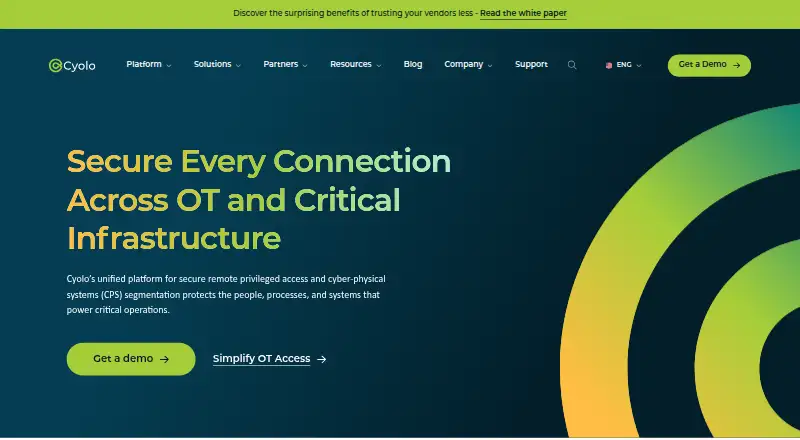
What Cyolo Zero Trust Access is
Cyolo Zero Trust Access provides remote privileged access and Zero Trust microsegmentation for OT and critical infrastructure. Cyolo PRO offers identity-based, least-privilege access for employees and third-party vendors, with session supervision and recording. Its controls include just-in-time access, a credentials vault, MFA for modern and legacy systems, and malware protection for file transfers. Cyolo CPS Segmentation discovers OT traffic and assets, recommends groups and policies, and supports policy simulation before enforcement. Cyolo describes PRO as infrastructure-agnostic and deployable in cloud-connected or fully offline environments. Listed integrations include Microsoft Entra ID, Okta, Cisco Duo, Microsoft Sentinel, IBM QRadar, FortiSIEM and FortiSOAR, Google SecOps, and OPSWAT MetaDefender. Cyolo Connect supports Windows, macOS, Debian Linux, iOS, and Android; documentation also lists Ubuntu as a desktop option. Connect requires a configured Cyolo tenant, and its installer is obtained through that tenant’s Applications Portal. Pricing is available on request.
Who it suits
Cyolo says the platform is designed for manufacturing, data centers, energy and utilities, and other critical infrastructure sectors. It may suit organizations seeking controlled remote access or OT segmentation.
What it does well
- Supports cloud-connected and fully offline deployments.
- Provides session supervision and recording.
- Includes MFA for modern and legacy systems.
- Allows policy simulation before enforcement.
- Lists multiple identity and security integrations.
What to know first
- Pricing is available on request.
- Connect requires a configured Cyolo tenant.
- The Connect installer comes from the tenant’s Applications Portal.
Limits
Pricing is on request. Cyolo Connect requires a configured tenant, and the installation file is obtained through that tenant’s Applications Portal.
Plans
| Plan | Billed and limits | Price |
|---|---|---|
| Cyolo PRO / Secure Connectivity Platform | Pricing not publicly listed · Request a demo | On request |
As cyolo.io lists them, read 4 Oct 2026. The maker's own page has the final word.
Getting started
- Visit the Cyolo website.
- Request pricing for Cyolo PRO / Secure Connectivity Platform.
- Configure a Cyolo tenant.
- Open the tenant’s Applications Portal and download Cyolo Connect’s installation file.
- Choose a supported client platform: Windows, macOS, Debian Linux, iOS, or Android; Ubuntu is also listed as a desktop option.
Verdict
Cyolo combines privileged remote access controls with OT traffic discovery and segmentation capabilities. Organizations should request pricing and account for the configured-tenant requirement for Cyolo Connect.
Questions
How is Cyolo Zero Trust Access priced?
The plan is paid, with pricing available on request.
Which platforms does Cyolo Connect support?
Cyolo lists Windows, macOS, Debian Linux, iOS, and Android. Its documentation also lists Ubuntu as a desktop option.
Can Cyolo be deployed offline?
Cyolo says the platform can be deployed in fully offline environments as well as cloud-connected environments.
Which integrations are listed?
Listed integrations include Microsoft Entra ID, Okta, Cisco Duo, Microsoft Sentinel, IBM QRadar, FortiSIEM and FortiSOAR, Google SecOps, and OPSWAT MetaDefender.
Where can organizations obtain Cyolo?
Cyolo says it is available through the AWS Marketplace and Azure Marketplace.
What is required to install Cyolo Connect?
A configured Cyolo tenant is required. Users download the installation file from that tenant’s Applications Portal.
Facts from Cyolo Zero Trust Access's own pages
- Access controls
- Cyolo PRO includes just-in-time access, a credentials vault, MFA for modern and legacy systems, and file-transfer malware protection. · cyolo.io, 4 Oct 2026
- Client limits
- Cyolo Connect requires a configured Cyolo tenant, and users download its installation file from that tenant’s Applications Portal. · docs.cyolo.io, 4 Oct 2026
- Cloud marketplaces
- Cyolo says it is available through the AWS Marketplace and Azure Marketplace. · cyolo.io, 4 Oct 2026
- Compliance positioning
- Cyolo says its controls support alignment with standards and regulations including ISA/IEC 62443, NERC CIP, NIS2, and the Cyber Assessment Framework. · cyolo.io, 4 Oct 2026
- Core access
- Cyolo PRO provides identity-based, least-privilege remote access for employees and third-party vendors, with session supervision and recording. · cyolo.io, 4 Oct 2026
- Deployment
- Cyolo describes PRO as infrastructure-agnostic and says the platform can be deployed in cloud-connected or fully offline environments. · cyolo.io, 4 Oct 2026
- Integrations
- Listed integrations include Microsoft Entra ID, Okta, Cisco Duo, Microsoft Sentinel, IBM QRadar, FortiSIEM and FortiSOAR, Google SecOps, and OPSWAT MetaDefender. · cyolo.io, 4 Oct 2026
- Intended users
- Cyolo says its platform is designed for manufacturing, data centers, energy and utilities, and other critical infrastructure sectors. · cyolo.io, 4 Oct 2026
- Purpose
- Cyolo’s platform provides secure remote privileged access and Zero Trust microsegmentation for OT and critical infrastructure. · cyolo.io, 4 Oct 2026
- Security
- Cyolo’s regulatory-compliance page lists MFA, least-privilege and just-in-time access, vendor isolation, end-to-end TLS encryption, monitoring, logging, and session recording among its capabilities. · cyolo.io, 4 Oct 2026
- Security reporting
- Cyolo’s vulnerability disclosure policy applies to its products and cloud services operated by Cyolo and says it is intended to align with ISO/IEC 29147. · cyolo.io, 4 Oct 2026
- Segmentation
- Cyolo CPS Segmentation discovers OT traffic and assets, recommends groups and policies, and supports policy simulation before enforcement. · cyolo.io, 4 Oct 2026
- Support
- Cyolo’s site links to a support portal at support.cyolo.io. · cyolo.io, 4 Oct 2026
- Supported systems
- Cyolo Connect supports Windows, macOS, Debian Linux, iOS, and Android; its documentation also lists Ubuntu as a desktop option. · docs.cyolo.io, 4 Oct 2026
Where Cyolo Zero Trust Access stands on Freedom251
- Zero Trust Network Access Software#18 of 42