Freedom251 › Data Protection Tools

Cryptomator
What Cryptomator is
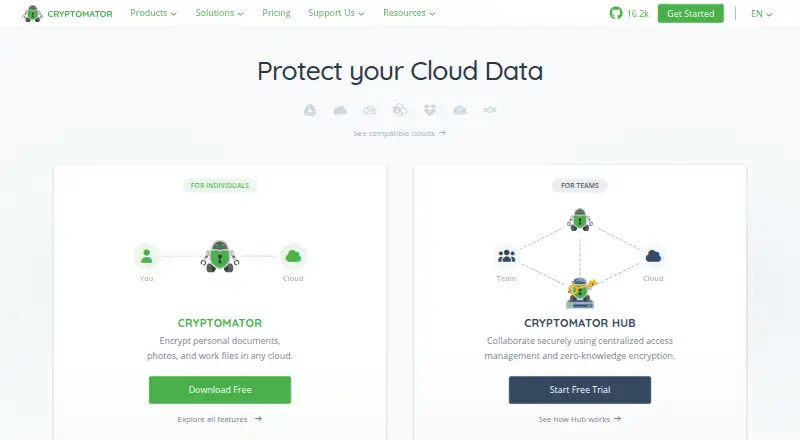
Cryptomator encrypts files on a user's device before they are uploaded to a chosen cloud storage service. Its AES encryption uses a 256-bit key and covers file contents and filenames. The software is open source, with its source code available for community security audits. Desktop access to cloud vaults requires the chosen storage service's sync software on the computer. Mobile apps natively support services including Dropbox, Google Drive, OneDrive, pCloud, S3, and WebDAV, though availability differs by platform. Mega is incompatible with the Android and iOS apps, including through WebDAV. Free mobile versions are read-only; full access requires a separate one-time purchase for each platform. For teams, Cryptomator Hub adds user and group management and zero-knowledge key management, with OpenID Connect, SAML, and LDAP identity integrations. Hub can be managed or self-hosted; its managed service is maintained in an ISO/IEC 27001:2022-certified EU data center. The individual plan is free with community support. Optional upgrades are listed at €29.99, paid once, and Hub Enterprise starts at €10,000 a year, excluding VAT. Cryptomator does not protect against local malware or encrypt timestamps, file counts, or stored file sizes.
Who it suits
Cryptomator suits individuals who want to encrypt files before cloud upload and choose their own storage service. Hub adds team access and key management for organizations using managed or self-hosted deployment.
What it does well
- AES encryption uses a 256-bit key
- Encrypts filenames as well as file contents
- Open-source code is available for security audits
- Hub supports OpenID Connect, SAML, and LDAP
What to know first
- Free iOS and Android versions are read-only
- Desktop cloud access requires provider sync software
- Mega is incompatible with Android and iOS apps
- Does not protect against local malware
Limits
The free personal plan is for one seat, though it includes unlimited vaults and full desktop access. Free Android and iOS access is read-only; full access requires a separate one-time purchase per platform. Hub Community is self-hosted and limited to five seats; Hub Enterprise starts at 50 seats and costs €10,000/yr excl. VAT.
Plans
| Plan | Billed and limits | Price |
|---|---|---|
| Cryptomator | Free for personal use · 1 seat · unlimited vaults · full desktop access · community support | Free |
| Cryptomator Hub Community | Free; self-hosted · 5 seats · self-hosted only · unlimited vaults | Free |
| Cryptomator Hub Enterprise | From €10,000/yr excl. VAT; starts at 50 seats · 50+ seats · emergency access · priority email support · dedicated account manager | €10,000 a year |
| Cryptomator optional upgrades | Separate one-time purchases per platform; prices may vary by region · Desktop dark mode · full Android access · full iOS access | €29.99, paid once |
| Cryptomator Hub Standard | Excl. VAT, per seat, per month · 3+ seats · 30-day free trial · managed hosting available · email support | On request |
As cryptomator.org lists them, read 29 Sept 2026. The maker's own page has the final word.
Getting started
- Visit the Cryptomator website.
- Choose the relevant desktop or mobile platform.
- For desktop cloud vault access, install the storage provider’s sync software on the computer.
- Use the free desktop plan, or choose an optional one-time purchase for full mobile access.
- For team features, select a Hub plan and choose self-hosted or managed hosting where available.
Overview
Cryptomator is file-encryption software for people who want to add protection to cloud storage they already use. It is a strong fit for individuals who need private file vaults or teams that need managed user and key access. Its focused approach leaves important gaps for anyone who needs protection from a compromised device or wants file metadata concealed.
Files are encrypted on the user's device before upload, using AES with a 256-bit key; filenames are encrypted as well as contents. Its open-source code is publicly available for community security audits, a useful basis for scrutiny rather than a guarantee against every risk. Cryptomator does not protect against malware on the local computer, and timestamps, file counts, and stored file sizes remain visible.
Founded in 2016 and headquartered in Bonn, Germany, Cryptomator pairs personal vault software with Cryptomator Hub for team management.
Key features
- Encryption before upload: Device-side encryption keeps the cloud provider from receiving the files in their unencrypted form. Encryption covers filenames and file contents, but not timestamps, counts, or sizes.
- Provider choice: Cryptomator works with a cloud storage service of the user's choice. On desktop, accessing cloud vaults requires that provider's sync software on the computer, so it is not a substitute for a sync client.
- Mobile integrations: Mobile apps natively support services including Dropbox, Google Drive, OneDrive, pCloud, S3, and WebDAV, though support varies by platform. Mega is currently incompatible with both Android and iOS apps, including through WebDAV.
- Hub for teams: Hub offers user and group management and zero-knowledge key management. It can connect to existing identity management through OpenID Connect, SAML, and LDAP. Organizations can use managed hosting in an EU data center certified to ISO/IEC 27001:2022 or deploy Hub themselves.
- Access and key control: Bring-your-own-key support and hybrid deployment suit organizations that want control over keys and hosting choices. Automated key rotation is not available.
Pricing
The individual Cryptomator plan is free for personal use and includes one seat, unlimited vaults, full desktop access, and community support. It is a capable desktop option for a single user, but does not provide full mobile access at no cost: the free Android and iOS apps are read-only.
Optional upgrades are separate one-time purchases per platform, priced from €29.99; prices may vary by region. They cover desktop dark mode and full Android or iOS access. Since mobile access is platform-specific, users who need full access on both mobile platforms should account for separate purchases.
Cryptomator Hub Community is free, self-hosted, limited to five seats, and includes unlimited vaults. It suits small teams able to manage their own hosting, but does not include managed hosting or the support terms of paid Hub plans.
Hub Standard has custom pricing, charged per seat per month, requires at least three seats, and includes a 30-day free trial, managed hosting availability, and email support. It is the managed option for teams that need support and prefer not to self-host.
Hub Enterprise starts at €10,000/yr excl. VAT and begins at 50 seats. It adds emergency access, priority email support, and a dedicated account manager, making it a large-organization option rather than a step up for a small team. The individual plan includes community support; Hub Standard includes email support.
Platforms
Cryptomator supports Android, iOS, Linux, macOS, Windows, web, and self-hosted deployment. Desktop cloud-vault access depends on the chosen provider's sync software. Mobile users should check platform-specific integration support, and Mega users should look elsewhere for Android or iOS access.
Who it's for
Cryptomator suits individuals who want to encrypt files before storing them with a preferred cloud provider, especially if desktop access and unlimited vaults on the free personal plan meet their needs. It also suits teams that need shared user and group administration with zero-knowledge key management, identity integration, and a choice of managed or self-hosted Hub.
It is a poor fit when the requirement is to hide file sizes or activity metadata, defend against malware already on a computer, or use Mega through the mobile apps. Teams needing automated key rotation should also look elsewhere.
Pros and cons
- Pro: Encrypts file contents and names on the device before upload, while allowing users to choose their cloud provider.
- Pro: Free personal desktop use includes unlimited vaults; optional mobile upgrades are one-time purchases rather than recurring personal subscriptions.
- Pro: Hub supports zero-knowledge key management, group administration, and OpenID Connect, SAML, and LDAP integration.
- Con: Free Android and iOS access is read-only, and full access requires a separate one-time purchase for each platform.
- Con: Desktop vault access relies on the cloud provider's sync software, while Mega is incompatible with the Android and iOS apps.
- Con: Local malware remains outside its protection, and timestamps, file counts, and stored file sizes are not encrypted.
- Con: Hub Enterprise starts at 50 seats and €10,000/yr excl. VAT, a substantial threshold for smaller teams; automated key rotation is unavailable.
Alternatives
Cloud Encryption Software is the broader category to explore when comparing file-encryption options.
MySQL is a freemium option for SQL and NoSQL applications, with replication and high-availability components rather than Cryptomator's stated focus on encrypting files before cloud upload.
Acra is a free-forever option for non-profit and business use, with encryption and masking and a SQL request firewall; consider it when those capabilities are closer to the need than cloud file vaults.
Evervault offers a $995/mo platform plus usage, recommended for under 25K transactions/mo, with card collection, 3D Secure, and network tokens. It is a more relevant option for transaction-oriented requirements than personal cloud file encryption.
Thales CipherTrust Data Security Platform has a free-forever Community Edition with CipherTrust Manager Community Edition and connector licenses for Data Protection; consider it when that platform scope fits better than file vaults.
Protegrity Data Security Platform is another freemium option with a free plan.
Entrust Certificate Manager is a paid option with no free plan; choose it when a certificate-management product is the requirement.
PK Protect is a paid option for Windows and Linux.
Skyflow is a paid option for web, iOS, and Android.
Verdict
Choose Cryptomator if you want device-side encryption for files in cloud storage you select, or Hub's team and key management for a self-hosted or managed setup. Its free desktop plan and provider flexibility are compelling for individuals, while mobile access costs extra and Hub Enterprise has a high entry threshold. Look elsewhere if you need metadata protection, local malware defense, mobile Mega support, or automated key rotation.
Verdict
Cryptomator provides device-side encryption and supports a range of cloud storage options, with separate Hub capabilities for teams. Note the read-only mobile free versions and the local malware and metadata limits.
Questions
Is Cryptomator free?
Yes. Its personal plan is free and includes one seat, unlimited vaults, full desktop access, and community support.
How much do the optional upgrades cost?
Optional upgrades are €29.99 per one-time purchase, with separate purchases per platform. Prices may vary by region.
Can I use Cryptomator on mobile for free?
The free iOS and Android versions are read-only. Full access requires a one-time purchase for each platform.
Which cloud storage services work with Cryptomator?
You can use a cloud storage service of your choice. Mobile apps natively support services including Dropbox, Google Drive, OneDrive, pCloud, S3, and WebDAV, with some services varying by platform.
Is Cryptomator open source?
Yes. Cryptomator describes itself as open source, and its source code is publicly available for community security audits.
What does Cryptomator Hub add for teams?
Hub provides user and group management and zero-knowledge key management. It can integrate with identity management using OpenID Connect, SAML, and LDAP.
Facts from Cryptomator's own pages
- Cloud integrations
- The mobile apps natively support services including Dropbox, Google Drive, OneDrive, pCloud, S3, and WebDAV, with some services varying by platform. · docs.cryptomator.org, 29 Sept 2026
- Cloud storage
- Cryptomator works with a cloud storage service of the user's choice; desktop access to cloud vaults requires that service's sync software on the computer. · docs.cryptomator.org, 29 Sept 2026
- Encryption
- Cryptomator uses AES with a 256-bit key length and encrypts filenames as well as file contents. · cryptomator.org, 29 Sept 2026
- Founded
- 2016 · cryptomator.org, 28 Sept 2026
- Headquarters
- Bonn, Germany · cryptomator.org, 28 Sept 2026
- Hosting and compliance
- The managed Hub service is maintained in an ISO/IEC 27001:2022 certified data center in the EU; self-hosted deployment is also available. · cryptomator.org, 29 Sept 2026
- Hub identity integration
- Cryptomator Hub can integrate with existing identity management using OpenID Connect, SAML, and LDAP. · docs.cryptomator.org, 29 Sept 2026
- Mobile free access
- The free iOS and Android versions are read-only; full access is available through a one-time purchase for each platform. · cryptomator.org, 29 Sept 2026
- Notable limit
- The documentation lists Mega as currently incompatible with both the Android and iOS apps, natively or via WebDAV. · docs.cryptomator.org, 29 Sept 2026
- Open source
- Cryptomator describes itself as open source, with source code publicly available for community security audits. · cryptomator.org, 29 Sept 2026
- Security boundary
- Cryptomator does not protect against malware on the local computer or encrypt file timestamps, file counts, or stored file sizes. · docs.cryptomator.org, 29 Sept 2026
- Support
- The individual Cryptomator plan includes community support, while Hub Standard includes email support and Enterprise includes priority email support. · cryptomator.org, 29 Sept 2026
- Team features
- Cryptomator Hub provides user and group management and zero-knowledge key management for teams. · cryptomator.org, 29 Sept 2026
- What it does
- Cryptomator encrypts files on the user's device before they are uploaded to cloud storage. · cryptomator.org, 29 Sept 2026
Where Cryptomator stands on Freedom251
- Data Protection Tools#2 of 28
- Cloud Encryption Software#2 of 23