Freedom251 › Peer Assessment Software
CrowdGrader
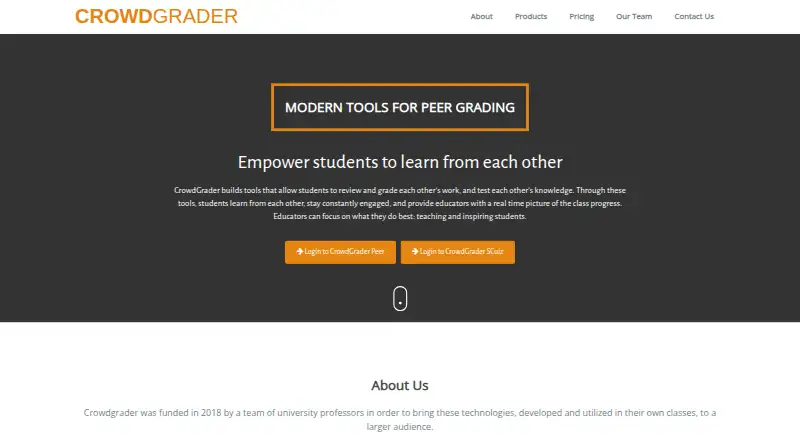
What CrowdGrader is
CrowdGrader is a web service for student homework submissions and collaborative peer grading. Students submit work and review other submissions, while instructors monitor assignments and retain control of final grades. The system combines peer assessments into a consensus grade and removes outliers; a student's crowd-grade also reflects how accurately they assess classmates' work. Students can use a built-in editor for reports, math and code, or upload files including ZIP archives. Reviews are anonymous: reviewers cannot see submission authors' identities, and uploaded files are renamed. Instructors can inspect clusters of similar submissions and compare work side by side. Institutional subscriptions include optional learning-management-system integration, access monitoring and long-term data retention for auditing. Student work is transmitted over HTTPS. Authentication uses Google, with the service saying it uses only the user's email address for identification. The free instructor-sponsored option covers up to 20 students per assignment. Other listed choices include paid per-assignment plans, and a student-supported option listed at $1.99 a year, with six months of access described on the pricing page.
Who it suits
It suits instructors managing peer-reviewed assignments and students who want practice reviewing others' work. The maker also cites use in large classes, with no specific maximum class size.
What it does well
- Instructors retain control of final grades.
- Anonymous reviews hide authors and rename uploaded files.
- Similarity clusters and side-by-side comparisons are available.
- Free instructor-sponsored plan covers up to 20 students.
What to know first
- Users must be at least 13 years old.
- Free instructor-sponsored assignments are limited to 20 students.
- Student-supported access is described as six months.
Limits
The free instructor-sponsored plan covers up to 20 students per assignment. Paid instructor-sponsored plans cover up to 35 students for $2.99 per assignment, up to 100 students for $6.99 per assignment, or unlimited students for $13.98 per assignment.
Plans
CrowdGrader's published prices are being re-checked against the maker's own page.
| Plan | Billed and limits | Price |
|---|---|---|
| Free (instructor-sponsored) | Per assignment; up to 20 students · Up to 20 students | Price being re-checked |
| Free | per assignment · up to 20 students | Price being re-checked |
| Large | per assignment · unlimited students | Price being re-checked |
| Large (instructor-sponsored) | Per assignment · Unlimited students | Price being re-checked |
| Student subscription | six-month, non-refundable subscription · three-week free trial · six months access | Price being re-checked |
| Student-supported assignment | Six months of access; page states "$1.99/six months" · Non-refundable subscription fee; access period determines when students can submit | Price being re-checked |
| Small | per assignment · up to 35 students | Price being re-checked |
| Small (instructor-sponsored) | Per assignment · Up to 35 students | Price being re-checked |
The first 8 of 11 plans, as crowdgrader.com lists them, read 30 Sept 2026. The maker's own page has the final word. Every plan
Getting started
- Go to https://crowdgrader.com/.
- Use Google authentication to access the service.
- Choose an instructor-sponsored assignment plan or the student-supported option.
- Set up an assignment and share it with students.
- Students submit work in the editor or upload files, then review allocated submissions.
CrowdGrader is a web-based peer-assessment tool for courses in which students submit and review one another’s work. It is best suited to instructors who want peer scoring to support learning while keeping authority over final grades. Its strongest case is the combination of structured reviews and instructor oversight; assignment-based fees and a strict age minimum narrow its fit.
Overview
Students review classmates’ submissions, and CrowdGrader combines those reviews into a consensus grade while removing outliers. A student’s own crowd-grade also reflects how accurately they assess other work. That makes reviewing part of the learning and scoring process, rather than an add-on, but instructors retain control of final marks.
Key features
Automatic review allocation, rubric scoring and moderation tools give instructors a structured way to run peer assessment. Reviews are anonymous: reviewers do not see submission authors’ identities, and uploaded files are renamed. This can encourage candid feedback, though the anonymity described is one-way.
Students can use a built-in editor for reports, math and code, or submit files, including ZIP archives. A monitoring page groups similar submissions and offers side-by-side comparisons, helping instructors identify work that merits closer examination; similarity is a signal to review, not a verdict.
Institutional subscriptions include optional integration with existing learning management systems, access monitoring and long-term retention for auditing. Student work is transmitted over HTTPS. Google handles authentication, and CrowdGrader says it uses only the user's email address to identify them, not other Google account information.
Pricing
The free instructor-sponsored plan costs nothing and covers up to 20 students. It is a practical fit for small classes, but instructors must move to a paid tier once enrollment exceeds that cap.
The instructor-sponsored Small plan costs $2.99 per assignment for up to 35 students; Medium costs $6.99 per assignment for up to 100; Large costs $13.98 per assignment for unlimited students. The step-up in price buys capacity rather than a different stated feature set, making Small or Medium the straightforward choices for instructors whose class sizes exceed the free limit. Large removes the stated student cap.
Student-supported assignment access costs $1.99 per six months. The fee is non-refundable, and the access period determines when students can submit, so it is less flexible than paying per assignment. The institutional license uses custom pricing based on predicted or past usage; affiliated instructors can use CrowdGrader without charge. The pricing model also includes a 21-day trial.
Platforms
CrowdGrader runs on the web. Google authentication is required, and institutional LMS integration is optional.
Who it's for
Instructors who want students to practice reviewing others’ work, give peer feedback and contribute to assessment are the clearest fit. The maker says there is no specific maximum class size, reports successful use for classes of about 800 and invites inquiries for classes of tens of thousands; the unlimited-student Large plan may therefore suit large enrollments, though the institutional license is the route for institution-wide use.
Students must be at least 13, and the terms prohibit use if any participating student is younger than 13. That makes CrowdGrader unsuitable for classes with younger students. The maker provides a contact email and phone number, and educator testimonials describe responsive help from the founder.
Pros and cons
- Pro: Peer grades account for reviewer accuracy as well as received marks, giving students a reason to assess carefully.
- Pro: Anonymous reviews, file renaming and moderation tools support a more controlled review process.
- Pro: Paid instructor-sponsored plans scale to unlimited students without a stated per-student cap.
- Con: The free plan stops at 20 students, and paid instructor-sponsored access is charged per assignment.
- Con: Student-supported access is non-refundable, with submission timing tied to the six-month access period.
- Con: The under-13 restriction rules out classes with younger participants.
Alternatives
Peer Assessment Software is the broader category to browse. Consider Eli Review for its free instructor access with unlimited courses and all platform features, or term-based student access. Kritik360 offers free educator access with course activation, instructional design and ongoing support. Choose Expertiza if a free, open-source option with Linux, macOS and self-hosted support suits your setup; ComPAIR is another free option with web and self-hosted platforms.
Peerceptiv offers campus-wide subscriptions with unrestricted campus use, an administrator dashboard and a custom API. peerScholar has a WCET promotional plan at $4,500 a year for unlimited courses, faculty, team members, students and activities. Marka is another freemium web option. PeerAssessment.com may suit courses needing Android or iOS access; its free trial covers one class, one term, one instructor, up to 100 students and up to 12 assessments.
Verdict
Choose CrowdGrader if you want peer review to affect scoring while instructors keep final control, especially for classes that need anonymous reviews, rubrics and monitoring tools. Look elsewhere if your class includes students under 13, or if a per-assignment model does not fit how you run courses.
Verdict
CrowdGrader combines peer assessment, anonymity and instructor monitoring, with file uploads and similarity comparisons. Its free tier is limited by assignment size, while paid options vary by class size.
Questions
Is CrowdGrader free?
Yes. The instructor-sponsored free plan costs nothing and supports up to 20 students.
What do the paid assignment plans cost?
Instructor-sponsored plans cost $2.99 per assignment for up to 35 students, 6.99 USD for up to 100 students, and 13.98 USD for unlimited students. The student-supported option is listed at $1.99 per six months.
Which platforms does CrowdGrader support?
The listed platform is web.
Does it integrate with learning management systems?
Institutional subscriptions include optional integration with existing learning management systems. Specific systems are not named in the available plan information.
How large can a class be?
CrowdGrader’s FAQ says there is no specific maximum and reports successful use for classes of about 800. It invites inquiries for classes of tens of thousands.
Who makes CrowdGrader?
The listed headquarters is Wilmington, Delaware, United States.
Facts from CrowdGrader's own pages
- Age requirement
- The Terms of Use say users must be at least 13 and prohibit use when any participating student is younger than 13. · doc.crowdgrader.org, 30 Sept 2026
- Anonymous reviewing
- Reviews hide the submission author's identity and rename uploaded files to preserve anonymity. · doc.crowdgrader.org, 14 Oct 2026
- Anonymous reviews
- Reviews are anonymous; CrowdGrader hides submission authors' identities from reviewers and renames uploaded files to preserve anonymity. · doc.crowdgrader.org, 30 Sept 2026
- Assignment setup
- Teachers create assignments with a class roster or self-enrollment URL, without a full-course setup. · doc.crowdgrader.org, 14 Oct 2026
- Authentication
- Users sign up and log in with a Google account; CrowdGrader says it uses the email address but not the Google password. · crowdgrader.org, 14 Oct 2026
- Class size
- The FAQ says there is no specific maximum class size, reports successful use for classes of about 800, and invites inquiries for classes of tens of thousands. · doc.crowdgrader.org, 30 Sept 2026
- Class-size claim
- The FAQ reports successful use with about 800 students and says there is no specific class-size limit, with larger deployments handled by contacting CrowdGrader. · doc.crowdgrader.org, 14 Oct 2026
- Company address
- The site lists CrowdGrader LLC at 922 New Road, Floor 2, Wilmington, Delaware 19805. · crowdgrader.com, 14 Oct 2026
- Company origin
- CrowdGrader says it was funded in 2018 by university professors to commercialize classroom technologies they had developed and used. · crowdgrader.com, 14 Oct 2026
- Company team
- The homepage identifies Mark Billion as chief operating officer, Anthony Bastardi as lead software engineer, and Luca de Alfaro and Massimo Di Pierro as professor/advisors. · crowdgrader.com, 14 Oct 2026
- Consensus grading
- The system combines peer grades into a submission grade, removes outliers, and adjusts for reviewer bias and precision. · doc.crowdgrader.org, 14 Oct 2026
- Data export
- Instructors and teaching assistants download assignment metadata as JSON and use a Python GitHub downloader to retrieve submissions, attachments and reviews. · doc.crowdgrader.org, 14 Oct 2026
- Downloader licence
- The publicly supplied assignment-downloader code is released under the MIT licence. · doc.crowdgrader.org, 14 Oct 2026
- Grade-bias behavior
- The algorithm can reduce a perfect-looking score when reviewers are judged overly generous, while instructors can recurve results manually. · doc.crowdgrader.org, 14 Oct 2026
- Group work
- Assignments can allow individual or group submissions, with CrowdGrader managing group formation and review allocation. · doc.crowdgrader.org, 14 Oct 2026
- Headquarters
- Wilmington, Delaware, United States · crowdgrader.com, 23 Sept 2026
- Infrastructure
- CrowdGrader says it runs on Google Cloud with automatic scaling and geographically replicated data. · doc.crowdgrader.org, 14 Oct 2026
- Instructor control
- Instructors may adopt crowd-grades as final grades, edit grades manually, or interpolate missing grades. · doc.crowdgrader.org, 14 Oct 2026
- Integrations
- Institutional subscriptions include optional integration with existing Learning Management Systems; the pricing page does not name specific systems. · crowdgrader.com, 30 Sept 2026
- Late submissions
- Students cannot submit late work directly; an instructor must add or modify a late submission. · doc.crowdgrader.org, 14 Oct 2026
- Limit: accessibility
- Western University's evaluation rated accessibility compliance 1 out of 5 because no AODA or WCAG compliance information was provided. · elearningtoolkit.uwo.ca, 14 Oct 2026
- Limit: customization
- Western's evaluation rated customization 2 out of 5 and said rubric design is somewhat limited. · elearningtoolkit.uwo.ca, 14 Oct 2026
- Limit: integration
- Western's evaluation rated OWL integration 1 out of 5 because the tool was available there only through a link rather than a native integration. · elearningtoolkit.uwo.ca, 14 Oct 2026
- Limit: mobile and offline use
- Western's evaluation said advanced mobile functions are limited and rated offline access 1 out of 5 because the platform cannot be used offline. · elearningtoolkit.uwo.ca, 14 Oct 2026
Where CrowdGrader stands on Freedom251
- Peer Assessment Software#2 of 17