Freedom251 › Telemetry Pipeline Software

Cribl Edge
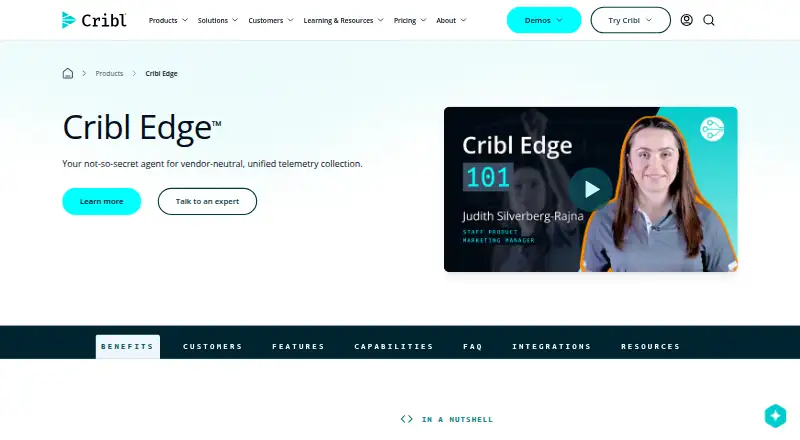
What Cribl Edge is
Cribl Edge collects and processes host telemetry, including logs, metrics and application data, then sends it to Cribl Stream or supported destinations. It can discover host, container and application data across endpoints. Functions and Pipelines transform, enrich, reduce or redact information before routing. A centralized console lets teams monitor, manage and configure Edge agents across fleets, while Teleport supports endpoint log and metric inspection plus local configuration previews and validation. Edge runs on Linux, Windows and macOS as a single instance or distributed deployment, including Docker and Kubernetes. Destinations include Amazon CloudWatch Logs, Amazon S3, Azure Event Hubs, Google Cloud Logging, Kafka and Splunk HEC. The product page says Edge can manage up to 250,000 nodes, but the free plan is capped at 100 Edge Nodes and includes up to 1TB/day, one Fleet and Community Support. Windows deployments do not support Kubernetes sources, and the Grok Function is unavailable on Windows. Standard lists 8×5 support; Enterprise lists a dedicated 24×7 support team.
Who it suits
Cribl Edge is aimed at ITOps and SecOps engineers, and users of operational or security intelligence products who want to simplify host data collection and analysis. It supports both individual and distributed deployments.
What it does well
- Discovers host, container and application telemetry
- Processes data before routing it to destinations
- Centralized fleet management and endpoint inspection
- Runs on Linux, Windows and macOS
- Free plan includes up to 1TB/day
What to know first
- Free plan is limited to 100 Edge Nodes
- Windows lacks Kubernetes sources
- Grok Function is unavailable on Windows
Limits
The Free plan is limited to 1TB per day, 100 Edge Nodes and one Fleet, and includes Community Support. Windows deployments do not support Kubernetes sources, and the Grok Function is unavailable on Windows.
Plans
| Plan | Billed and limits | Price |
|---|---|---|
| Free | Up to 1TB/day · 100 Edge Nodes · 1 Fleet · Community Support | Free |
| Edge - Cloud Ingest (Standard & Enterprise) | 1 credit = $1 · Daily ingestion rates · Ingestion is billed once when data is sent from Cribl Edge to Cribl Stream | $0.21 |
As cribl.io lists them, read 2 Oct 2026. The maker's own page has the final word.
Getting started
- Visit the Cribl Edge product page.
- Choose the Free plan or the listed Edge Cloud Ingest plan.
- Run Edge on Linux, Windows or macOS, or use Docker or Kubernetes.
- Configure collection and routing to Cribl Stream or a supported destination.
- Manage agents through the centralized console.
Cribl Edge is endpoint telemetry software for collecting, shaping, and routing logs, metrics, traces, and application data. It suits ITOps and SecOps teams operating varied host fleets and multiple analysis destinations. The strongest case is a managed collection layer with edge processing; teams needing only basic forwarding may find it more than they need.
Overview
Edge automatically discovers host, container, and application telemetry, then sends it to Cribl Stream or supported destinations. Functions and Pipelines can transform, enrich, reduce, and redact records before delivery, so teams can control volume and content at the endpoint instead of forwarding every field unchanged. That processing is valuable when different systems require different data or when sensitive fields need removal.
Destinations include Amazon CloudWatch Logs, Amazon S3, Azure Event Hubs, Google Cloud Logging, Kafka, Splunk HEC, and many others. Logs, metrics, and traces are supported, along with transform rules, enrichment, and multi-destination routing.
Key features
Collection and processing
Automatic discovery reduces the work of defining every host, container, and application source. Functions and Pipelines provide practical controls for reducing noisy telemetry, adding context, or redacting data before it reaches downstream tools. This is a better fit for teams with deliberate routing and data-governance needs than for a deployment that only needs a minimal collector.
Fleet operations and troubleshooting
A centralized console lets teams monitor, configure, and manage Edge agents across fleets. Teleport adds endpoint-level inspection of metrics and logs and lets operators preview or validate configurations locally, which can shorten diagnosis when an agent or pipeline behaves unexpectedly.
Scale and deployment
Edge runs on Linux, Windows, and macOS, as a single instance or distributed deployment, including Docker and Kubernetes environments. Cribl says it can manage up to 250,000 nodes, making the architecture suitable for large fleets. Windows deployments do not support Kubernetes sources, and the Grok Function is unavailable on Windows; those restrictions are material for Kubernetes-heavy or Grok-dependent workflows.
Security documentation
Cribl provides security and third-party assessment documentation through its TrustCloud portal, including SOC 2 Type II reports and ISO certifications. That documentation can support procurement and compliance reviews, although it does not replace an organization’s own assessment.
Pricing
Free
The Free plan costs nothing and includes up to 1TB/day, 100 Edge Nodes, one Fleet, and Community Support. It is a sensible starting point for evaluation or a small, contained fleet. The 100-node ceiling and single-Fleet allowance make it unsuitable for broad rollouts unless the deployment can remain within those limits.
Edge - Cloud Ingest (Standard & Enterprise)
Cloud Ingest is priced on request, with billing defined as 1 credit = $1. Daily ingestion rates apply, and ingestion is billed once when data is sent from Cribl Edge to Cribl Stream. Standard includes 8×5 support, while Enterprise provides a dedicated 24×7 support team. These tiers fit organizations that need paid support and cloud-ingest billing rather than the Free plan’s community assistance; the usage-linked charge makes ingestion volume a key budgeting consideration.
Platforms
Supported platforms are Linux, macOS, Windows, and self-hosted deployments. Edge can run in Docker or Kubernetes and supports both single-instance and distributed arrangements. Windows users should verify source and function requirements before committing because Kubernetes sources and the Grok Function are excluded there.
Who it's for
Cribl positions Edge for ITOps and SecOps engineers and for users of operational and security-intelligence products. It is well suited to teams standardizing collection across mixed endpoints, applying consistent transformations, and routing data to several observability or security back ends. A small team with one destination and little need for enrichment may not benefit enough from the added processing and fleet-management layer.
Pros and cons
- Pro: Automatic discovery covers host, container, and application telemetry, reducing initial source-definition work.
- Pro: Functions, Pipelines, enrichment, redaction, and multi-destination routing let teams shape data before delivery.
- Pro: Central fleet management and Teleport provide configuration control and endpoint troubleshooting.
- Pro: Linux, macOS, Windows, Docker, Kubernetes, and self-hosted deployment options accommodate mixed environments.
- Con: The Free plan is limited to 100 Edge Nodes and one Fleet, which can block larger pilots or production estates.
- Con: Windows lacks Kubernetes sources and the Grok Function, narrowing parity with other platforms.
- Con: Cloud Ingest charges are tied to daily ingestion when data moves to Cribl Stream, so high-volume use needs careful cost control.
Alternatives
Telemetry Pipeline Software is the broader category list for comparing collection and routing tools. Bindplane is worth choosing when its free tier’s unlimited collectors, one user, 10 projects, and 100 GB/day combined telemetry better match a smaller operational footprint. Edge Delta suits readers wanting a 14-day, no-credit-card trial and AI teammates with connectors and evaluations. syslog-ng is the alternative when a GPL/LGPL community-supported open-source edition is the priority. Tenzir offers a Community plan with 1 TB/day ingress and 1 TB edge storage for teams that want those stated allowances. AWS Distro for OpenTelemetry is the free, upstream-first OpenTelemetry option. Cribl Stream is the better starting point when the central pipeline is the main requirement, with a Free plan offering up to 1TB/day, unlimited pipelines, and unlimited routes. Fluent Bit is a free Apache 2.0 self-hosted collector. Fluentd is a free, open-source Apache 2 licensed data collector.
Verdict
Choose Cribl Edge if you need fleet-wide endpoint collection plus meaningful transformation, enrichment, redaction, and routing before telemetry reaches downstream systems. Its deployment breadth, centralized controls, and troubleshooting workflow are the main reasons to select it. Look elsewhere if 100 nodes is too restrictive on the free tier, Windows must provide Kubernetes or Grok capabilities, or a simpler open-source collector is sufficient.
Verdict
Cribl Edge combines endpoint collection, processing and fleet management, with multiple deployment options and destinations. The free plan has a 100-node limit, and Windows users face specific source and function exclusions.
Questions
Is Cribl Edge free?
Yes. The Free plan costs nothing and includes up to 1TB per day, 100 Edge Nodes, one Fleet and Community Support.
How is the Cloud Ingest plan priced?
The Edge Cloud Ingest Standard and Enterprise plan lists price on request. Ingestion is billed once when data is sent from Cribl Edge to Cribl Stream.
Which platforms does Cribl Edge support?
It runs on Linux, Windows and macOS. Deployments can be single-instance or distributed, including Docker and Kubernetes.
Which destinations are supported?
Named destinations include Amazon CloudWatch Logs, Amazon S3, Azure Event Hubs, Google Cloud Logging, Kafka and Splunk HEC.
What are the Windows limitations?
Windows deployments do not support Kubernetes sources, and the Grok Function is unavailable on Windows.
Who is Cribl Edge for?
Cribl says it is built for ITOps and SecOps engineers and users of operational and security intelligence products.
Facts from Cribl Edge's own pages
- Audience
- Cribl says Edge is built for ITOps and SecOps engineers and users of operational and security intelligence products who want to simplify host data collection and analysis. · docs.cribl.io, 2 Oct 2026
- Deployment
- Edge can run on Linux, Windows, and macOS, as a single instance or in distributed deployments, and in Docker or Kubernetes. · docs.cribl.io, 2 Oct 2026
- Discovery
- It can automatically discover and collect host, container, and application metrics and logs from endpoints. · docs.cribl.io, 2 Oct 2026
- Fleet management
- A centralized console lets teams monitor, manage, and configure Edge agents across fleets. · cribl.io, 2 Oct 2026
- Integrations
- Supported destinations include Amazon CloudWatch Logs, Amazon S3, Azure Event Hubs, Google Cloud Logging, Kafka, Splunk HEC, and many others. · docs.cribl.io, 2 Oct 2026
- Processing
- Functions and Pipelines can transform, enrich, reduce, and redact data before it is routed to destinations. · docs.cribl.io, 2 Oct 2026
- Purpose
- Cribl Edge collects and processes telemetry such as logs, metrics, and application data from hosts, then delivers it to Cribl Stream or supported destinations. · docs.cribl.io, 2 Oct 2026
- Scale
- The product page says Edge can manage up to 250,000 nodes; the free plan lists a 100-node limit. · cribl.io, 2 Oct 2026
- Security
- Cribl provides security and third-party assessment documentation, including SOC 2 Type II reports and ISO certifications, through its TrustCloud portal. · docs.cribl.io, 2 Oct 2026
- Support
- The listed Free plan includes Community Support; Standard lists 8×5 support and Enterprise lists a dedicated 24×7 support team. · cribl.io, 2 Oct 2026
- Troubleshooting
- Teleport lets users inspect endpoint metrics and logs and preview or validate configurations locally. · docs.cribl.io, 2 Oct 2026
- Windows limitation
- Windows deployments do not support Kubernetes sources, and the Grok Function is unavailable on Windows. · docs.cribl.io, 2 Oct 2026
Where Cribl Edge stands on Freedom251
- Telemetry Pipeline Software#5 of 28