Freedom251 › AI Talking Photo Apps
CrazyTalk
What CrazyTalk is
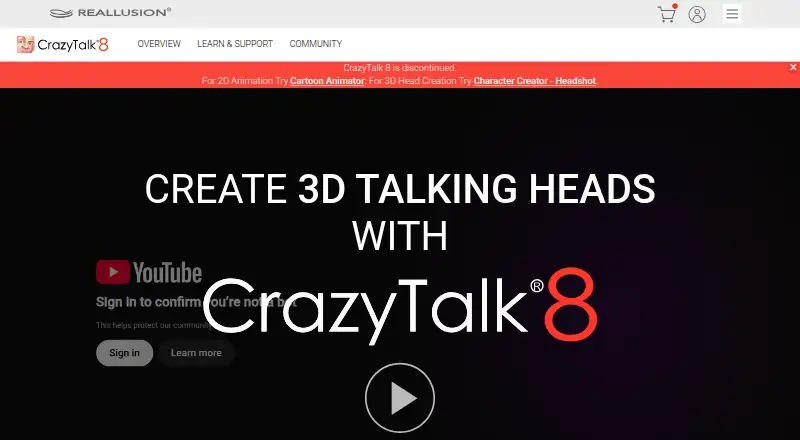
CrazyTalk animates facial images into talking characters using voice or text. It can turn photos into 2D or 3D heads, and use photos to fit a 3D face. Auto Motion generates head and facial movements from voice or audio files. For lip-sync, it can match mouth movement to text, audio, or a recorded voice. Puppeteer lets users direct 2D and 3D actors with mouse movements, while the timeline offers facial-part controls and motion clips.
The Standard edition includes 2D head creation and basic timeline editing for $49, paid once. PRO costs $149, paid once and adds 3D head creation and full timeline editing. Pipeline costs $199, paid once and includes export to iClone 6. All three list Auto Motion, auto audio lip-sync, a Face Puppet Profile, and Content Resource. CrazyTalk runs on macOS and Windows, with a free trial. Reallusion says CrazyTalk 8 for Mac has not been supported since August 23, 2021. The software exports image and video formats up to 4K, including MPEG-4, NTSC, PAL, Flash FLV, and TGA or BMP image sequences; sequences can include alpha channels. Reallusion provides video tutorials, manuals, and support contact.
Who it suits
CrazyTalk suits video producers, marketers, trainers, comic creators, and people making social or family content who want to animate faces from text or audio. Its photo-based head creation and mouse-controlled actors also suit users who want either automated or direct facial animation.
What it does well
- Creates 2D or 3D heads from photos.
- Lip-syncs from text, audio, or recorded voice.
- Auto Motion generates facial and head movement.
- Exports image and video formats up to 4K.
- Pipeline includes export to iClone 6.
- Reallusion offers video tutorials and manuals.
What to know first
- Paid editions cost $49, paid once or more.
- CrazyTalk 8 for Mac has not been supported since August 23, 2021.
- No mobile apps are listed.
Limits
Standard includes 2D head creation and basic timeline editing. PRO and Pipeline include 3D head creation and full timeline editing; Pipeline also includes export to iClone 6.
Plans
| Plan | Billed and limits | Price |
|---|---|---|
| PRO | Photo to 3D Head · Photo to 2D Head · Face Puppet Profile · Auto Motion · Auto Audio Lip-sync · Full Timeline Editing · Content Resource | $149, paid once |
| Pipeline | Photo to 3D Head · Photo to 2D Head · Face Puppet Profile · Auto Motion · Auto Audio Lip-sync · Full Timeline Editing · Content Resource · Export to iClone 6 | $199, paid once |
| Standard | Photo to 2D Head · Face Puppet Profile · Auto Motion · Auto Audio Lip-sync · Basic Timeline Editing · Content Resource | $49, paid once |
As reallusion.com lists them, read 4 Oct 2026. The maker's own page has the final word.
Getting started
- Visit the CrazyTalk website.
- Choose a Windows or macOS version; the CrazyTalk 8 Mac version is no longer supported.
- Start with the free trial or select an edition: Standard, PRO, or Pipeline.
- Create a 2D or 3D head from photos, then animate with voice, text, Auto Motion, Puppeteer, or the timeline.
- Export in a supported image or video format.
Verdict
Pick CrazyTalk if you need photo-based talking characters, automated lip-sync, or mouse-directed facial animation. Compare the editions by head creation and timeline needs: Standard is limited to 2D heads and basic editing, while PRO and Pipeline include 3D heads and full timeline editing. Pipeline adds export to iClone 6.
Questions
How much does CrazyTalk cost?
Standard is $49, paid once, PRO is $149, paid once, and Pipeline is $199, paid once.
Is there a free trial?
Yes, CrazyTalk offers a free trial.
Which platforms does it support?
The listed platforms are macOS and Windows. Reallusion says CrazyTalk 8 for Mac has not been supported since August 23, 2021.
What does each edition include?
Standard includes 2D head creation and basic timeline editing. PRO adds 3D head creation and full timeline editing; Pipeline also includes export to iClone 6.
What can CrazyTalk export?
It supports image and video formats up to 4K, including MPEG-4, NTSC, PAL, Flash FLV, and TGA or BMP image sequences. Image sequences can include alpha channels.
Who makes CrazyTalk?
CrazyTalk is made by Reallusion, which offers online video tutorials, manuals, and support contact.
Facts from CrazyTalk's own pages
- Audience
- The product page describes uses in video production, social and family content, marketing and training, and animated comics. · reallusion.com, 4 Oct 2026
- Auto motion
- Auto Motion generates head and facial movements based on voice or audio files. · reallusion.com, 4 Oct 2026
- Download status
- A Reallusion support page identifies CrazyTalk 8 as a legacy program and gives instructions for installing its content packs. · kb.reallusion.com, 4 Oct 2026
- Facial controls
- The Puppeteer feature controls 2D and 3D actors with mouse movements, and the timeline supports facial part control and motion clips. · reallusion.com, 4 Oct 2026
- Head creation
- It can turn photos into 2D or 3D heads and fit a 3D face using photos. · reallusion.com, 4 Oct 2026
- Integration
- The Pipeline edition lists export to iClone 6 as a feature. · reallusion.com, 4 Oct 2026
- Lip sync
- It can automatically lip-sync from text, audio, or a recorded voice. · reallusion.com, 4 Oct 2026
- Platform status
- Reallusion says the CrazyTalk 8 Mac version has not been supported since August 23, 2021. · reallusion.com, 4 Oct 2026
- Purpose
- CrazyTalk uses voice and text to animate facial images into talking characters. · reallusion.com, 4 Oct 2026
- Rendering
- CrazyTalk supports major image and video formats up to 4K and can export image sequences with alpha channels. · reallusion.com, 4 Oct 2026
- Security and privacy
- The opened CrazyTalk pages did not state security certifications or compliance claims. · reallusion.com, 4 Oct 2026
- Support
- Reallusion offers online video tutorials and manuals and invites users to contact support for help. · reallusion.com, 4 Oct 2026
Where CrazyTalk stands on Freedom251
- AI Talking Photo Apps#13 of 25
- Photo Animation Software#20 of 27