Freedom251 › Directory Software

Connections Business Directory
What Connections Business Directory is
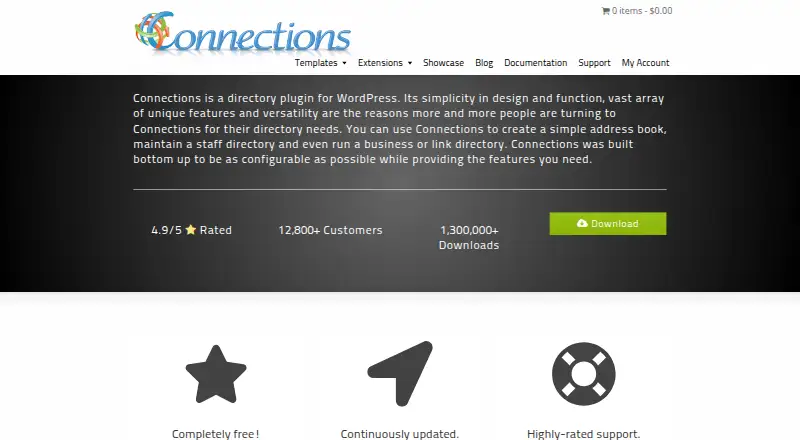
Connections Business Directory is a self-hosted WordPress plugin for creating address books, staff directories, business directories, and link directories. Its maker says it can manage directories with hundreds of thousands of entries. Listings can hold repeatable addresses, phone numbers, email addresses, instant messaging details, social media, links, and dates, with search, filters, and custom fields available. Basic templates display entries, while premium templates offer more control over front-end presentation. Free and premium extensions add functions such as CSV import, visitor submissions, and custom entry ordering. The Form extension routes submissions to a moderation queue and can notify administrators by email. The Contact extension lets visitors email an entry without displaying its address and includes logging and anti-spam measures. Owners can limit viewing to logged-in WordPress users and mark entries public, private, or unlisted. Paid Pro Packs combine templates, extensions, and connector add-ons for Frontend File Manager and Gravity Forms. Premium extensions include support and updates for the first year; ongoing support and updates require an annual support license. The cMap template requires Google Maps API keys, and Google may charge fees at increased geocoding limits.
Who it suits
Connections suits WordPress site owners building contact, staff, business, or link directories. It also fits sites that need moderated visitor submissions or access restrictions for directory content.
What it does well
- Free plugin manages directories at large stated scale.
- Entries support repeatable contact and social details.
- Visitor submissions can go through moderation.
- Listings can be public, private, or unlisted.
- CSV import and custom entry ordering extensions are available.
What to know first
- cMap requires Google Maps API keys.
- Google may charge at increased geocoding limits.
- Continued premium support and updates require an annual license.
Limits
The free plugin includes basic templates; premium templates and extensions require paid bundles. Premium extensions include support and updates for the first year, after which an annual support license is required. The cMap template needs Google Maps API keys, and Google may charge fees at increased geocoding limits.
Plans
| Plan | Billed and limits | Price |
|---|---|---|
| Connections Business Directory | Completely free · WordPress plugin · manages hundreds of thousands of entries | Free |
| Pro Pack — 1–5 Sites | 1–5 Sites · Templates, extensions, and connector add-ons · first year of support and updates included | $149.99, paid once |
| Extension Pro Pack — Single Site | Single Site · Premium extensions bundle · first year of support and updates included | $29.99, paid once |
| Pro Pack — Unlimited Sites | Unlimited Sites · Templates, extensions, and connector add-ons · first year of support and updates included | $299.99, paid once |
| Template Pro Pack — Single Site | Single Site · Premium templates bundle · first year of support and updates included | $59.99, paid once |
| Pro Pack — Single Site | Single Site · Templates, extensions, and connector add-ons · first year of support and updates included | $74.99, paid once |
As connections-pro.com lists them, read 8 Oct 2026. The maker's own page has the final word.
Getting started
- Open the Connections website.
- Install the free Connections WordPress plugin on a self-hosted site.
- Create a directory and configure its entry fields and visibility settings.
- Add entries or use the CSV Import extension to bulk import contact details.
- Choose a basic template or purchase a premium bundle for premium templates and extensions.
Connections Business Directory is a directory plugin for self-hosted WordPress sites, for organizations that need flexible entries and control over directory access. Its free core supports large directories; paid bundles add templates, extensions, and connectors, but continued premium support and updates require an annual license after the first year.
Overview
The plugin can build address books, staff directories, business listings, and link directories. Its maker says it can manage hundreds of thousands of entries, and records can hold repeatable addresses, phone numbers, email addresses, instant messaging details, social profiles, links, and dates. That range suits organizations with varied contact records better than a directory limited to one fixed set of fields.
Directory-wide settings can restrict viewing to logged-in WordPress users, while each entry can be public, private, or unlisted. The Contact extension lets visitors email an entry without seeing its address and adds logging and anti-spam measures. These controls make Connections a reasonable fit for member and staff directories; its limitation is that it runs on self-hosted WordPress rather than as a standalone hosted service.
Key features
Flexible records and imports
Custom fields, search and filters, and location features cover core directory tasks. The CSV Import extension bulk-loads contact details from spreadsheets, which can reduce the work of moving an existing directory into WordPress. The Form extension puts visitor submissions into a moderation queue and can notify administrators by email, giving site owners a review step before new entries appear.
Templates, extensions, and development
Basic templates are included, while premium templates change how entries appear on the site’s front end. Free and premium extensions add functions such as CSV import, visitor forms, and custom entry ordering. The Pro Pack also includes connectors for Frontend File Manager and Gravity Forms. For custom work, the maker provides hundreds of developer actions and filters.
Map display has a notable dependency: the cMap template needs a Google Maps API key, and Google may charge fees when geocoding usage reaches higher limits. Sites that do not need maps can avoid that requirement; those relying on location display should account for it.
Pricing
The free plan costs nothing, billed completely free, and is the WordPress plugin for managing large directories. It is the sensible starting point for a site that can use basic templates and does not need premium extensions or connector add-ons.
- Extension Pro Pack — Single Site: $29.99, paid once, for premium extensions on one site; first-year support and updates are included.
- Template Pro Pack — Single Site: $59.99, paid once, for premium templates on one site; first-year support and updates are included.
- Pro Pack — Single Site: $74.99, paid once, combining templates, extensions, and connector add-ons for one site.
- Pro Pack — 1–5 Sites: $149.99, paid once, for the same bundle across one to five sites.
- Pro Pack — Unlimited Sites: $299.99, paid once, for the bundle across unlimited sites.
The paid bundles include support and updates for the first year. After that, continued support and updates require an annual support license, so the one-time purchase does not mean ongoing premium maintenance is included. Choose the extension or template pack when only that category is needed; the broader Pro Pack costs more but combines both with connector add-ons.
Platforms
Connections is for self-hosted WordPress. It is not a fit for teams seeking a hosted directory or a platform-independent service.
Who it's for
Choose Connections for a WordPress site that needs detailed contact records, privacy controls, or moderated visitor submissions, particularly when the directory may grow substantially. It is less compelling for a simple public list that needs no extensions, or for organizations that cannot manage a self-hosted WordPress installation and the added API-key requirement for maps.
Pros and cons
- Pro: Repeatable contact fields and custom fields accommodate varied records, including multiple addresses or contact methods.
- Pro: Viewing restrictions, entry-level visibility settings, and contact-by-email controls give administrators useful ways to limit exposure.
- Pro: The free core supports directories the maker says can contain hundreds of thousands of entries.
- Con: Premium support and updates require an annual license after the included first year.
- Con: Map display depends on a Google Maps API key, and higher geocoding limits may bring fees.
- Con: The plugin requires self-hosted WordPress, ruling out hosted-directory use cases.
Alternatives
Browse directory software to compare other directory options. Choose Store Locator Plus instead when the priority is a store-locator product with a free WordPress base plugin and paid add-ons, rather than Connections’ broader mix of address books, staff, business, and link directories. Apache Directory Server is a free, self-hosted directory server for Linux, macOS, and Windows, a different direction from a WordPress directory plugin. Directify has a free forever tier capped at one directory and 10 listings, so consider it when a hosted web directory with a stated small free allowance is a better fit. Advanced Classifieds & Directory Pro offers a free tier with unlimited listings, categories, locations, and custom fields, plus grid, list, and map display and front-end submissions; consider it when those stated capabilities are the deciding requirements. Appy Pie AI Directory Website Builder has a free web plan capped at 50 listings with basic category filters and an Appy Pie subdomain, which may suit a small directory. GeoDirectory is another freemium directory option with a free core plugin. HivePress offers a free license with the ListingHive theme, free extensions, community forum support, and repository updates; consider it if that free theme-and-extension setup matches your needs. NexDirectory is another freemium option with a free tier.
Verdict
Connections is a strong choice for WordPress site owners who need adaptable contact records, access controls, and room for a large directory without paying for the core plugin. Its main trade-offs are the WordPress-only deployment, the map API dependency, and the annual license needed to keep premium support and updates after year one. Look elsewhere if you need a hosted directory or want ongoing premium maintenance included in the initial purchase.
Verdict
Connections provides directory structures, entry controls, and optional templates and extensions for WordPress. Consider the map-key requirement and the renewal condition for continued premium support and updates.
Questions
Is Connections Business Directory free?
Yes. The Connections Business Directory plan is free. Paid plans include one-time bundles starting at 29.99 USD.
What does the free plugin include?
It is a WordPress directory plugin with basic templates and can manage directories with hundreds of thousands of entries, according to its maker.
What platforms does it support?
The listed platform is self-hosted. It is a WordPress plugin.
Can visitors submit directory entries?
Yes. The Form extension accepts visitor submissions, places them in a moderation queue, and can email administrators when submissions arrive.
Which integrations are included?
The Pro Pack includes connectors for Frontend File Manager and Gravity Forms.
How long do premium support and updates last?
Premium extensions include support and updates for the first year. Continued support and updates require an annual support license.
Facts from Connections Business Directory's own pages
- CSV import
- The CSV Import extension is described as a way to bulk import contact details from spreadsheet applications. · connections-pro.com, 8 Oct 2026
- Data deletion
- The settings documentation says enabling Remove Data on Uninstall permanently erases directory data, settings, and tables when the plugin is deleted. · connections-pro.com, 8 Oct 2026
- Developer tools
- The maker says Connections provides hundreds of developer actions and filters for custom functionality. · connections-pro.com, 8 Oct 2026
- Directory privacy
- Directory settings can require logged-in WordPress users to view the directory, and entries can be marked public, private, or unlisted. · connections-pro.com, 8 Oct 2026
- Email privacy
- The Contact extension lets visitors email directory entries without displaying their email addresses and includes email logging and anti-spam measures. · connections-pro.com, 8 Oct 2026
- Entry scale
- The maker says the plugin can manage directories containing hundreds of thousands of entries. · connections-pro.com, 8 Oct 2026
- Extensions
- The maker offers free and premium extensions, including CSV import, visitor submission forms, and custom entry ordering. · connections-pro.com, 8 Oct 2026
- Fields
- Entries can have repeatable addresses, phone numbers, email addresses, IM, social media, links, and dates. · connections-pro.com, 8 Oct 2026
- Integrations
- The Pro Pack includes connectors for Frontend File Manager and Gravity Forms, which the maker describes as add-ons connecting Connections to selected third-party plugins. · connections-pro.com, 8 Oct 2026
- Mapping requirement
- The cMap template requires Google Maps API keys for maps to load, and the documentation notes Google may charge fees at increased geocoding limits. · connections-pro.com, 8 Oct 2026
- Product
- Connections is a directory plugin for WordPress that can create address books, staff directories, business directories, and link directories. · connections-pro.com, 8 Oct 2026
- Submission moderation
- The Form extension places visitor submissions in a moderation queue and can email administrators when submissions arrive. · connections-pro.com, 8 Oct 2026
- Support
- Premium extensions include free support and updates for the first year; continued support and updates afterward require an annual support license. · connections-pro.com, 8 Oct 2026
- Templates
- The plugin includes basic templates, and premium templates customize how directory entries display on the site’s front end. · connections-pro.com, 8 Oct 2026
Where Connections Business Directory stands on Freedom251
- Directory Software#12 of 31