Freedom251 › AI Image Recognition Software

Cognex VisionPro
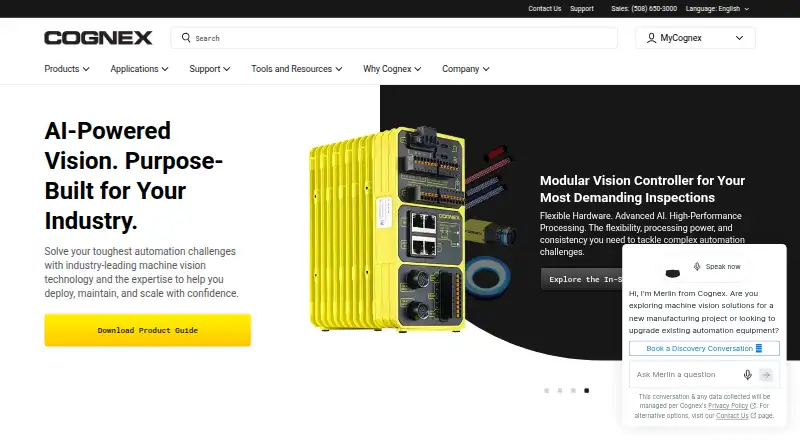
What Cognex VisionPro is
Cognex VisionPro is Windows software for developing customized machine-vision applications in manufacturing. VisionPro 10 combines rule-based vision, hybrid smart tools, and deep learning. Its QuickBuild graphical workspace lets users configure image acquisition, choose and optimize tools, and define pass/fail decisions without building every workflow from code. Developers can also use .NET C# and C++ APIs. QuickBuild loads a trained VisionPro Deep Learning workspace and links it with VisionPro tools for preprocessing or post-processing. Named tools include PatMax for locating parts and features, IDMax and OCVMax for identification and character verification, and LineMax for finding lines. Acquisition modules support Cognex frame grabbers, GigE Vision cameras, third-party imaging devices, and GenTL devices. The documented GenTL release supports Cognex CoaXPress DSMax and Basler USB3 cameras, but not other transport layers or manufacturers. VisionPro 10.0 lists 64-bit Windows 10 Professional and Windows 10 IoT Enterprise. Authorization requires a USB security key. Deployment is on-premise, with pricing available from Cognex on request.
Who it suits
It suits manufacturing teams and developers building customized vision applications on Windows. It is also aimed at users needing inspection, identification, OCR, classification, or custom models.
What it does well
- Combines rule-based, hybrid, and deep learning vision
- QuickBuild offers drag-and-drop workflow configuration
- Provides .NET C# and C++ APIs
- Supports multiple camera and imaging device types
- Includes named tools for location, identification, and line finding
What to know first
- Requires a USB security key for authorization
- GenTL support is limited to specified cameras
- Runs on Windows platforms listed in documentation
- Pricing is available only on request
Limits
The documented GenTL release works with Cognex CoaXPress DSMax and Basler USB3 cameras, excluding other transport layers and manufacturers. VisionPro authorization requires a USB security key with firmware version 4.12 support.
Plans
| Plan | Billed and limits | Price |
|---|---|---|
| VisionPro | Pricing and license details available from a Cognex sales representative | On request |
As cognex.com lists them, read 7 Oct 2026. The maker's own page has the final word.
Getting started
- Open the Cognex VisionPro website
- Use a supported 64-bit Windows 10 Professional or Windows 10 IoT Enterprise system
- Obtain the paid VisionPro plan through a Cognex sales representative
- Install and authorize the software with a USB security key
- Connect supported cameras or imaging devices through the acquisition modules
- Configure acquisition, tools and pass/fail decisions in QuickBuild
Verdict
Cognex VisionPro combines configurable graphical workflows with APIs and several machine-vision methods. Check the documented camera compatibility and USB-key requirement before choosing it.
Questions
What platforms does Cognex VisionPro support?
VisionPro is for Windows. VisionPro 10.0 documentation names 64-bit Windows 10 Professional and Windows 10 IoT Enterprise.
How is VisionPro priced?
It is paid software, with pricing available on request from a Cognex sales representative.
Does VisionPro support deep learning?
Yes. VisionPro 10 combines deep learning with rule-based and hybrid smart tools, and QuickBuild can load a trained VisionPro Deep Learning workspace.
Which programming languages can developers use?
VisionPro 10 provides .NET C# and C++ APIs.
What cameras can VisionPro connect to?
Acquisition modules support Cognex frame grabbers, GigE Vision cameras, third-party imaging devices and GenTL devices. The documented GenTL release supports Cognex CoaXPress DSMax and Basler USB3 cameras.
Does VisionPro require a hardware key?
Yes. Authorization requires a USB security key, with support for security key firmware version 4.12.
Facts from Cognex VisionPro's own pages
- Camera connectivity
- VisionPro acquisition modules support Cognex frame grabbers, GigE Vision cameras, third-party imaging devices, and GenTL devices. · docs.cognex.com, 7 Oct 2026
- Company founded
- Cognex was founded in 1981 by Dr. Robert J. Shillman. · investor.cognex.com, 7 Oct 2026
- Deep learning integration
- QuickBuild can load a trained VisionPro Deep Learning workspace and link it with VisionPro tools for pre-processing or post-processing. · partner.cognex.com, 7 Oct 2026
- Founded
- 1981 · cognex.com, 28 Sept 2026
- GenTL compatibility limit
- The documented GenTL release supports Cognex CoaXPress DSMax cameras and Basler USB3 cameras, and says it does not support other transport layers and manufacturers. · docs.cognex.com, 7 Oct 2026
- Headquarters
- Natick, Massachusetts, USA · cognex.com, 28 Sept 2026
- License security
- VisionPro 10.0 requires a USB security key for authorization and supports security key firmware version 4.12. · docs.cognex.com, 7 Oct 2026
- Operating system
- VisionPro 10.0 documentation lists 64-bit Windows 10 Professional and Windows 10 IoT Enterprise as supported operating systems. · docs.cognex.com, 7 Oct 2026
- Programming
- VisionPro 10 provides a .NET C# API and a C++ API for application development. · partner.cognex.com, 7 Oct 2026
- Purpose
- VisionPro is PC-based vision software for developing customized applications for challenging manufacturing vision tasks. · partner.cognex.com, 7 Oct 2026
- QuickBuild
- QuickBuild provides a drag-and-drop graphical environment to configure image acquisition, select and optimize tools, and make pass/fail decisions. · partner.cognex.com, 7 Oct 2026
- Support
- Cognex provides product documentation, software and firmware updates, training links, and case creation through its Support Hub. · support.cognex.com, 7 Oct 2026
- Vision methods
- VisionPro 10 combines rule-based vision, hybrid smart tools, and deep learning technologies. · partner.cognex.com, 7 Oct 2026
- Vision tools
- The product sheet names PatMax for part and feature location, IDMax and OCVMax for identification and character verification, and LineMax for line finding. · partner.cognex.com, 7 Oct 2026
Where Cognex VisionPro stands on Freedom251
- AI Image Recognition Software#25 of 37