Freedom251 › Static site generators
Cobalt
What Cobalt is
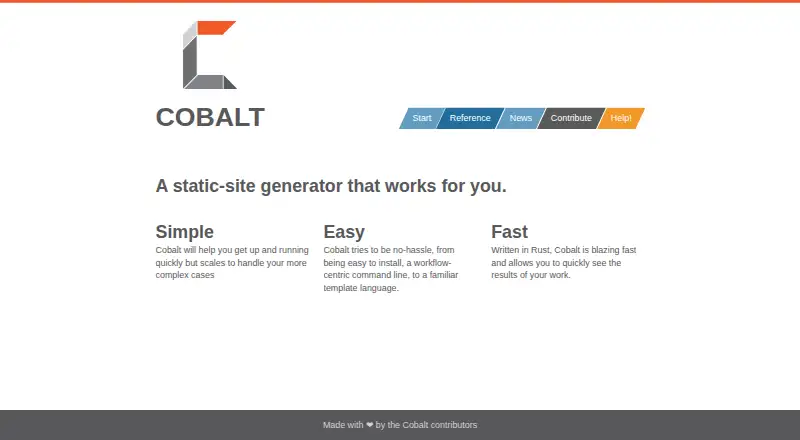
Cobalt is a free static-site generator written in Rust for Linux, macOS, and Windows. It converts Markdown pages and posts into HTML and uses Liquid templates for layouts and shared includes. The `cobalt init` command creates a starter site with example pages, posts, and layouts. `cobalt new` creates pages or posts, while `cobalt serve` builds the site, watches for changes, and serves a local preview. Draft posts can be released with `cobalt publish`, which removes draft status and sets the publication date to today. `cobalt build` generates HTML for documents that are not drafts. Site settings and page defaults are stored in `_cobalt.yml`, covering source and destination directories, drafts, posts, RSS, JSON Feed, Sass assets, and syntax highlighting. Documentation describes deployment to GitHub Pages, GitLab Pages, or a self-hosted server. Emacs users can manage generation and posts with Cobalt.el.
Who it suits
Cobalt suits developers and writers who want a command-line Markdown workflow for static sites. It also fits Emacs users and projects deploying generated files to hosted pages or their own server.
What it does well
- Free static-site generator
- Markdown to HTML workflow
- Local preview server with file watching
- Liquid templates for layouts
- Deploys to GitHub or GitLab Pages
What to know first
- Requires command-line workflow
- Content source is Markdown
- Generated sites are static HTML
- No organization or headquarters identified
Limits
Cobalt's build command generates HTML only for documents that are not in draft state. The listed product is free, with no paid plan limits provided.
Getting started
- Install Cobalt using an operating-system package or pre-built binary
- Run `cobalt init` to create a site with example content and layouts
- Create pages or posts with `cobalt new`
- Edit site settings and defaults in `_cobalt.yml`
- Run `cobalt serve` for a local preview
- Publish ready drafts with `cobalt publish`
- Build the generated HTML with `cobalt build`
Verdict
Cobalt provides a focused Rust-based workflow for creating, previewing, publishing, and building Markdown sites. Its configuration and deployment documentation cover common static-site tasks, with Emacs integration for users who want it.
Questions
What does Cobalt generate?
Cobalt turns Markdown pages and posts into HTML files using Liquid templates.
Which operating systems are supported?
Cobalt supports Linux, macOS, and Windows.
How do I preview a site locally?
Run `cobalt serve`; it builds the site, watches for changes, and serves it locally.
Where can a generated site be deployed?
The documentation describes GitHub Pages, GitLab Pages, and self-hosted servers.
Is Cobalt free?
Yes. Cobalt is listed as free and has a free plan.
What configuration options are available?
`_cobalt.yml` supports source and destination directories, drafts, posts, RSS, JSON Feed, Sass asset settings, and syntax highlighting.
Facts from Cobalt's own pages
- Build output
- `cobalt build` generates HTML files for documents that are not in draft state. · cobalt-org.github.io, 8 Oct 2026
- Community
- The site says Cobalt is made by contributors and welcomes contributions. · cobalt-org.github.io, 8 Oct 2026
- Configuration
- Cobalt uses `_cobalt.yml` for site-wide options and page defaults, including source and output directories. · cobalt-org.github.io, 8 Oct 2026
- Content configuration
- The `_cobalt.yml` configuration supports settings including source and destination directories, drafts, posts, RSS, JSON Feed, and syntax highlighting. · cobalt-org.github.io, 8 Oct 2026
- Content features
- The configuration supports draft posts, syntax highlighting, Sass asset settings, RSS, and JSON Feed paths. · cobalt-org.github.io, 8 Oct 2026
- Content sources
- markdown · cobalt-org.github.io, 20 Sept 2026
- Content workflow
- Cobalt provides commands to create pages or posts, publish posts, and build the site into HTML files. · cobalt-org.github.io, 8 Oct 2026
- Contributions
- The maker welcomes contributions and directs users to the project repository to report documentation issues or submit changes. · cobalt-org.github.io, 8 Oct 2026
- Deployment
- The documentation describes deploying generated sites to GitHub Pages, GitLab Pages, or a self-hosted server. · cobalt-org.github.io, 8 Oct 2026
- Draft publishing
- Posts can be published with `cobalt publish`, which removes draft status and sets the publication date to today. · cobalt-org.github.io, 8 Oct 2026
- Editor integration
- Cobalt.el provides an Emacs interface for site generation and post management. · cobalt-org.github.io, 8 Oct 2026
- Free plan
- Yes · cobalt-org.github.io, 20 Sept 2026
- Installation
- The maker's installation guide says Cobalt supports Windows, Linux, and Mac, and documents OS packages and pre-built binaries. · cobalt-org.github.io, 8 Oct 2026
- Language
- Cobalt is written in Rust. · cobalt-org.github.io, 8 Oct 2026
- Local preview
- The `cobalt serve` command builds the site, watches for changes, and serves it locally. · cobalt-org.github.io, 8 Oct 2026
- Maker details
- The pages reviewed identify the makers as Cobalt contributors but do not state an organization name, headquarters, or founding date. · cobalt-org.github.io, 8 Oct 2026
- Pages and posts
- The `cobalt new` command creates a page or post, with the output location determined by its options or directory. · cobalt-org.github.io, 8 Oct 2026
- Local preview server
- Yes · cobalt-org.github.io, 20 Sept 2026
- Product
- Cobalt is a static-site generator. · cobalt-org.github.io, 8 Oct 2026
- Site creation
- The `cobalt init` command creates a site with example pages, posts, and layouts. · cobalt-org.github.io, 8 Oct 2026
- Support
- The maker identifies Gitter as its main chat space and says users can also join through a Matrix room synced with Gitter. · cobalt-org.github.io, 8 Oct 2026
- Supported languages
- Rust · cobalt-org.github.io, 20 Sept 2026
- Syntax highlighting
- Syntax highlighting can be enabled or disabled site-wide and configured with a theme. · cobalt-org.github.io, 8 Oct 2026
- Templates
- Cobalt uses Liquid templates for layouts and shared includes. · cobalt-org.github.io, 8 Oct 2026
Where Cobalt stands on Freedom251
- Static site generators#20 of 35