Freedom251 › Cloud Visualization Tools
CloudSkew
by CloudSkew
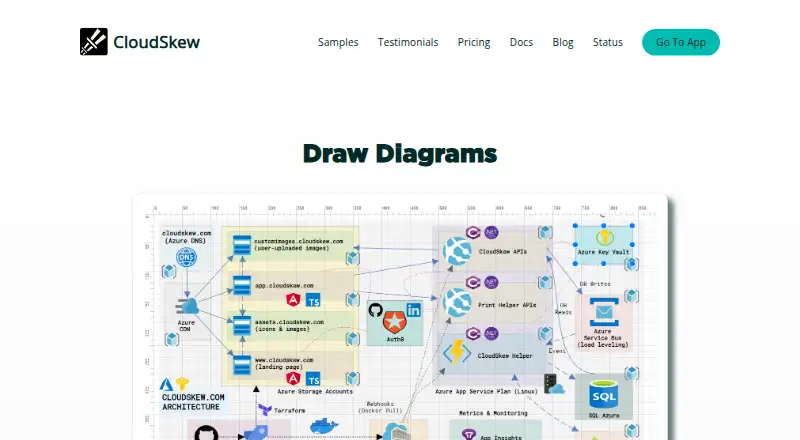
What CloudSkew is
CloudSkew is a web-based editor for creating cloud architecture diagrams, network diagrams, and flowcharts. Its icon library covers AWS, Azure, GCP, Kubernetes/CNCF, Alibaba Cloud, IBM Cloud, Oracle Cloud, and more. Diagrams can span multiple pages on an infinite canvas; users can start from templates, group or lock symbols, and undo or redo edits. A built-in document editor supports annotations and documentation. Diagrams can be printed or exported as JPG, JSON, PDF, PNG, or SVG files. Generated links let people view shared diagrams without logging in, though users must log in to create and edit. PNG and JPG images can be imported if each file is below 512 KB. The free plan costs nothing and includes one diagram, one template, standard support, cloud autosave, the document editor, and print, export, and sharing. Content is stored in the cloud, private by default, and retained until deleted.
Who it suits
CloudSkew suits people making cloud or network diagrams and flowcharts in a browser, especially those who want provider-specific icons and shareable viewing links. Its FAQ says the app is best used on laptops and desktops.
What it does well
- Includes icons for several cloud and infrastructure providers.
- Infinite canvas supports multi-page diagrams.
- Exports to JPG, JSON, PDF, PNG, and SVG.
- Shared-link viewers do not need to log in.
- Free plan includes one diagram and one template.
What to know first
- No desktop apps or offline editing.
- Real-time collaboration is not available.
- Imported PNG or JPG files must be below 512 KB.
- FAQ says mobile experience is not planned for improvement.
Limits
The Free plan allows one diagram and one template, with standard support.
Plans
| Plan | Billed and limits | Price |
|---|---|---|
| Free | Free forever · 1 diagram · 1 template · Standard support · Infinite canvas · Cloud autosave · Document editor · Print, export, share | Free |
| Professional | $36 / year; limited time offer · Unlimited diagrams · Unlimited templates · Priority support (24 hr response time) · Infinite canvas · Cloud autosave · Document editor · Print, export, share | $36 a year |
As cloudskew.com lists them, read 8 Oct 2026. The maker's own page has the final word.
Getting started
- Open https://www.cloudskew.com/
- Log in through the available authentication flow
- Start a diagram from a template or an infinite canvas
- Add and arrange symbols, images, and documentation
- Print, export, or share the finished diagram
Verdict
CloudSkew brings diagram creation, documentation, export, and link sharing together in a web editor. Check the free plan's one-diagram limit and the stated desktop-oriented use before choosing it.
Questions
Does CloudSkew have a free plan?
Yes. The Free plan is billed at no cost and lasts forever, with one diagram and one template.
Which platforms does CloudSkew support?
CloudSkew is available on the web. It has no desktop app, no offline editing, and is best used on laptops and desktops.
Can people view shared diagrams without accounts?
Yes. Generated sharing links let viewers open diagrams without logging in.
What files can CloudSkew export?
Diagrams can be printed or exported as JPG, JSON, PDF, PNG, or SVG files.
Where is diagram content stored?
User-created content is stored in the cloud, private by default, and retained until the user deletes it.
Facts from CloudSkew's own pages
- Authentication
- CloudSkew requires users to log in; its architecture page describes GitHub or LinkedIn login through Auth0. · docs.cloudskew.com, 8 Oct 2026
- Cloud provider icons
- The app includes icons for AWS, Azure, GCP, Kubernetes/CNCF, Alibaba Cloud, IBM Cloud, Oracle Cloud, and more. · docs.cloudskew.com, 8 Oct 2026
- Company
- The maker identifies itself as Skewed Ventures Private Limited, incorporated in Karnataka, India, with a registered office in Bengaluru. · docs.cloudskew.com, 8 Oct 2026
- Custom images
- Users can import PNG or JPG images into a diagram, with a file size limit below 512 KB. · docs.cloudskew.com, 8 Oct 2026
- Desktop apps
- No · cloudskew.com, 20 Sept 2026
- Diagram features
- Users can create multi-page diagrams on an infinite canvas, start from templates, group and lock symbols, and undo or redo actions. · docs.cloudskew.com, 8 Oct 2026
- Diagram types
- cloud architecture diagrams,network diagrams,flowcharts · cloudskew.com, 20 Sept 2026
- Documentation
- A built-in document editor lets users annotate and document diagrams. · cloudskew.com, 8 Oct 2026
- Export formats
- Diagrams can be printed or exported as JPG, JSON, PDF, PNG, or SVG files. · docs.cloudskew.com, 8 Oct 2026
- Free plan
- Yes · cloudskew.com, 20 Sept 2026
- Headquarters
- Bengaluru, Karnataka, India · cloudskew.com, 28 Sept 2026
- Import/export formats
- JSON,JPG,PDF,PNG,SVG · cloudskew.com, 20 Sept 2026
- Offline editing
- No · cloudskew.com, 20 Sept 2026
- Payment terms
- The terms describe paid subscriptions as prepaid, non-refundable annual subscriptions and state that Visa and Mastercard credit or debit cards are accepted. · docs.cloudskew.com, 8 Oct 2026
- Platform limits
- The FAQ says the app is best used on laptops and desktops and has no plans to improve its mobile-device experience. · docs.cloudskew.com, 8 Oct 2026
- Privacy and storage
- The privacy policy says user-created content is stored in the cloud, private by default, and retained until the user deletes it. · docs.cloudskew.com, 8 Oct 2026
- Purpose
- CloudSkew is an online diagram and flowchart editor for creating cloud architecture diagrams and flowcharts. · cloudskew.com, 8 Oct 2026
- Real-time collaboration
- No · cloudskew.com, 20 Sept 2026
- Sharing
- Users can share diagrams with generated links, and viewers do not need to log in. · docs.cloudskew.com, 8 Oct 2026
- Support
- The FAQ directs users needing subscription cancellation assistance to [email protected]. · docs.cloudskew.com, 8 Oct 2026
Where CloudSkew stands on Freedom251
- Cloud Visualization Tools#4 of 20
- Diagramming Software#18 of 44
- Diagramming tools#32 of 46