Freedom251 › Monitor Control Software
ClickMonitorDDC
What ClickMonitorDDC is
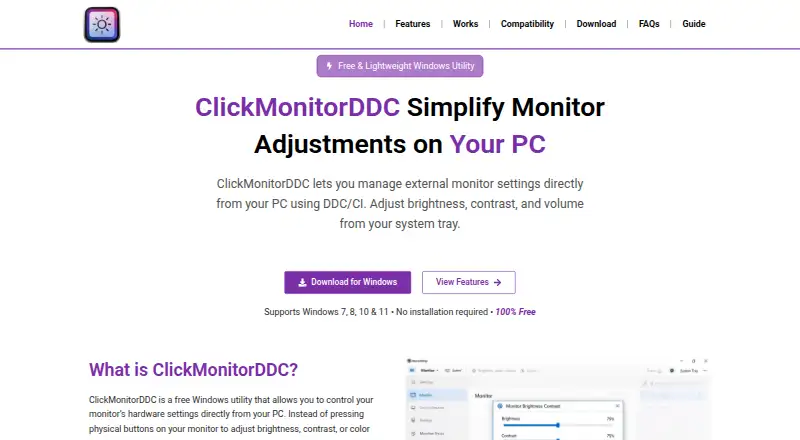
ClickMonitorDDC is a free Windows utility for adjusting external monitor settings through DDC/CI. Depending on monitor support, it can change brightness, contrast, speaker volume, RGB gains and color temperature. Multiple displays can be controlled independently or synchronized. Users can adjust settings through tray controls, hotkeys or the mouse wheel, and switch profiles with shortcuts. Command-line arguments or hotkeys can automate adjustments and profile changes. The listed compatible Windows versions are 7, 8, 10 and 11, and the monitor must have DDC/CI enabled. Some laptop displays may restrict DDC/CI, and some monitors do not support every setting. The download is a portable app that runs without a formal installation. The software's privacy policy says it runs locally and does not collect, transmit or store personal data from the computer, monitor or hardware configuration. The policy also says the website may collect browsing data and use cookies, while stating it does not sell, rent or trade user data. The maker describes it as intended for professionals, gamers and everyday users seeking monitor controls.
Who it suits
ClickMonitorDDC may suit Windows users who want to adjust supported external monitors without a formal installation. It can serve professionals, gamers and everyday users, provided their monitors support DDC/CI.
What it does well
- Free for personal use.
- Controls multiple displays independently or in sync.
- Offers tray, hotkey and mouse-wheel controls.
- Portable app runs without formal installation.
- Software runs locally, according to its policy.
What to know first
- Requires a monitor with DDC/CI enabled.
- Some laptop displays may restrict DDC/CI.
- Some monitors lack support for certain settings.
Limits
The free plan is for personal use, and no premium features are stated. DDC/CI must be enabled, and available adjustments depend on monitor support; some laptop displays restrict DDC/CI.
Plans
| Plan | Billed and limits | Price |
|---|---|---|
| Free | Windows utility · DDC/CI-compatible monitor · personal use | Free |
As clickmonitorddc.com lists them, read 15 Oct 2026. The maker's own page has the final word.
Getting started
- Visit the ClickMonitorDDC website and download the portable app.
- Run the app without a formal installation.
- Use a Windows 7, 8, 10, or 11 computer with a DDC/CI-enabled monitor.
- Adjust settings with tray controls, hotkeys, or the mouse wheel.
Verdict
ClickMonitorDDC provides several ways to adjust and automate supported monitor settings in Windows. Its usefulness depends on DDC/CI compatibility and which settings each monitor supports.
Questions
Is ClickMonitorDDC free?
Yes. The Free plan is listed as free for personal use.
Which operating systems are supported?
The site lists Windows 7, 8, 10, and 11.
Does it require installation?
No formal installation is required; the download instructions describe a portable app.
What monitor settings can it adjust?
Depending on monitor support, it can adjust brightness, contrast, speaker volume, RGB gains, and color temperature.
Can it control multiple displays?
Yes. The maker says displays can be controlled independently or synchronized.
Does the software collect personal data from the computer?
Its privacy policy says the software runs locally and does not collect, transmit, or store personal data from the computer, monitor, or hardware configuration.
Facts from ClickMonitorDDC's own pages
- Adjustments
- It can adjust brightness, contrast, monitor speaker volume, RGB gains, and color temperature, depending on monitor support. · clickmonitorddc.com, 2 Oct 2026
- Automation
- The FAQ says command-line arguments or hotkeys can automate adjustments or switch profiles. · clickmonitorddc.com, 2 Oct 2026
- Brightness control
- Brightness can be changed with sliders or hotkeys. · clickmonitorddc.com, 15 Oct 2026
- Color controls
- Supported displays may expose RGB, gamma and color-temperature adjustments. · clickmonitorddc.com, 15 Oct 2026
- Company founding
- No company founding year is stated on the maker or archived developer pages. · github.com, 15 Oct 2026
- Company headquarters
- No headquarters location is stated on the maker or archived developer pages. · github.com, 15 Oct 2026
- Company identity
- The archived documentation identifies the original developer only as Martin; no legal company name is stated. · github.com, 15 Oct 2026
- Compatibility
- The site lists Windows 7, 8, 10, and 11 and requires a monitor with DDC/CI enabled. · clickmonitorddc.com, 2 Oct 2026
- Contrast control
- The software provides monitor contrast adjustment. · clickmonitorddc.com, 15 Oct 2026
- Controls
- Settings can be adjusted with tray controls, hotkeys, or the mouse wheel, and profiles can be switched with shortcuts. · clickmonitorddc.com, 2 Oct 2026
- DDC/CI mechanism
- The application sends DDC/CI commands through the graphics card and can read current monitor values. · clickmonitorddc.com, 15 Oct 2026
- Distribution
- The download instructions describe a portable app that runs without a formal installation. · clickmonitorddc.com, 2 Oct 2026
- Documentation depth
- A GitHub documentation repository preserves detailed 7.2 instructions, including VCP examples and command syntax. · github.com, 15 Oct 2026
- Hardware requirement
- A monitor must support DDC/CI, with the protocol enabled in its on-screen settings. · clickmonitorddc.com, 15 Oct 2026
- Hotkeys
- Users can assign keyboard shortcuts for adjustments and profile switching. · clickmonitorddc.com, 15 Oct 2026
- Installation
- The maker describes a portable executable that normally runs without formal installation. · clickmonitorddc.com, 15 Oct 2026
- Intended users
- The About page describes the utility as designed for professionals, gamers, and everyday users who want convenient monitor control. · clickmonitorddc.com, 2 Oct 2026
- Known compatibility limits
- Older displays, restricted laptop panels and non-standard DDC/CI implementations may not respond, and some monitors expose only brightness. · clickmonitorddc.com, 15 Oct 2026
- Latest version
- Version 7.2 is listed as the latest release, updated June 30, 2020. · softpedia.com, 15 Oct 2026
- Licence terms
- The terms call it a free utility but prohibit modification, reverse engineering, decompilation and redistribution without written permission. · clickmonitorddc.com, 15 Oct 2026
- Limitations
- Some laptop displays may restrict DDC/CI, and some monitors may not support all settings. · clickmonitorddc.com, 2 Oct 2026
- Limit: discontinued status
- AlternativeTo labels the project discontinued and says the official website is unavailable or abandoned. · alternativeto.net, 15 Oct 2026
- Limit: maintenance
- A 2020 independent blog update says the author's site was no longer maintained. · lee.org, 15 Oct 2026
- Limit: monitor dependence
- Independent listings note that faulty or unsupported DDC/CI implementations can prevent the program from working. · alternativeto.net, 15 Oct 2026
Where ClickMonitorDDC stands on Freedom251
- Monitor Control Software#6 of 24