Freedom251 › Texture Libraries

CineGrain
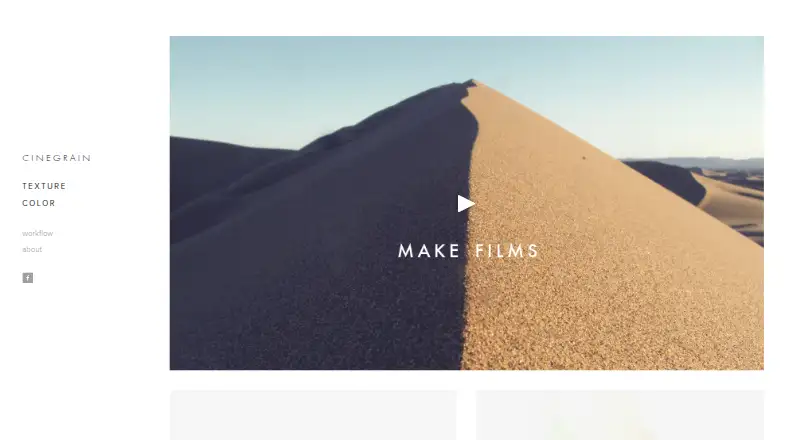
What CineGrain is
CineGrain sells film texture clips and color LUTs for adding texture and cinematic color to digital footage. Its texture assets are described as real 35mm, 16mm, and 8mm film scans in 4K, supplied as ProRes files. The workflow places a texture above footage and sets the composite mode to Overlay. CineGrain Color provides LUTs in .cube, .3dl, and .ctl formats, plus complete DaVinci Resolve node trees. The maker recommends normalizing footage before applying creative looks that are separate from log-to-linear or colorspace conversion. FILM Pipeline targets ACES workflows with 56 film profile LUTs and 25 special process LUTs, adapted for ACEScct AP1 and HDR environments. Products are one-time purchases, with listed prices from $76, paid once. The Professional Collection costs $999, paid once and includes 425 clips, ProRes 4444 files, the complete catalogue, and hard-drive delivery.
Who it suits
It suits filmmakers and editors working on Linux, macOS, or Windows who need film textures, overlays, LUTs, or DaVinci Resolve grades. The Indie Master Series is presented for low-budget filmmakers, while larger-budget studios may need the Professional Collection.
What it does well
- Offers real 35mm, 16mm, and 8mm scans
- Supplies 4K ProRes texture files
- Includes LUT and DaVinci Resolve formats
- Supports ACES and HDR workflows
- Works with major editing and compositing tools
What to know first
- No free plan or free trial
- One-time products can cost up to 999.00 USD
- Professional Collection uses hard-drive delivery
- Budgets over $500,000 require Professional Collection licensing
Limits
Individual packages provide the clips, LUTs, grades, or references specified for that package. Projects with budgets over $500,000 require the Professional Collection, and its hard-drive delivery is intended for delivery before local backup.
Plans
| Plan | Billed and limits | Price |
|---|---|---|
| Apollo | 48 color grades · LUTs · DaVinci Resolve grades · references | $148, paid once |
| Artifacts - Indie Master Series | 75 clips · 4K UHD · ProRes · license covers future projects | $164, paid once |
| Era - 1970s | — | $198, paid once |
| Grain - Indie Master Series | 50 clips · 4K UHD · ProRes · license covers future projects | $246, paid once |
| Indie 8mm Collection | 15 clips · 4K UHD · ProRes | $76, paid once |
| City | 24 color grades · LUTs · DaVinci Resolve grades · references | $96, paid once |
| Indie 16mm Collection | 15 clips · 4K UHD · ProRes | $96, paid once |
| Indie 35mm Collection | 16 clips · 4K UHD · ProRes | $96, paid once |
The first 8 of 10 plans, as cinegrain.com lists them, read 5 Oct 2026. The maker's own page has the final word. Every plan
Getting started
- Open the CineGrain website
- Choose a texture, color, or collection product
- Purchase the selected package once
- Download or receive the supplied assets
- Place a texture above footage and set its composite mode to Overlay
- Normalize footage before applying creative color looks
Verdict
CineGrain offers film-scan overlays and color tools across common post-production workflows, including ACES and HDR setups. Buyers should match the collection and license to their project budget and workflow.
Questions
How are CineGrain products priced?
Products use one-time purchases. Listed options start at $76, paid once.
Is there a free plan or trial?
There is no free plan and no free trial.
Which platforms are listed?
CineGrain is listed for Linux, macOS, and Windows.
What tools can use the assets?
The maker lists DaVinci Resolve, Photoshop, After Effects, Baselight, Flame, Nuke, Premiere, and Final Cut.
What license applies to larger productions?
The Indie Master Series license covers future projects. Studios handling projects with budgets over $500,000 need the Professional Collection.
What does FILM Pipeline include?
FILM Pipeline includes 56 film profile LUTs and 25 special process LUTs for an ACES workflow.
Facts from CineGrain's own pages
- Audience
- CineGrain describes the Indie Master Series as intended to give low-budget filmmakers an affordable option. · cinegrain.com, 5 Oct 2026
- Color formats
- CineGrain Color provides LUTs in .cube, .3dl, and .ctl formats and full DaVinci Resolve node trees. · cinegrain.com, 5 Oct 2026
- Color workflow
- CineGrain says its creative color looks are decoupled from log-to-linear or colorspace conversion, and advises normalizing footage before applying them. · cinegrain.com, 5 Oct 2026
- Film emulation
- FILM Pipeline is designed for an ACES pipeline and includes 56 film profile LUTs and 25 special process LUTs. · cinegrain.com, 5 Oct 2026
- Film scans
- The maker describes its texture assets as real 35mm, 16mm, and 8mm film scans, with 4K resolutions. · cinegrain.com, 5 Oct 2026
- HDR
- CineGrain says FILM Pipeline's film profiles are adapted to an ACEScct AP1 container for use with HDR environments and expanded luminance and gamuts. · cinegrain.com, 5 Oct 2026
- Headquarters
- Santa Monica, California, United States · cinegrain.com, 28 Sept 2026
- Integrations
- The workflow page lists DaVinci Resolve, Photoshop, After Effects, Baselight, Flame, Nuke, Premiere, and Final Cut among compatible tools. · cinegrain.com, 5 Oct 2026
- Licensing
- The Indie Master Series license covers future projects, while studios handling projects with budgets over $500,000 need the Professional Collection. · cinegrain.com, 5 Oct 2026
- Product
- CineGrain sells film texture clips and color LUTs and grades for adding cinematic texture and color to digital footage. · cinegrain.com, 5 Oct 2026
- Professional delivery
- The Professional Collection ships via a hard drive, which the maker says is for delivery only and should be backed up to local storage. · cinegrain.com, 5 Oct 2026
- Reach
- The About page says CineGrain products are used in more than 60 countries and thousands of productions. · cinegrain.com, 5 Oct 2026
- Support
- CineGrain invites customers to email [email protected] with workflow questions and lists the phone number 888.217.9040 on its homepage. · cinegrain.com, 5 Oct 2026
- Texture formats
- Texture products are ProRes files designed to work in systems that support ProRes. · cinegrain.com, 5 Oct 2026
- Texture workflow
- The workflow page instructs users to place a texture on a track above footage and set its composite mode to Overlay. · cinegrain.com, 5 Oct 2026
Where CineGrain stands on Freedom251
- Texture Libraries#26 of 27