Freedom251 › Photo Printing Software
CEWE
What CEWE is
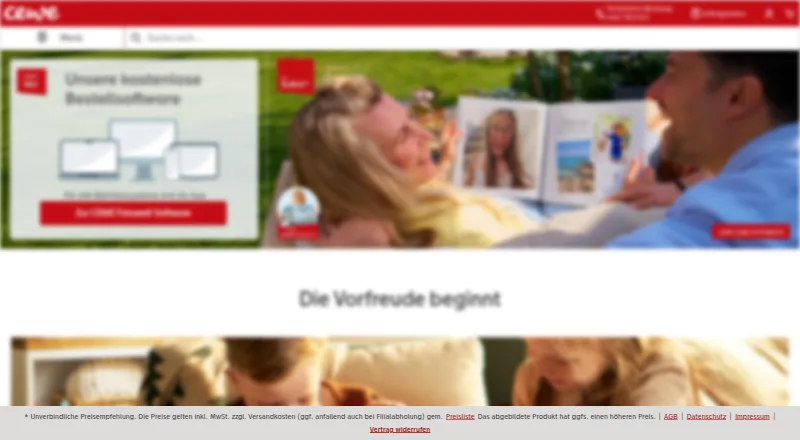
CEWE is a photo-product design service for making photo books, calendars, prints, wall art, greeting cards and gifts. You can build projects in CEWE Fotowelt desktop software, in a browser, or in the free iOS and Android app using photos from a smartphone. The desktop version for Windows, Mac and Linux includes layouts, backgrounds, templates and smart photo arrangement; it can also add maps and videos to photo books, with videos opened through a QR code. The browser editor works without installing software. CEWE myPhotos keeps photos, videos and projects together with 15 GB of storage, described as space for about 5,000 pictures. It also supports shared collections and events, browser folder uploads, and optional organization by people, places and objects. CEWE says uploads are encrypted and myPhotos data is held in Germany under European data protection rules. The design software and storage are free; photo products are priced separately. Orders use vendor checkout, and photo prints are also available at CEWE photo stations in more than 4,000 partner stores.
Who it suits
CEWE suits people who want to create photo products across desktop, browser or mobile, and keep source photos and projects organized in one place. Its tools also fit people making books with maps or videos, or sharing collections with others.
What it does well
- Design in desktop software, browser or mobile app.
- Desktop software offers templates and smart photo arrangement.
- Add maps and videos to photo books.
- myPhotos includes 15 GB of storage.
- Print photos at over 4,000 partner stores.
What to know first
- Photo products are priced separately.
- myPhotos storage is limited to 15 GB.
Limits
CEWE Fotowelt software and myPhotos storage are free. myPhotos includes 15 GB, while photo books and other photo products are priced separately.
Plans
| Plan | Billed and limits | Price |
|---|---|---|
| CEWE Fotowelt software | Free to download; photoproducts are priced separately. · Photo book, calendars and wall art · Templates and smart layout tools · Panoramic pages, video and maps | Free |
| CEWE myPhotos | 15 GB storage included permanently. · Stores photos, videos and projects · Optional people, places and object organization · Desktop, mobile and browser uploads | Free |
As cewe.de lists them, read 28 Sept 2026. The maker's own page has the final word.
Getting started
- Visit https://www.cewe.de/.
- Choose the browser editor, download CEWE Fotowelt for Windows, Mac, or Linux, or get the iOS or Android app.
- Create or upload photos, then choose a photo product and use the available design tools.
- Use CEWE myPhotos to store photos, videos, and projects with 15 GB included.
- Order through vendor checkout or print photos at a CEWE photo station in a partner store.
Overview
CEWE is a photo-printing and personalized-product service for people who want to turn digital pictures into books, gifts and wall displays. It suits users who value a choice of desktop, browser and phone-based design tools; its storage and software are free, while the finished products cost extra.
Its catalogue ranges from photo prints, books, calendars and greeting cards to posters, wall art, phone cases, puzzles and photo advent calendars. Designs are ordered through CEWE’s checkout, and prints can also be made at CEWE photo stations in more than 4,000 partner stores.
Key features
Design on desktop, web or mobile
CEWE Fotowelt desktop software runs on Windows, macOS and Linux, with layouts, backgrounds, templates and smart photo arrangement. For photo books, it can add videos and maps, including personal GPS routes; videos are accessed through a QR code. Those features make the desktop option the strongest fit for a book built around a trip or a substantial collection of photos, though video viewing depends on the QR-code link rather than being embedded as ordinary printed content.
The browser editor avoids an installation and is described as usable on any device. The free iOS and Android app creates photo products from smartphone photos. Together, these options cover different starting points, but the richer video and map functions are specifically associated with the desktop software.
Central storage and sharing
CEWE myPhotos stores photos, videos and projects centrally, with 15 GB included permanently—CEWE equates that to about 5,000 pictures. Shared collections and events can help people gather images together, while browser folder uploads and optional organization by people, places and objects offer ways to manage a growing library. The fixed allowance is useful for a modest collection, but users with larger archives should not treat it as unlimited backup.
CEWE says myPhotos data is stored in Germany under European data protection rules, in company-controlled TÜV-certified data centers, and that uploads are encrypted. These are meaningful safeguards for a service holding personal photos. Phone and email customer service and free software webinars provide help beyond the design tools.
Pricing
CEWE’s two listed software and storage plans both cost nothing. CEWE Fotowelt software is free to download and includes photo-book, calendar and wall-art design, templates and smart layout tools, panoramic pages, video and maps. The free software removes a design-tool charge, not the cost of ordering: photoproducts are priced separately.
CEWE myPhotos costs nothing, with 15 GB of storage included permanently. It stores photos, videos and projects and supports optional organization by people, places and objects, plus desktop, mobile and browser uploads. The trade-off is the 15 GB cap, which makes it a companion for a smaller library rather than an unlimited archive. CEWE’s product range includes many print formats and gifts, but prices for those items are not given here.
Platforms
CEWE supports Windows, macOS and Linux through desktop software, iOS and Android through its mobile app, and web access through a browser editor and myPhotos uploads. That breadth is useful for households or individuals working across different devices; the desktop version is the one with the stated video and map additions for photo books.
Who it's for
CEWE is a strong fit for people who want one provider for designing and ordering photo books, prints, calendars, cards and gifts, especially if they value desktop layout tools or want to make products from phone photos. The permanently free 15 GB myPhotos space adds a convenient place for a modest collection and shared events. It is less suitable for someone seeking unlimited photo storage or a completely free finished book: the storage has a cap, and products are purchased separately.
Pros and cons
- Pros: Free desktop, browser and mobile design routes let users choose a workflow, and the desktop software supports video and GPS-route additions to photo books.
- Pros: Permanent 15 GB storage, sharing and optional people/place/object organization combine basic library management with project design.
- Pros: More than 4,000 partner-store photo stations provide an in-person print option alongside vendor checkout.
- Cons: myPhotos stops at 15 GB, so it is not a substitute for unlimited storage for a large archive.
- Cons: Free software does not make the finished prints and photo products free; each product is priced separately.
Alternatives
Photo Printing Software is the category list to consult when you want to compare providers rather than choose CEWE directly.
- Boots Photo is another free-plan option with the same listed platform coverage; its maker identifies CEWE as the exclusive partner operating its photo service in the UK and Republic of Ireland.
- Zno suits readers who want a free starting point with an upgrade path and a free trial.
- Saal Digital is worth considering if you want a free plan with 10 GB of storage, 12% commission on download revenue and no commission on photo products, or a paid Saal Cloud plan.
- Journi is an alternative with free Print and Blog apps and separately priced photo calendars.
- PrestoPhoto offers a free web-based designer for books, calendars, cards and wall decor, with products purchased separately.
- Blurb BookWright is a desktop book-design option with templates, layout suggestions and offline editing; a listed softcover photo book costs 12.00 USD.
- FreePrints Photo Books may suit readers who want one standard softcover book per calendar month at no book charge, while accepting a $7.99 flat shipping charge per order and the stated 20-page allowance.
- Pixum is another photo-product service to compare.
Verdict
Choose CEWE if you want free, cross-platform tools for designing photo products, particularly a photo book that can combine pictures with maps or QR-accessed video, and a modest permanent storage space alongside them. Its broad product range and partner-store print option are practical advantages. Look elsewhere if your priority is a larger storage allowance or if you expect the finished products themselves to be free.
Verdict
CEWE combines photo-product design with centralized storage and several ways to create projects. The software and storage are free, but the finished products are priced separately.
Questions
Is CEWE free?
The CEWE Fotowelt software and CEWE myPhotos storage are free. Photo products are priced separately.
What platforms can I use to design?
CEWE lists Windows, macOS, Linux, iOS, Android, and web. The browser editor works without installing software, and the free app is available for iOS and Android.
How much storage does myPhotos include?
CEWE myPhotos includes 15 GB permanently, described as space for about 5,000 pictures.
What can I create with CEWE?
Its product range includes photo books, calendars, wall art, prints, greeting cards, postcards, posters, and photo gifts, among other listed products.
Who makes CEWE and where is it based?
CEWE is headquartered in Oldenburg, Germany. The company says Heinz Neumüller founded CEWE COLOR Betriebe in 1961.
Can I add videos and maps to a photo book?
The desktop software supports adding videos and maps, including personal GPS routes. Videos can be accessed through a QR code.
Facts from CEWE's own pages
- Browser editor
- CEWE says customers can design directly in a browser without installing software and on any device. · cewe.de, 28 Sept 2026
- Company history
- CEWE traces its origins to the founding of the Photographische Anstalt in Oldenburg in 1912 and says Heinz Neumüller founded CEWE COLOR Betriebe in 1961. · cewe-group.com, 28 Sept 2026
- Design features
- Desktop software supports adding videos and maps to photo books, including personal GPS routes, while videos can be accessed through a QR code. · cewe.de, 28 Sept 2026
- Desktop design
- CEWE Fotowelt software is available for Windows, Mac and Linux and includes layouts, backgrounds, templates and smart photo arrangement. · cewe.de, 28 Sept 2026
- Founded
- 1961 · cewe.de, 23 Sept 2026
- Headquarters
- CEWE says its headquarters and largest production site are in Oldenburg, Lower Saxony, Germany. · cewe-group.com, 28 Sept 2026
- Mobile app
- The CEWE Fotowelt app is available free for iOS and Android and supports creating photo products from smartphone photos. · cewe.de, 28 Sept 2026
- myPhotos storage
- CEWE myPhotos stores photos, videos and projects centrally and includes 15 GB of storage, described as space for about 5,000 pictures. · cewe.de, 28 Sept 2026
- Privacy and security
- CEWE says myPhotos data is stored in Germany under European data protection rules, in company-controlled TÜV-certified data centers, and uploads are encrypted. · cewe.de, 28 Sept 2026
- Product range
- The site offers photo books, calendars, wall art, prints, greeting cards and photo gifts. · cewe.de, 28 Sept 2026
- Retail printing
- CEWE says customers can print photos at CEWE photo stations in more than 4,000 partner stores. · cewe.de, 28 Sept 2026
- Sharing and organization
- myPhotos supports shared collections and events, browser folder uploads, and optional organization by people, places and objects. · cewe.de, 28 Sept 2026
- Support
- CEWE lists customer service by phone and email and offers free webinars about its software. · cewe.de, 28 Sept 2026
- What it does
- CEWE provides tools for creating photo books and other personalized photo products, which can be designed online, in desktop software or in its mobile app. · cewe.de, 28 Sept 2026
Where CEWE stands on Freedom251
- Photo Printing Software#3 of 30