Freedom251 › Media Player Software
Celluloid
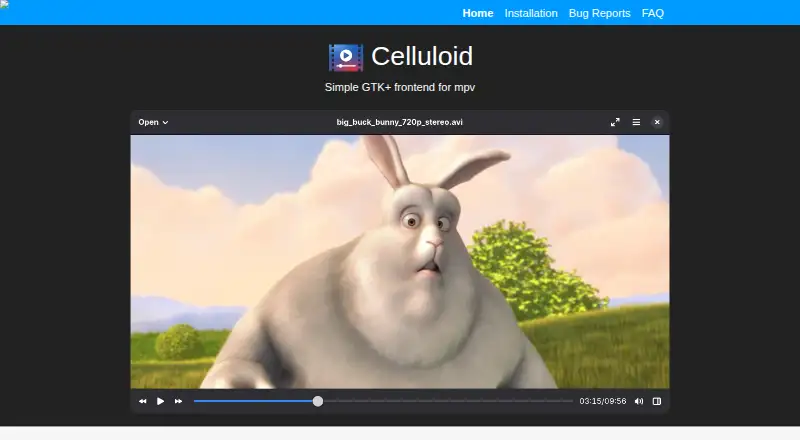
What Celluloid is
Celluloid is a free GTK+ frontend for mpv, built to make playback accessible while retaining mpv’s configuration options. It connects to mpv through the libmpv client API and can read mpv configuration files for options and keybindings. Open files or URIs through command-line arguments, a file chooser, an Open Location dialog, or drag and drop. Playlist entries can be added, removed, and rearranged by dragging; loaded playlist files and online playlists, including YouTube playlists, expand into individual items. Celluloid supports network playback, subtitles, hardware acceleration, and most mpv user scripts. Scripts can be installed from the Plugins tab in preferences, though some may introduce keybinding conflicts that need different bindings in input.conf. It implements MPRIS D-Bus integration for compatible desktop clients, and its project describes it as fully functional on Wayland. Linux packages, Flatpak and Snap releases, and source builds are listed. Celluloid is licensed under the GNU General Public License version 3 or later, without warranty.
Who it suits
Celluloid suits Linux and Windows users looking for a configurable media player with mpv compatibility. It may also suit people who use playlists, scripts, or desktop clients that support MPRIS.
What it does well
- Free software under GNU GPL version 3 or later
- Supports network playback, subtitles, and hardware acceleration
- Playlist entries can be rearranged with drag and drop
- Supports most mpv user scripts
What to know first
- Some mpv scripts can conflict with keybindings
- Distributed without warranty
Limits
Some mpv scripts may define keybindings that conflict with Celluloid, requiring new bindings in input.conf. Flatpak installations are sandboxed.
Plans
| Plan | Billed and limits | Price |
|---|---|---|
| Free software | GNU GPL version 3 or later | Free |
As celluloid-player.github.io lists them, read 11 Oct 2026. The maker's own page has the final word.
Getting started
- Visit the Celluloid project website
- Install a Linux package, Flatpak, Snap release, or source build
- Install the Windows version if using Windows
- Open files or URIs through the chooser, Open Location dialog, command line, or drag and drop
- Install supported mpv scripts from the Plugins tab
Verdict
Celluloid combines mpv playback and configuration with playlist editing, script support, and desktop integration. It is free, with Linux packages, Flatpak and Snap releases, and source builds listed.
Questions
How much does Celluloid cost?
Celluloid is free software, listed as free under the GNU GPL version 3 or later.
Which platforms does it support?
Supported platforms are Linux and Windows.
Can it play network media?
Yes, network playback is supported.
Does it support subtitles and hardware acceleration?
Yes, both are supported.
How can it be installed?
The maker lists Linux packages, Flatpak releases on Flathub, Snap releases on Snapcraft, and source builds.
Can it load online playlists?
Yes. Online playlists such as YouTube playlists are expanded into individual playlist items when loaded.
Facts from Celluloid's own pages
- Configuration
- It can use mpv configuration files and input configuration for options and keybindings. · celluloid-player.github.io, 11 Oct 2026
- Desktop integration
- Celluloid implements the MPRIS D-Bus interface for integration with compatible desktop clients. · celluloid-player.github.io, 11 Oct 2026
- File and URI input
- Files and URIs can be opened through command-line arguments, a file chooser, an Open Location dialog, or drag and drop. · github.com, 11 Oct 2026
- Flatpak sandbox
- The installation page says Flatpak packages support multiple distributions and are sandboxed. · celluloid-player.github.io, 11 Oct 2026
- Free plan
- Yes · celluloid-player.github.io, 21 Sept 2026
- Hardware acceleration
- Yes · celluloid-player.github.io, 21 Sept 2026
- Installation
- The maker lists Linux packages, Flatpak releases on Flathub, Snap releases on Snapcraft, and source builds. · celluloid-player.github.io, 11 Oct 2026
- License
- Celluloid is distributed under the GNU General Public License, version 3 or later, without warranty. · github.com, 11 Oct 2026
- License model
- free · celluloid-player.github.io, 21 Sept 2026
- Limits
- Some mpv scripts may define keybindings that conflict with Celluloid and require new bindings in input.conf. · github.com, 11 Oct 2026
- Network playback
- Yes · celluloid-player.github.io, 21 Sept 2026
- Online playlists
- Playlist files and online playlists such as YouTube playlists are expanded into individual items when loaded. · github.com, 11 Oct 2026
- Supported platforms
- Linux,Windows · celluloid-player.github.io, 21 Sept 2026
- Playback engine
- Celluloid interacts with mpv through the libmpv client API. · github.com, 11 Oct 2026
- Playlist
- Playlist entries can be added, removed, and rearranged using drag and drop. · celluloid-player.github.io, 11 Oct 2026
- Purpose
- Celluloid is a GTK+ frontend for mpv, designed to be easy to use while remaining configurable. · celluloid-player.github.io, 11 Oct 2026
- Scripts
- Celluloid supports most mpv user scripts, which can be installed through the Plugins tab in preferences. · github.com, 11 Oct 2026
- Subtitle support
- Yes · celluloid-player.github.io, 21 Sept 2026
- Wayland
- The project says Celluloid is fully functional on Wayland. · celluloid-player.github.io, 11 Oct 2026
Where Celluloid stands on Freedom251
- Media Player Software#31 of 76