Freedom251 › AI Video Caption Generators

CapForge
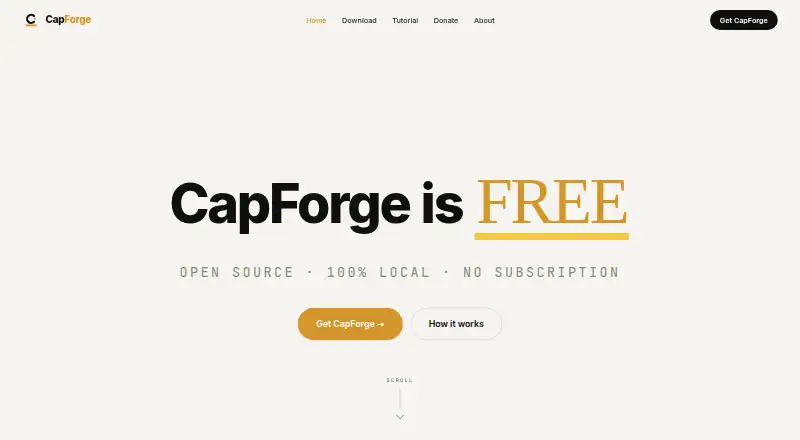
What CapForge is
CapForge is a desktop captioning app for macOS and Windows that transcribes video, edits caption text and timing, and renders captions into video or transparent overlays. Transcription, rendering, and the video library run on the user’s machine. The project describes word-level timestamps in 99 languages with automatic language detection. Its editor provides Text, Groups, and a read-only Transcript view alongside a timing timeline. You can style captions, apply brand presets, identify speakers, and burn captions into video. Exports include MP4, transparent MOV or WebM, SRT, VTT, ASS, JSON, and CapForge project files. A Publish workspace prepares titles, descriptions, chapters, tags, hashtags, Shorts suggestions, thumbnails, and localized metadata for social channels. An MCP server connects with Claude Desktop and Claude Code. CapForge does not upload videos or publish posts; you copy the prepared package to the destination platform. The free plan costs nothing, with no subscription or feature paywall.
Who it suits
It suits desktop video creators who need local transcription, styled captions, speaker identification, and varied subtitle exports. It is also relevant to users wanting a free workflow without telemetry or account requirements.
What it does well
- Local transcription, rendering, and video library
- Caption support for 99 languages
- Exports video, subtitles, and project files
- Brand caption presets and speaker identification
- Free forever without feature paywalls
What to know first
- macOS 12+ requires Apple Silicon
- Windows requires 64-bit Windows 10 or later
- Does not upload videos or publish posts
- No mobile platform listed
Plans
| Plan | Billed and limits | Price |
|---|---|---|
| Free | Free forever; no subscription or tiers · No limit on captions stated · no feature paywall | Free |
As capforge.cc lists them, read 11 Oct 2026. The maker's own page has the final word.
Verdict
CapForge offers a local, free caption workflow with extensive export formats and language coverage. Its desktop-only operation and manual publishing step should match your production setup.
Facts from CapForge's own pages
- Brand caption presets
- Yes · capforge.cc, 19 Sept 2026
- Burn-in captions
- Yes · capforge.cc, 19 Sept 2026
- Caption languages
- 99 · capforge.cc, 19 Sept 2026
- Caption styling
- Yes · capforge.cc, 19 Sept 2026
- Editing
- The editor has Text, Groups, and read-only Transcript views, plus a timeline for adjusting caption timing. · github.com, 11 Oct 2026
- Exports
- Exports include MP4, transparent MOV or WebM, SRT, VTT, ASS, JSON, and CapForge project files. · github.com, 11 Oct 2026
- Free plan
- Yes · capforge.cc, 19 Sept 2026
- Integrations
- CapForge provides an MCP server that connects to Claude Desktop and Claude Code. · github.com, 11 Oct 2026
- Languages
- The project describes word-level timestamps in 99 languages with automatic language detection. · github.com, 11 Oct 2026
- Local processing
- Transcription, rendering, and the video library run on the user's machine. · github.com, 11 Oct 2026
- Open source
- The maker says the source code is on GitHub, and the repository lists the MIT license. · github.com, 11 Oct 2026
- Platforms
- The repository lists installers for Windows and macOS with Apple Silicon. · github.com, 11 Oct 2026
- Privacy
- The maker says the app has no telemetry and does not send usage data or crash reports home. · capforge.cc, 11 Oct 2026
- Publishing
- The Publish workspace prepares titles, descriptions, chapters, tags, hashtags, Shorts suggestions, thumbnails, and localized metadata for social channels. · github.com, 11 Oct 2026
- Speaker identification
- Yes · capforge.cc, 19 Sept 2026
- Subtitle export
- other formats · capforge.cc, 19 Sept 2026
- Support
- The maker directs users to report bugs and request features through GitHub issues. · capforge.cc, 11 Oct 2026
- System requirements
- The download page specifies macOS 12 Monterey or later on Apple Silicon and Windows 10 64-bit or later. · capforge.cc, 11 Oct 2026
- Upload limit
- CapForge does not upload videos or publish posts; users copy the prepared package into the relevant platform. · github.com, 11 Oct 2026
- What it does
- CapForge transcribes videos, lets users edit and style captions, and renders them into video or transparent overlays. · github.com, 11 Oct 2026
Where CapForge stands on Freedom251
- AI Video Caption Generators#57 of 99