Freedom251 › Corrective and Preventive Action Software

CAMA Corrective Action Software
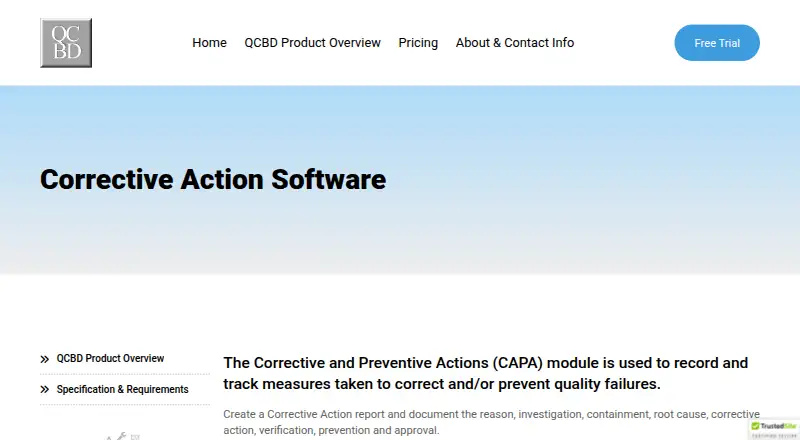
What CAMA Corrective Action Software is
CAMA Corrective Action Software is the CAPA module in QCBD, a Windows desktop application for manufacturing quality processes. It records and tracks measures used to correct or prevent quality failures. Each corrective action report can cover the reason for action, investigation, containment, root cause, corrective action, verification, prevention, and approval, following the classical 8D format. Teams can create process, vendor, and audit action categories, then link actions to nonconformances, customer complaints, supplier management records, and training records.
For monitoring and follow-up, users can create custom queries, trend graphs, and Pareto charts, email reports, and export data to Excel. The product describes 21 CFR Part 11 features such as electronic signatures, full audit trails, login controls, and configurable record-access restrictions. The CAPA module is designed for requirements associated with ISO 9001, ISO 13485, AS9100, TS 16949, and SQF 2000 / ISO 22000. QCBD serves small to mid-size manufacturers, including medical device, aerospace, consumer electronics, and general manufacturing businesses. Its Windows client runs on Windows 7 through Windows 11; the database can reside on a company network server or be hosted by a third-party cloud provider.
Who it suits
It suits small and mid-size manufacturers that need structured corrective-action records, 8D workflows, and links to quality-related records. Its stated industries include medical device, aerospace, consumer electronics, and general manufacturing.
What it does well
- Captures investigation, containment, root cause, verification, prevention, and approval.
- Uses the classical 8D corrective action format.
- Links actions with complaints, nonconformances, supplier, and training records.
- Builds trend graphs, Pareto charts, custom queries, and emailed reports.
- Describes electronic signatures and full audit trails.
- Exports data to Excel.
What to know first
- Windows desktop client; mobile access is unavailable.
- Standard Edition allows up to 50 concurrent users.
- Support is included for the first 12 months, then optional.
- SQL Server and server hardware are not included with Enterprise Edition.
Limits
The Standard Edition supports up to 50 concurrent users. Enterprise supports unlimited concurrent users, but SQL Server and server hardware are not included. Support is included for the first 12 months and optional thereafter.
Plans
| Plan | Billed and limits | Price |
|---|---|---|
| QCBD Standard Edition | Pricing starts at $4,500; page does not specify a billing schedule or edition-specific price. · LAN · MS Access database · single site · unlimited named users · up to 50 concurrent users | $4,500, paid once |
| QCBD Enterprise Edition | Pricing starts at $4,500; page does not specify a billing schedule or edition-specific price. · WAN · MS SQL Server · multiple facilities · unlimited named and concurrent users · SQL Server and server hardware not included | $4,500, paid once |
As camasoftware.com lists them, read 7 Oct 2026. The maker's own page has the final word.
Getting started
- Visit the CAMA Corrective Action Software website.
- Choose QCBD Standard Edition or Enterprise Edition; pricing starts at $4,500.
- Request the free trial.
- Use the Windows client, which runs on Windows 7 through Windows 11.
- Install the database on a company network server or arrange hosting through a third-party cloud provider.
Verdict
Choose CAMA Corrective Action Software if your manufacturing team needs CAPA records organized around 8D, connected to related quality records, and supported by reporting tools. Look elsewhere if you need mobile access or a client outside Windows. Standard Edition has a 50-concurrent-user ceiling; Enterprise allows unlimited concurrent users.
Questions
How much does CAMA Corrective Action Software cost?
Pricing starts at $4,500. The listed Standard and Enterprise plans are each $4,500, paid once; no billing schedule or edition-specific price is stated.
Is there a free plan or trial?
There is no free plan. A free trial is available.
Which platforms does it support?
It is a Windows desktop application that runs on Windows 7 through Windows 11. It is also described as self-hosted; the database can be installed on a company network server or hosted by a third-party cloud provider.
What is the difference between Standard and Enterprise?
Standard uses a LAN and MS Access database for a single site, with unlimited named users and up to 50 concurrent users. Enterprise uses a WAN and MS SQL Server for multiple facilities, with unlimited named and concurrent users; SQL Server and server hardware are not included.
Does it support electronic signatures and audit trails?
Yes. The product describes electronic signatures and full audit trails among its 21 CFR Part 11 features.
What support is included?
Support is included with purchase for the first 12 months and is optional afterward. Online training resources are included.
Facts from CAMA Corrective Action Software's own pages
- 8D format
- The CAPA module conforms to the classical 8D corrective action format. · camasoftware.com, 7 Oct 2026
- Action categories
- Users can create process, vendor, and audit corrective action categories. · camasoftware.com, 7 Oct 2026
- CAPA records
- A corrective action report documents the reason, investigation, containment, root cause, corrective action, verification, prevention, and approval. · camasoftware.com, 7 Oct 2026
- Founded
- 2001 · camasoftware.com, 28 Sept 2026
- Headquarters
- Orange County, California, USA · camasoftware.com, 28 Sept 2026
- Integrations
- The maker describes links among QCBD modules and Excel export, but the pages reviewed do not name external integrations. · camasoftware.com, 7 Oct 2026
- Linked records
- Corrective actions can link to nonconformances, customer complaints, supplier management records, and training records. · camasoftware.com, 7 Oct 2026
- Notable limits
- Standard Edition supports up to 50 concurrent users, while Enterprise Edition supports unlimited concurrent users. · camasoftware.com, 7 Oct 2026
- Operating systems
- The client runs on Windows 7 through Windows 11. · camasoftware.com, 7 Oct 2026
- Platform and hosting
- QCBD is a Windows desktop application, with its database installed on a company network server or hosted by a third-party cloud provider. · camasoftware.com, 7 Oct 2026
- Purpose
- The CAPA module records and tracks measures taken to correct or prevent quality failures. · camasoftware.com, 7 Oct 2026
- Reporting
- Users can build custom queries, trend graphs, and Pareto charts, email reports, and export data to Excel. · camasoftware.com, 7 Oct 2026
- Security and compliance
- The product page describes 21 CFR Part 11 features including electronic signatures, full audit trails, login controls, and configurable record access restrictions. · camasoftware.com, 7 Oct 2026
- Standards
- The CAPA module is designed for requirements associated with ISO 9001, ISO 13485, AS9100, TS 16949, and SQF 2000 / ISO 22000. · camasoftware.com, 7 Oct 2026
- Support
- Support is included with purchase for the first 12 months and optional thereafter; online training resources are included. · camasoftware.com, 7 Oct 2026
- Target users
- QCBD is designed for small to mid-size manufacturing companies, including medical device, aerospace, consumer electronics, and general manufacturing businesses. · camasoftware.com, 7 Oct 2026