Freedom251 › Social Media Management Tools

BrandScheduler
What BrandScheduler is
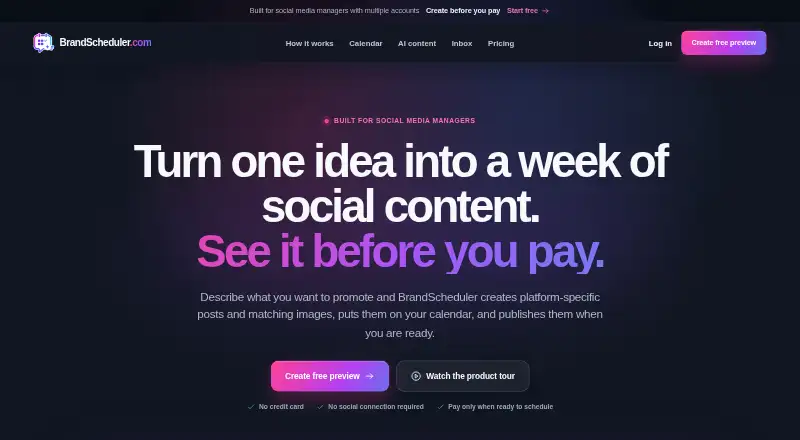
BrandScheduler is a web-based workspace for managing social media accounts and content. It connects accounts on Facebook, Instagram, LinkedIn, TikTok, YouTube, X, Threads, Pinterest, Reddit, Google Business, and WhatsApp, with support for four social accounts in its listed account allowance. A content calendar helps you create posts, choose accounts, and schedule publication. The platform combines messages, comments, and reviews in one social inbox and includes an approval workflow so users can approve each post. Its AI can produce text, images, and videos, including marketing videos created from a website, uploaded image, or clip with music, automatic captions, and different voices and languages. BrandScheduler also lists social ads management and post analytics as unlimited features on every plan. The Free plan costs nothing and includes one connected account, one analyzed website, 10 starter AI posts, 10 starter AI images, and two starter Product Avatar images.
Who it suits
BrandScheduler suits brands, agencies, creators, and growing social media teams that need account connections, scheduling, inbox management, approvals, and AI content tools. It is also suited to users who want a free web plan.
What it does well
- Supports 11 listed social networks
- Social inbox combines messages, comments, and reviews
- Approval workflow lets users approve every post
- AI creates text, images, and videos
- Free plan includes 10 starter AI posts
What to know first
- Free plan connects one account
- AI videos and extra capacity are add-ons
Plans
| Plan | Billed and limits | Price |
|---|---|---|
| Free | forever · 1 connected account · 1 analyzed website · 10 starter AI posts · 10 starter AI images · 2 starter Product Avatar images | Free |
| Growth | Billed monthly · cancel anytime; Standard €50.70/month · 4 connected accounts · 10 analyzed websites · 100 monthly AI posts · 100 monthly AI images · 6 monthly Product Avatar images | €39 a month |
| Pro | Billed monthly · cancel anytime; Standard €128.70/month · 12 connected accounts · 30 analyzed websites · 300 monthly AI posts · 300 monthly AI images · 25 monthly Product Avatar images | €99 a month |
As brandscheduler.com lists them, read 12 Oct 2026. The maker's own page has the final word.
Verdict
BrandScheduler brings scheduling, conversations, approvals, analytics, ads, and AI content into one web workspace. The free plan provides a limited starting allowance, while larger account and content limits are listed for Growth and Pro without prices.
Facts from BrandScheduler's own pages
- Add-ons
- AI videos and extra capacity are available as add-ons. · brandscheduler.com, 12 Oct 2026
- Ads and analytics
- The site lists social ads management and post analytics as unlimited features on every plan. · brandscheduler.com, 12 Oct 2026
- AI choice
- Users can work manually or use AI for text, images, and videos; the site says users approve every post. · brandscheduler.com, 12 Oct 2026
- AI content
- Its AI can create text, images, and videos, and can use a website to create social content. · brandscheduler.com, 12 Oct 2026
- Approval workflow
- Yes · brandscheduler.com, 22 Sept 2026
- Free plan
- Yes · brandscheduler.com, 22 Sept 2026
- Inbox
- The platform brings messages, comments, and reviews together in an inbox. · brandscheduler.com, 12 Oct 2026
- Intended users
- The homepage says BrandScheduler is built for brands, agencies, creators, and growing social media teams. · brandscheduler.com, 12 Oct 2026
- Platform partners
- The homepage displays Meta Business Partner, TikTok Marketing Partner, LinkedIn Marketing Partner, and Pinterest Business Partner badges. · brandscheduler.com, 12 Oct 2026
- Product
- BrandScheduler lets users connect social accounts, create and schedule content, reply to conversations, promote posts, and track performance in one workspace. · brandscheduler.com, 12 Oct 2026
- Publishing
- The site describes a content calendar for creating posts, choosing accounts, and scheduling them. · brandscheduler.com, 12 Oct 2026
- Social accounts
- 4 · brandscheduler.com, 22 Sept 2026
- Social channels
- The homepage lists Facebook, Instagram, LinkedIn, TikTok, YouTube, X, Threads, Pinterest, Reddit, Google Business, and WhatsApp. · brandscheduler.com, 12 Oct 2026
- Social inbox
- Yes · brandscheduler.com, 22 Sept 2026
- Supported networks
- Facebook,Instagram,LinkedIn,TikTok,YouTube,X,Threads,Pinterest,Reddit,Google Business,WhatsApp · brandscheduler.com, 22 Sept 2026
- Video creation
- AI marketing videos can be made from a website, uploaded image, or clip, with music, automatic captions, and different voices and languages. · brandscheduler.com, 12 Oct 2026
Where BrandScheduler stands on Freedom251
- Social Media Management Tools#58 of 145